08. Type Hints
View code on GitHub Download slides (PDF) Get the Video Course
A type hint is a small label that says what kind of value something is: text, a whole number, a list, and so on. You add hints to function parameters, return values, and variables. The important thing to know up front: hints do not change how your program runs. Python does not check them. They are there for you and your editor, to make your code easier to read and to catch mistakes before you run it.
Practice as you go
Each concept below has matching exercises. When you finish a step, head to the Practice problems for this section, then try the optional Workshop. Every problem includes a solution you can expand.
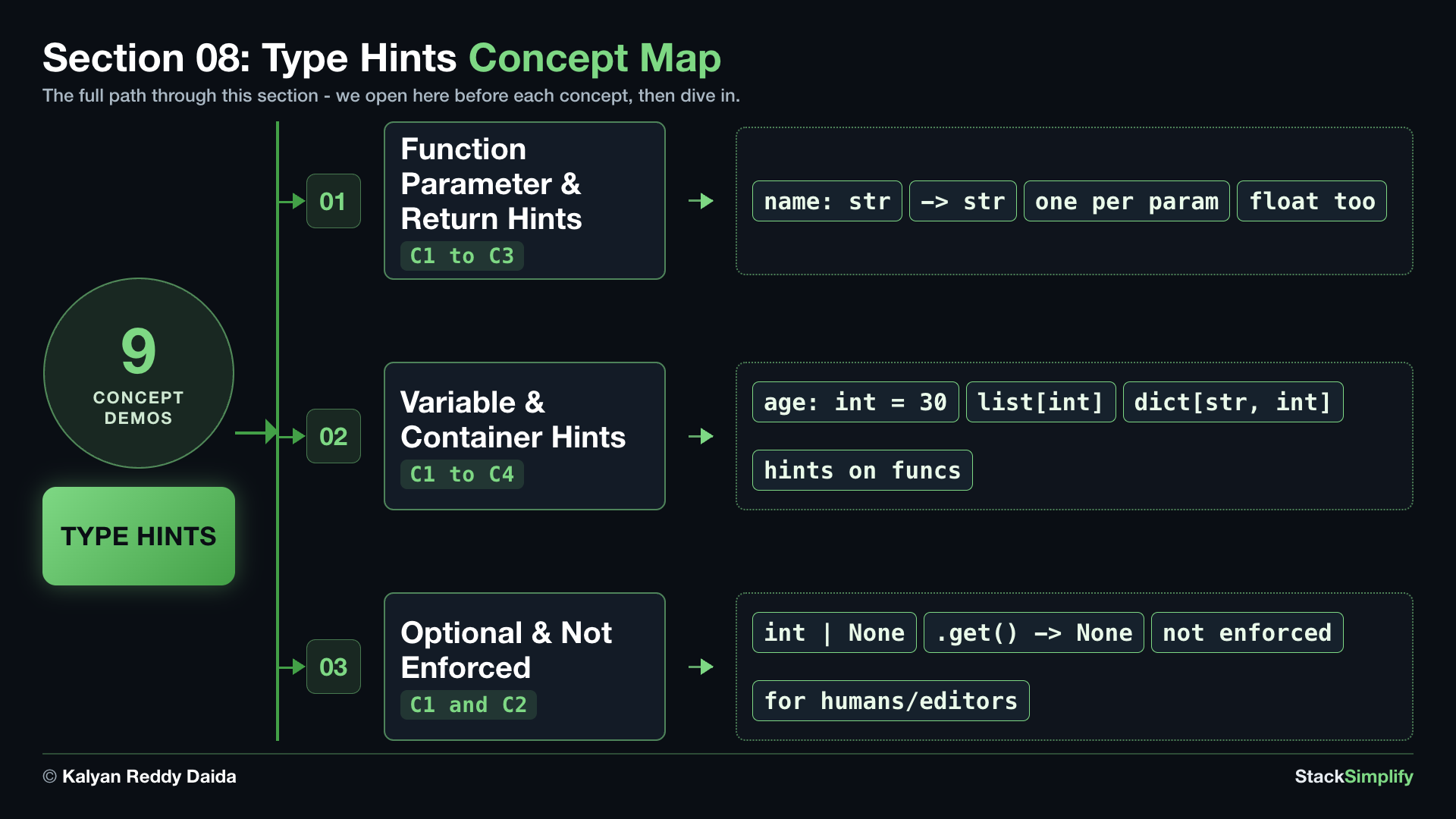
In this section you will add hints to functions, label variables and containers, mark values that might be missing, and see for yourself that Python does not enforce hints at runtime.
Step-00: What You Will Learn
In this section you will get comfortable with how to:
- Add hints to function parameters (after a
:) and return values (after->). - Add hints to variables, and use container hints like
list[int]anddict[str, int]. - Mark a value that might be missing with
X | None(for exampleint | None). - See that Python does not enforce hints at runtime; they are for humans and editors only.
Step-01: Function Parameter and Return Hints
File: s08_step01_function_hints.py
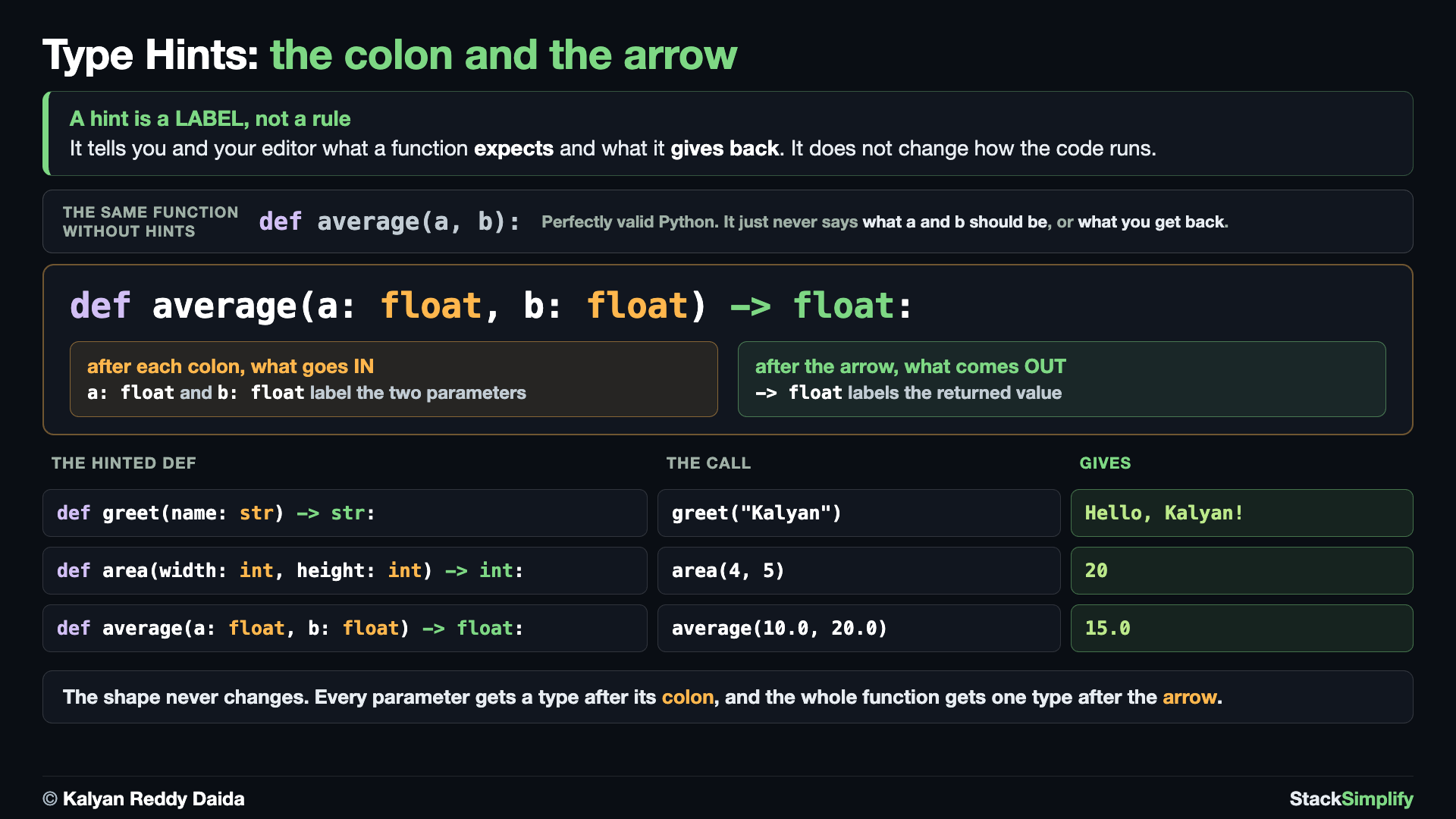
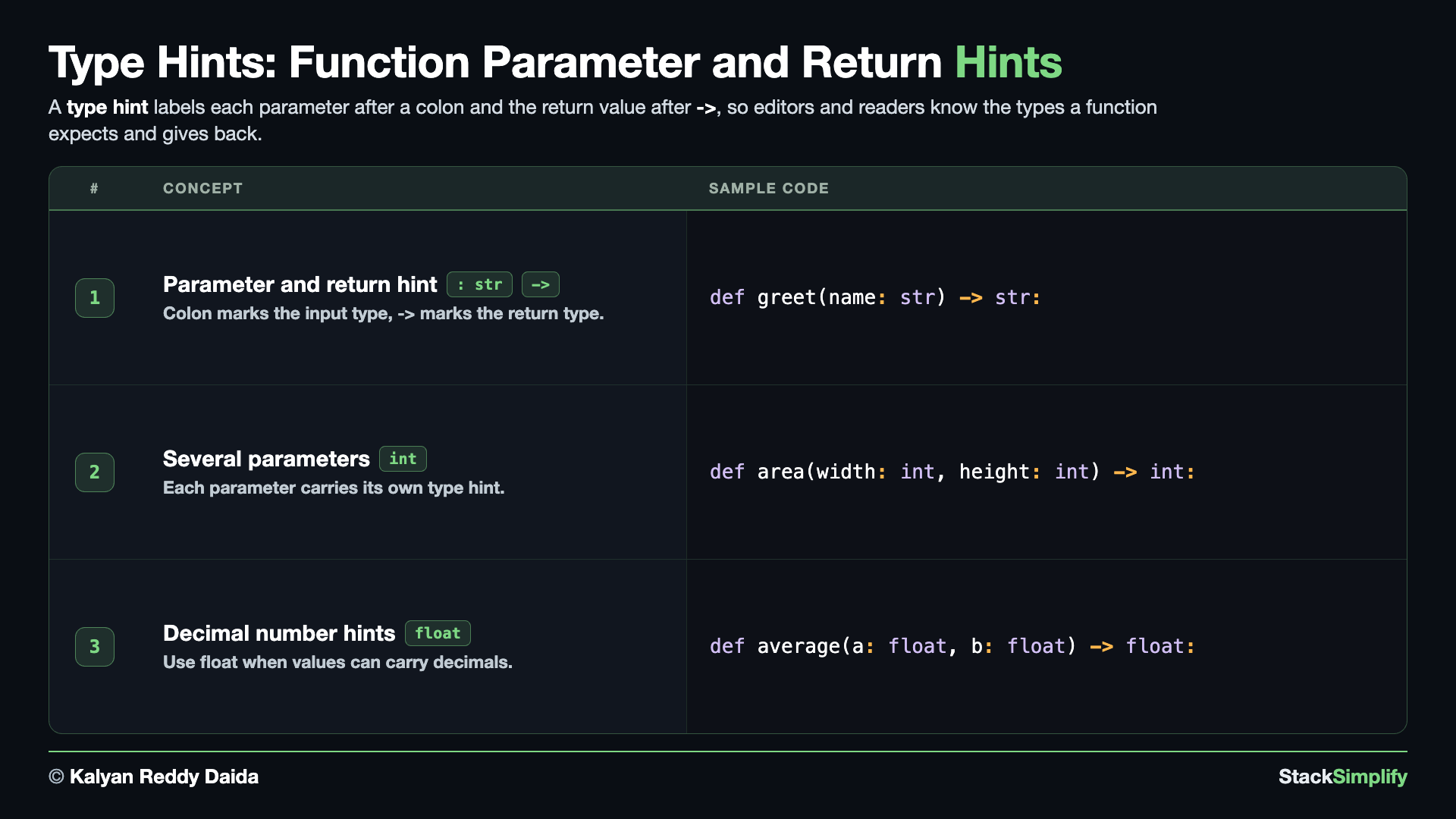
For a function, you label each parameter by putting the type after a colon, and you label the return value by putting the type after the arrow ->. Create s08_step01_function_hints.py in python-learn and build it up concept by concept.
Concept 1: Hint a parameter and a return value
You label a parameter by writing the type right after its name and a colon, and you label the return value by writing the type after the arrow ->. So def greet(name: str) -> str: reads as "greet takes a str called name and gives back a str". The hint is just a note about what the function expects and returns; it does not change how the code runs. Define it, then call it and see that it behaves exactly as it would with no hints at all.
# Concept-01: A type hint labels each parameter after a colon, and the return after -> (it does not change how the code runs)
# Question: How do we tell Python and our editor what type of value a function expects and returns? (name: str -> str means parameter name is text, returns text)
def greet(name: str) -> str:
    # name is labeled str (text), and -> str says we return text
    return f"Hello, {name}!"


print(greet("Kalyan"))
Concept 2: Hint each of several parameters
A function often needs more than one input, and each one gets its own hint. You write the type after the colon for every parameter, separated by commas, and one return type after the arrow. Here area(width: int, height: int) -> int says both inputs are whole numbers and the answer is a whole number too.
# Concept-02: A function can take more than one parameter, each with its own hint
# Question: How do we add type hints when a function needs more than one input, giving each parameter its own hint? (area(width: int, height: int) -> int)
# Two ints in, an int out
def area(width: int, height: int) -> int:
    return width * height


print("area:", area(4, 5))
Concept 3: Hints with float (decimal) values
Hints work the same way for decimal numbers: you use float instead of int. average(a: float, b: float) -> float takes two decimals and returns one. Note the result: 15.0, not 15 - dividing by 2 gives a float, which is exactly what the -> float hint says to expect.
# Concept-03: Hints work with float (decimal) values too
# Question: How do we write type hints for functions that work with decimal numbers instead of whole numbers? (a: float, b: float -> float means decimals in, a decimal out)
def average(a: float, b: float) -> float:
    return (a + b) / 2


print("average:", average(10.0, 20.0))
Hints are labels, not rules
Python does NOT enforce type hints at runtime, so passing the wrong type still runs. Hints are for readers and tools like your editor and mypy.
Pages for this step: Concept | Practice | Workshop
Python Files for this step: Concept | Practice | Practice Solutions | Workshop | Workshop Solutions
Step-02: Variable Hints and Container Hints
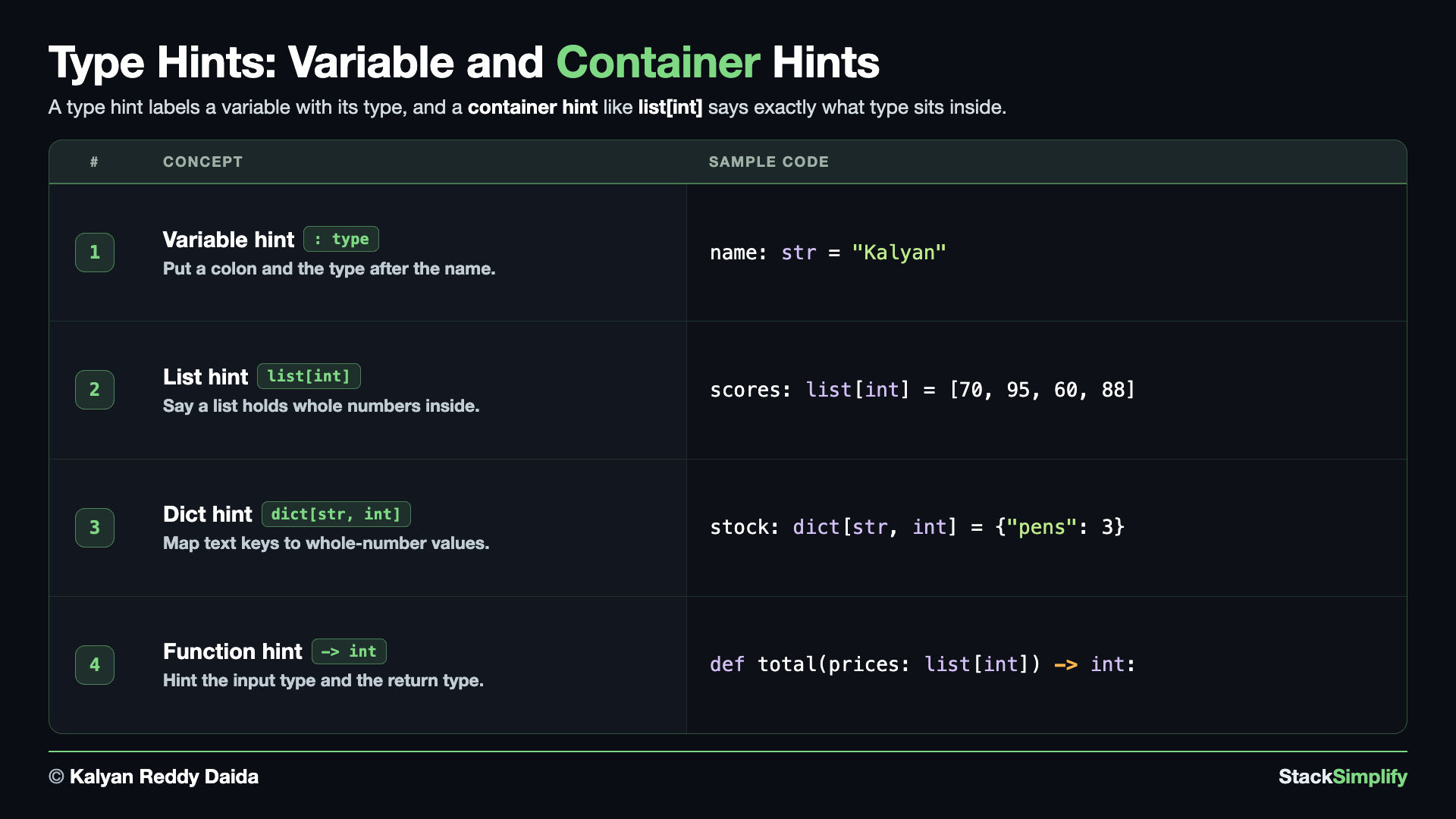
File: s08_step02_variable_and_container_hints.py
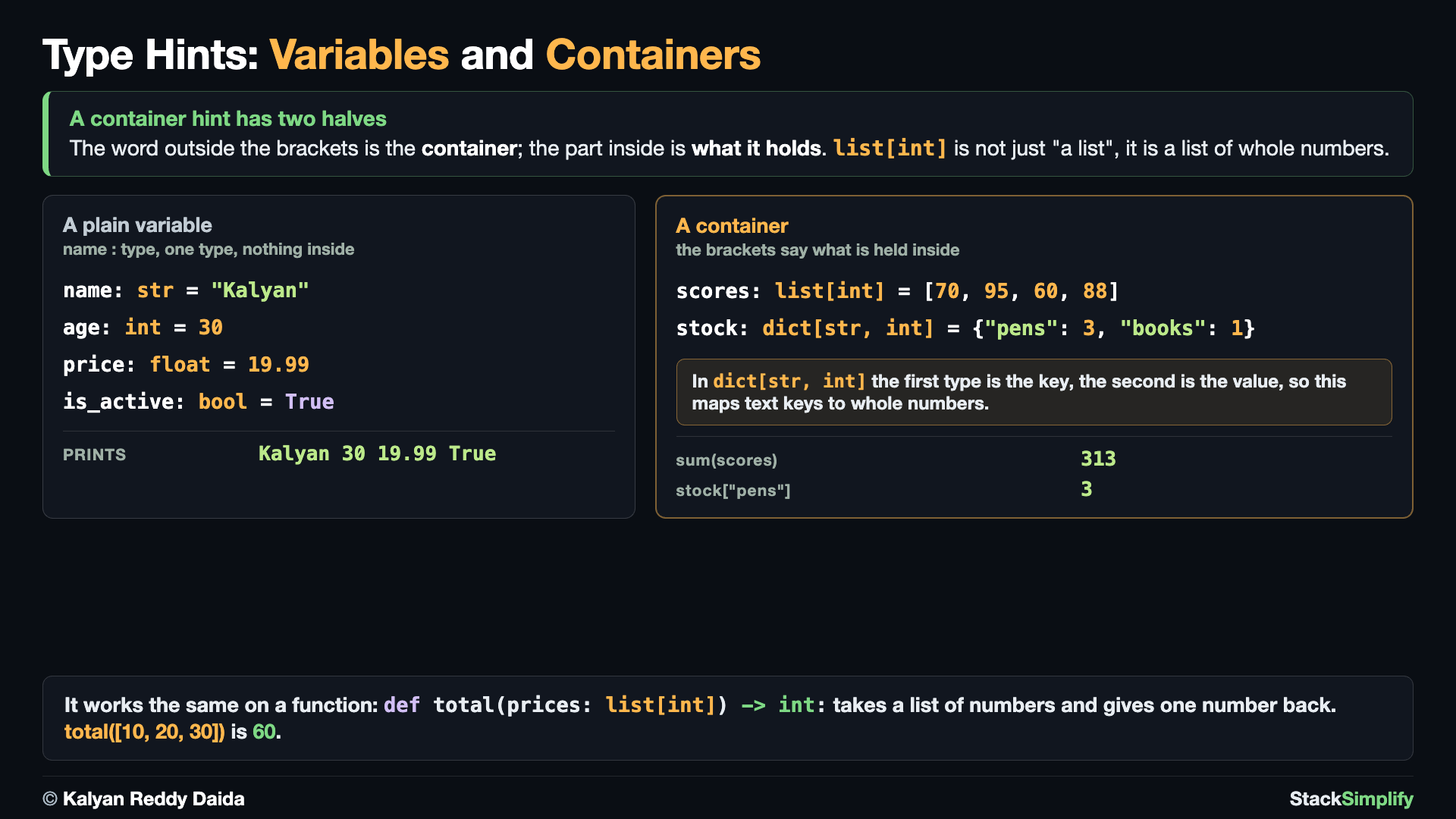
You can label a plain variable too, and a container hint can also say what is inside a list or a dictionary. Create s08_step02_variable_and_container_hints.py and build it concept by concept.
Concept 1: Hint a plain variable
You label a plain variable with the same colon style you used on parameters: age: int = 30. The pattern is name: type = value. This makes the kind of value clear the moment you create it, so anyone reading the code (including you, later) knows what to expect. Because Python is dynamically typed, it already works out the type from the value on its own - age = 30 is an int with no hint at all - so the hint is optional: you add : int only when you want to state the intended type on purpose.
# Concept-01: Label plain variables too; put the hint after a colon
# Question: How do we label a plain variable with its type when we first create it? (colon after name, then the type)
name: str = "Kalyan"
age: int = 30
price: float = 19.99
is_active: bool = True

print(name, age, price, is_active)
Concept 2: A list of one type with list[int]
A plain list hint tells you it is a list, but not what is inside. A container hint goes one step further: list[int] means "a list of whole numbers". This makes your intent clear at a glance, and a type checker can flag it if you try to put the wrong kind of thing in.
# Concept-02: Container hints say what is INSIDE; list[int] means "a list of whole numbers"
# Question: How do we write a type hint that says 'this is a list of numbers, not just any list'? (list[int] for whole numbers)
scores: list[int] = [70, 95, 60, 88]
print("scores:", scores)
print("total:", sum(scores))
Concept 3: Key and value types with dict[str, int]
For a dictionary, the container hint names two types: the key type and the value type. dict[str, int] means "a dictionary with text keys and whole-number values". Reading the hint tells you exactly how to use the dictionary without having to look at the data.
# Concept-03: dict[str, int] means "a dictionary with text keys and whole-number values"
# Question: How do we hint that a dictionary has text keys and number values? (dict[str, int] means 'map from text to whole numbers')
stock: dict[str, int] = {"pens": 3, "books": 1}
print("stock:", stock)
print("pens in stock:", stock["pens"])
Concept 4: Container hints on functions
Container hints read just as nicely on functions. total(prices: list[int]) -> int says "takes a list of whole numbers, returns one whole number". Putting the hint on the parameter and the return value together describes the whole job of the function in one line.
# Concept-04: Hint a function's container input and its return together, e.g. list[int] -> int
# Question: How do we hint a function that takes a list of numbers as input and returns a single number? (list[int] -> int)
# A list of ints in, one int out
def total(prices: list[int]) -> int:
    return sum(prices)


print("cart total:", total([10, 20, 30]))
Hint what is inside, not just the box
Prefer list[int] over a bare list, and dict[str, int] over a bare dict. Saying what is inside makes the code self-documenting and lets your editor catch mistakes early.
Pages for this step: Concept | Practice | Workshop
Python Files for this step: Concept | Practice | Practice Solutions | Workshop | Workshop Solutions
Step-03: Optional Values, and Hints Are Not Enforced
File: s08_step03_optional_and_not_enforced.py
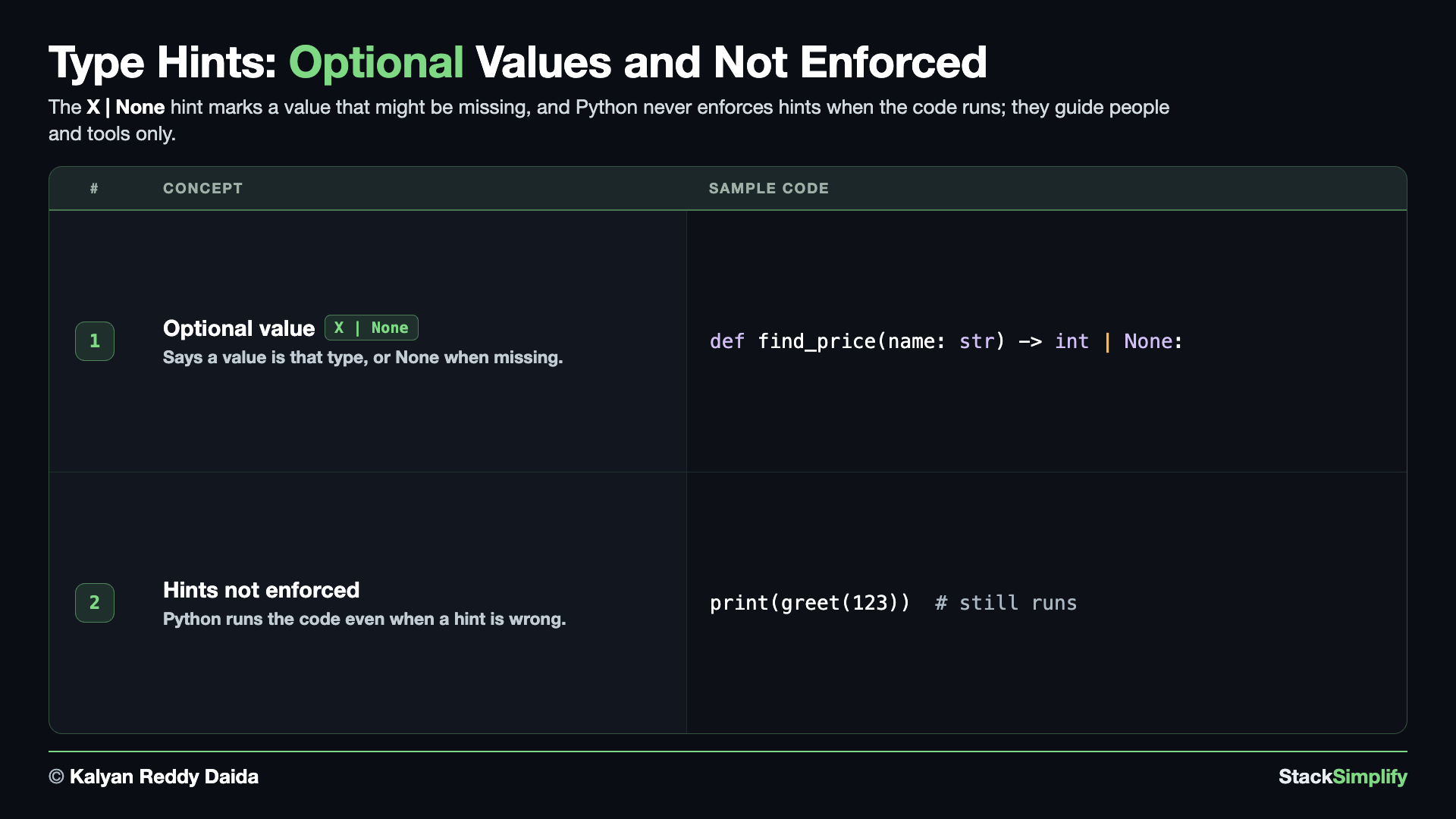
Sometimes a value might be missing, and sometimes you want to prove a point: Python does not actually check your hints when it runs. Create s08_step03_optional_and_not_enforced.py and build the two concepts.
Concept 1: A value that might be missing with X | None
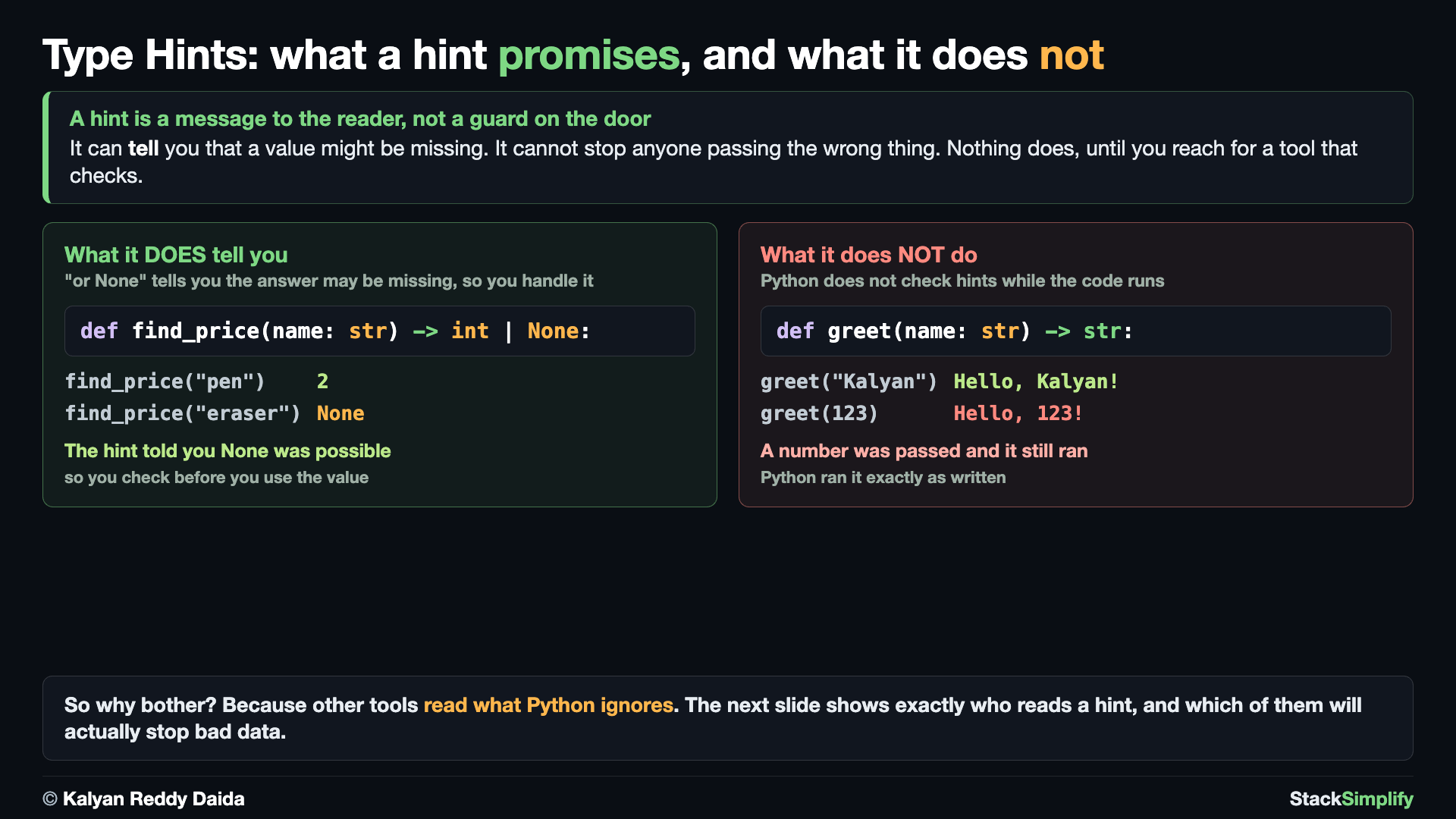
The hint X | None means "an X, or None". For example int | None is right for a lookup that may not find anything. Here find_price returns the price as an int, or None when the item is not in the catalog. The | None part tells the reader, up front, that getting nothing back is a normal outcome.
# Concept-01: X | None means "an X, or None", for a value that might be missing
# Question: How do we say that a function might return a value of a certain type, or might return nothing instead? (X | None means 'type X or None')
def find_price(name: str) -> int | None:
    catalog = {"pen": 2, "book": 15}
    # .get returns None when the key is missing
    return catalog.get(name)


print("pen price:", find_price("pen"))
print("eraser price:", find_price("eraser"))
Concept 2: Hints are not enforced at runtime
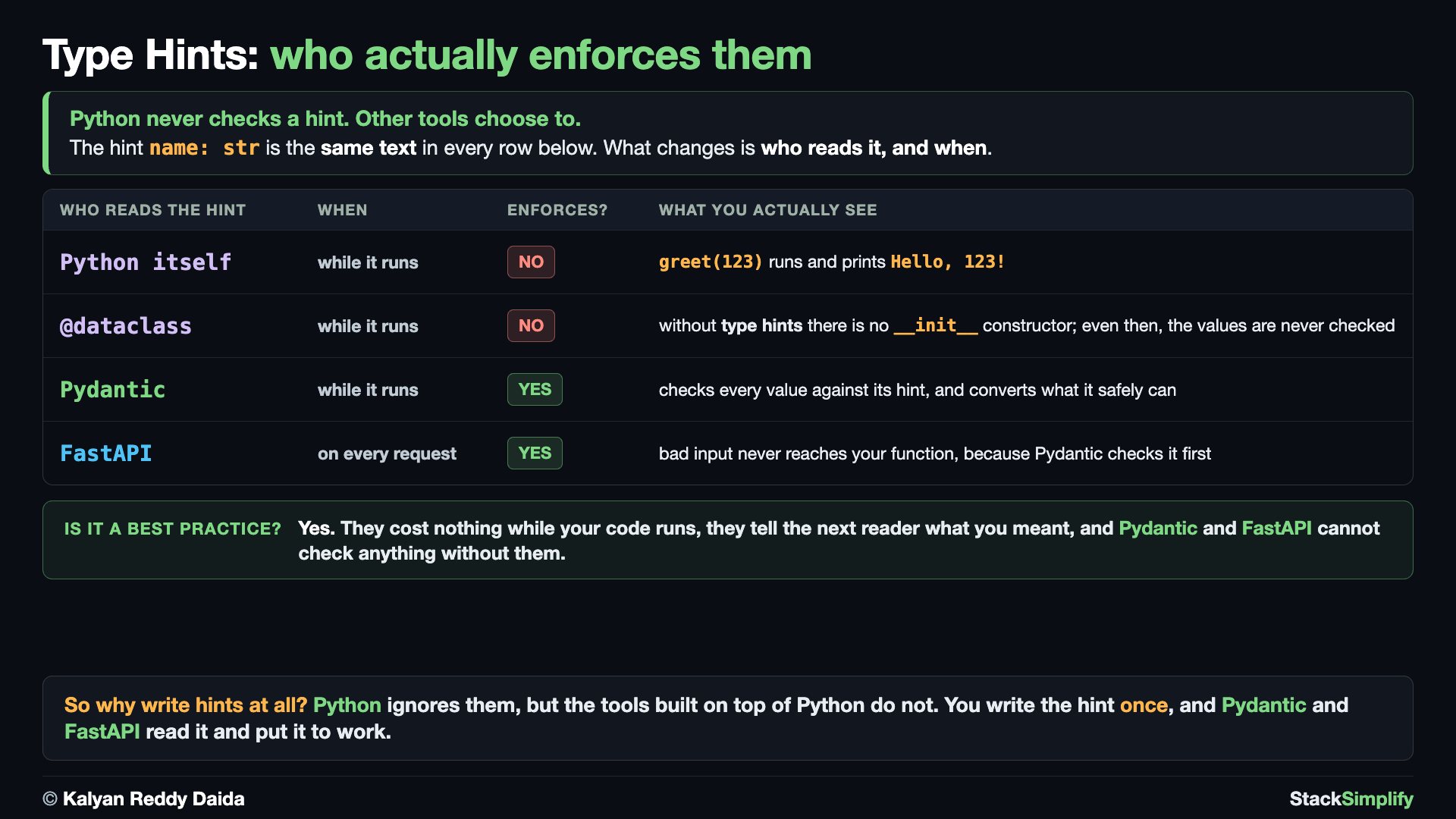
This is the key fact about hints: Python does not check them when it runs. greet is labeled to take a str, but calling it with the number 123 still works and prints a result. A type checker like mypy would flag it, but Python itself does not stop it. Hints are advice for humans and tools, not a rule Python enforces.
# Concept-02: Python does NOT enforce hints at runtime; they are for humans and editors
# Question: How do we know whether type hints are enforced when the code runs? (they are not; hints only guide humans and tools)
# greet is labeled to take a str, but Python will still run it with a number.
# A type checker like mypy would flag it, but Python itself does not stop it.
def greet(name: str) -> str:
    return f"Hello, {name}!"


print(greet("Kalyan"))  # The intended use: a str
print(greet(123))  # Still runs! Python ignores the hint at runtime

# Hints matter because real ML and web code leans on them. Tools like
# Pydantic (data models) and FastAPI (web APIs) read your hints to check
# and convert data for you. Good hints now make that code much easier later.
str | None means it can be missing
Use str | None (or Optional[str]) when a value might be None. These hints make your Classes and dataclasses self-documenting.
Pages for this step: Concept | Practice | Workshop
Python Files for this step: Concept | Practice | Practice Solutions | Workshop | Workshop Solutions
Practice and Workshop
Every step has a matching practice problem - try it yourself, then expand the solution to check. Some practices end with a short input() "Write a Program" problem. Every step also has an optional workshop problem (the same idea in a car scenario). The numbers line up with the steps, so if you get stuck on practice-03, re-read Concept Step-03.
| Step | Concept Name | Concept | Practice | Workshop |
|---|---|---|---|---|
| 01 | function hints | concept | practice | workshop |
| 02 | variable and container hints | concept | practice | workshop |
| 03 | optional and not enforced | concept | practice | workshop |
Open the full Practice page and Workshop page for this section - each problem has its statement, expected output, an optional hint, and an expandable solution.
What You Learned
- A type hint labels a value's type: parameters after a
:, return values after->, variables asname: type = value. - Container hints say what is inside:
list[int]is a list of ints,dict[str, int]is a dict with text keys and int values. X | None(likeint | None) marks a value that might be missing.- Python does not enforce hints at runtime; they are for humans and editors.
Next
Section 09: Error Handling and Debugging. Catch and handle errors so your programs do not crash.
Prefer to learn by watching?
The full video course teaches every concept on screen and builds the projects with you, step by step.
Section 07: Functions Next: Section 09: Error Handling and Debugging