09. Error Handling and Debugging
View code on GitHub Download slides (PDF) Get the Video Course
Code goes wrong. A user types abc where you expected a number, or you try to share books among zero students. By default Python crashes and your whole program stops. In this section you will learn to catch these problems so your program keeps running, signal bad input on purpose with raise, and find bugs when something is off. We follow one running example the whole way: a small function, calculate_books_per_student, that we make more robust at each step.
Practice as you go
Each concept below has matching exercises. When you finish a step, head to the Practice problems for this section, then try the optional Workshop. Every problem includes a solution you can expand.
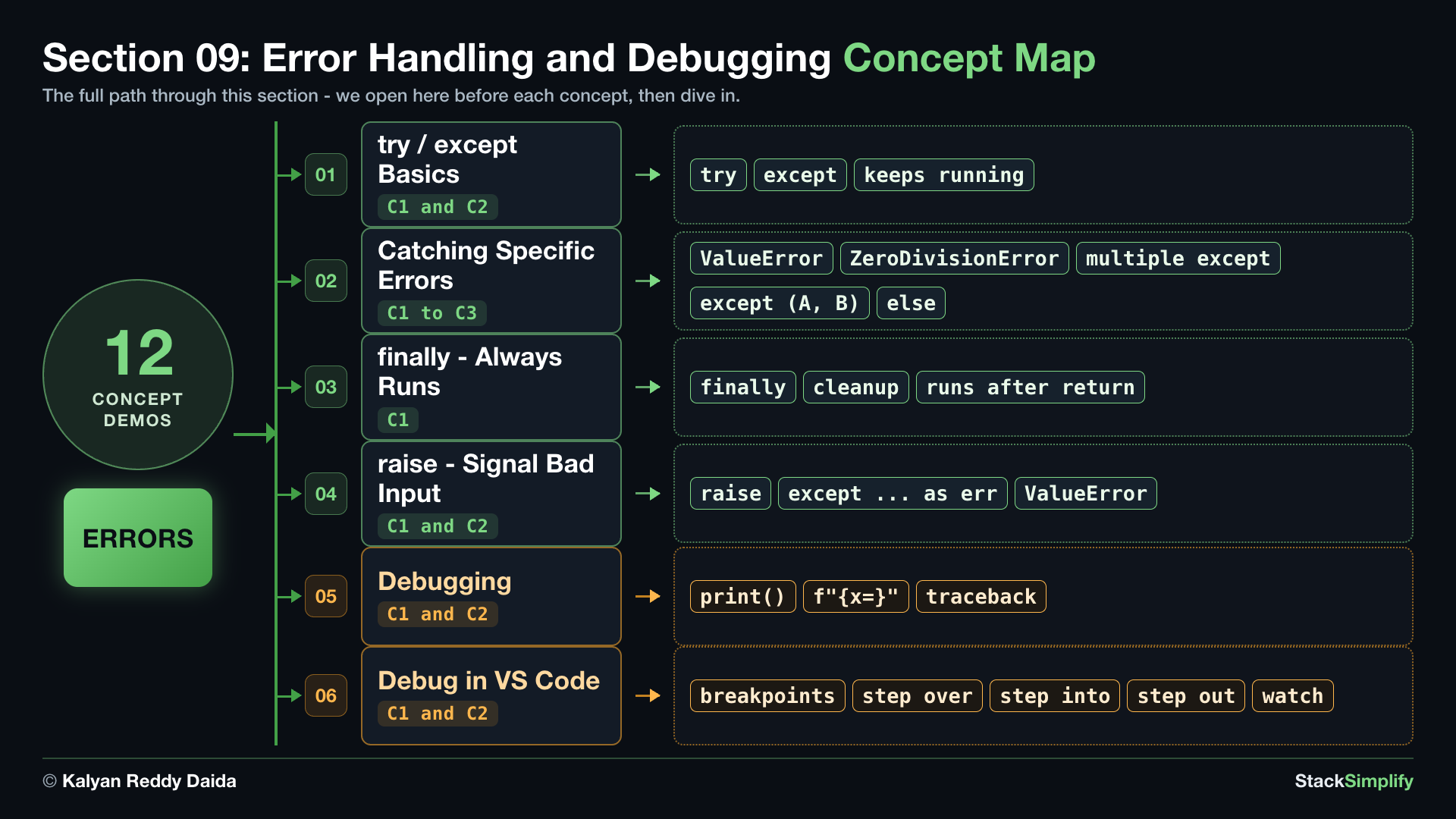
Step-00: What You Will Learn
In this section you will learn to:
- Wrap risky code in
try/exceptso a problem does not crash the program. - Catch the specific error you expect (like
ValueErrororZeroDivisionError), use multipleexceptblocks (or oneexcept (A, B)for a shared message), and run code on success withelse. - Use
finallyfor cleanup that always runs, whether the code worked or failed. - Signal bad input on purpose with
raise, and catch it where you call. - Tell a syntax error (the code will not run) from a runtime error (it crashed while running), and read a traceback to find the failing line.
- Find and fix bugs: spot a logic bug with
print()andf"{x=}", and read a traceback when a runtime error stops the program. - Pause and step through your code in the VS Code debugger: set a breakpoint, then use Step Over, Step Into and Step Out to watch every variable change.
Our running example is one function, calculate_books_per_student(total_books, total_students), that turns a stack of books and a class size into books per student. We start with a version that crashes on bad input, then grow it step by step.
Keywords in This Section
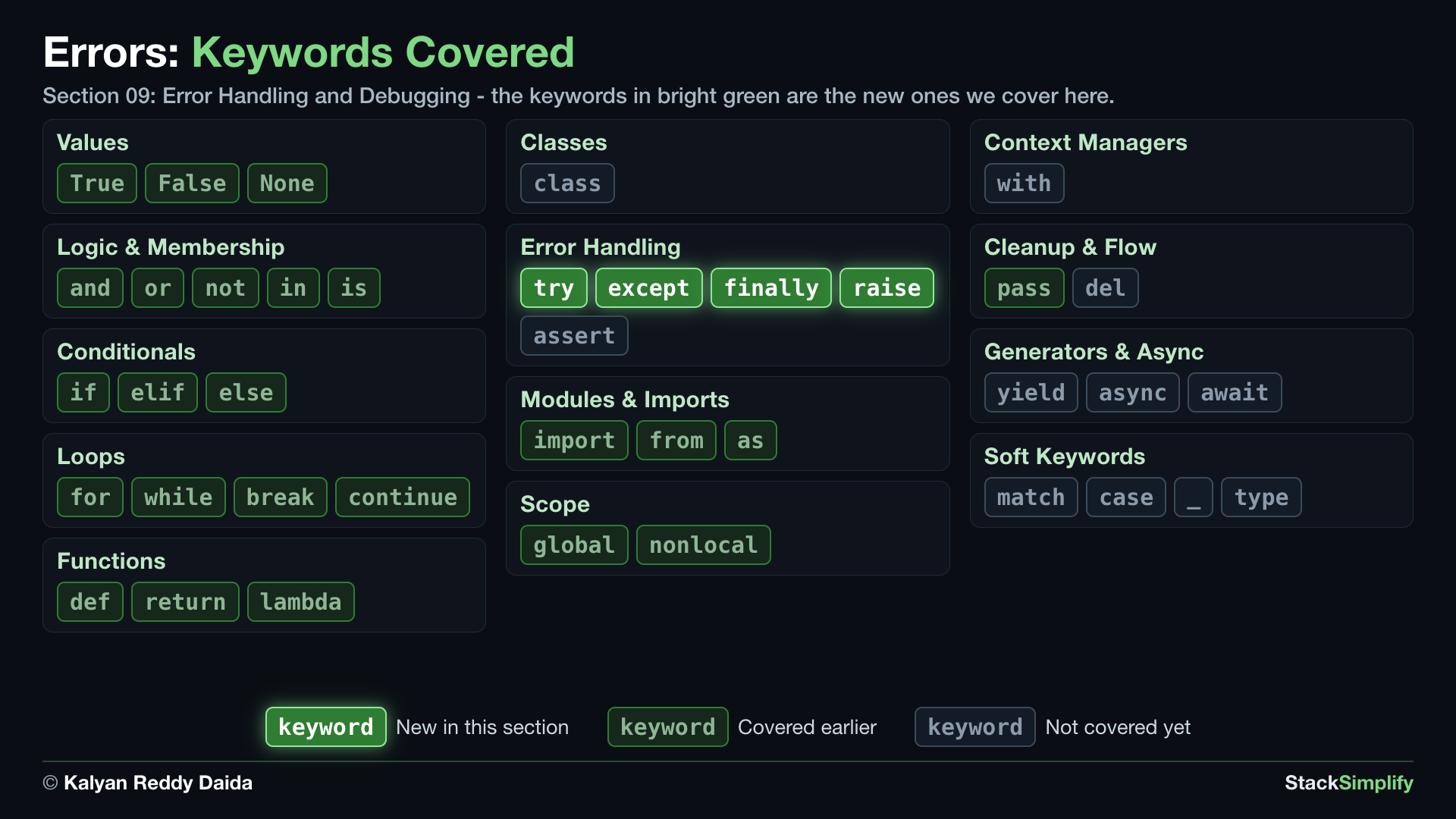
In the map, bright green marks the keywords this section introduces. Dim green marks keywords you already covered in earlier sections, and gray marks the ones still ahead.
Step-01: try / except Basics
File: s09_step01_try_except_basics.py
The risky lines in our function are int(...) (the text might not be a number) and the division (students might be zero). Either one normally crashes the program. Create s09_step01_try_except_basics.py in python-learn and build it concept by concept.
Concept 1: Bad input crashes everything
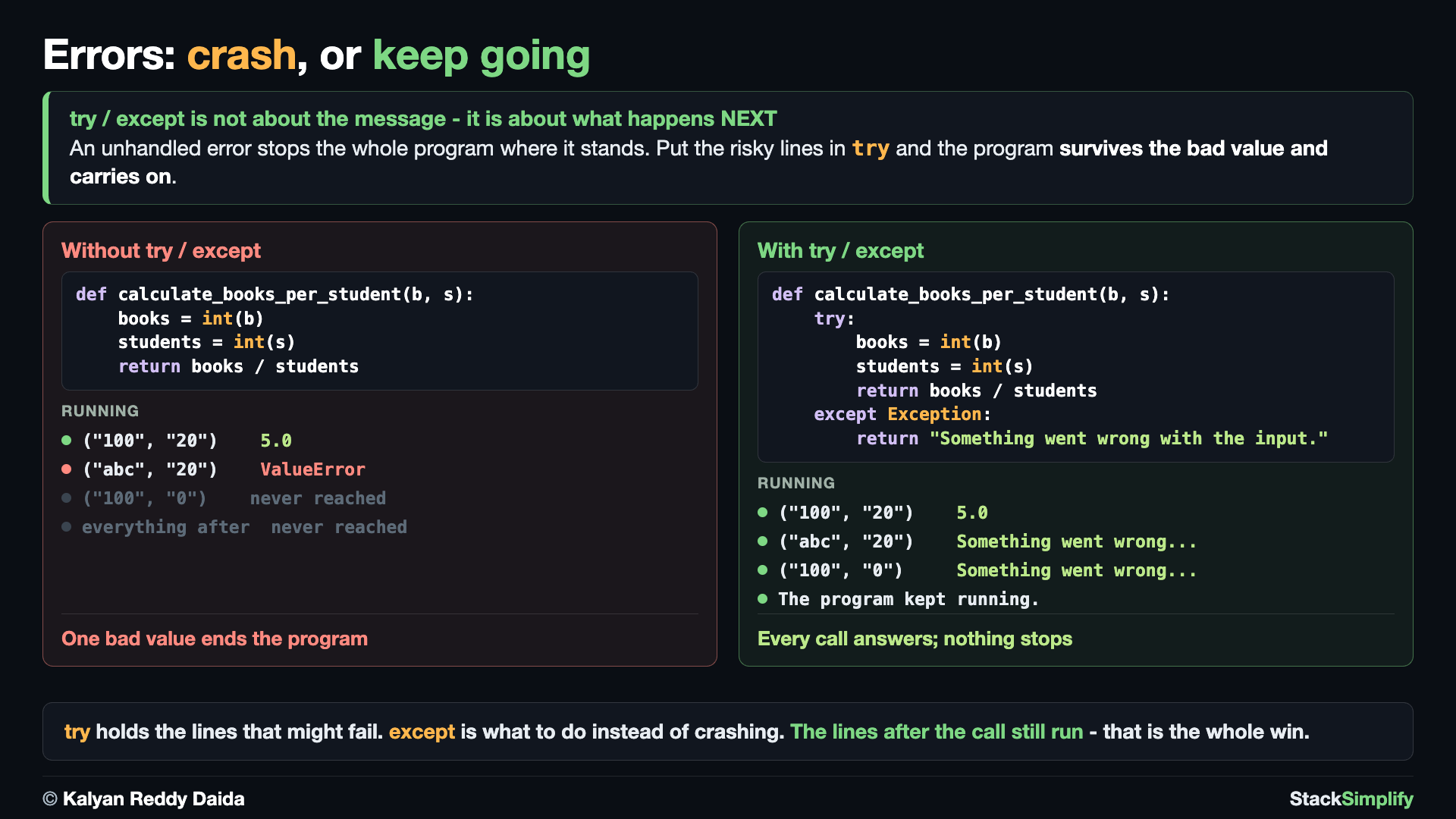
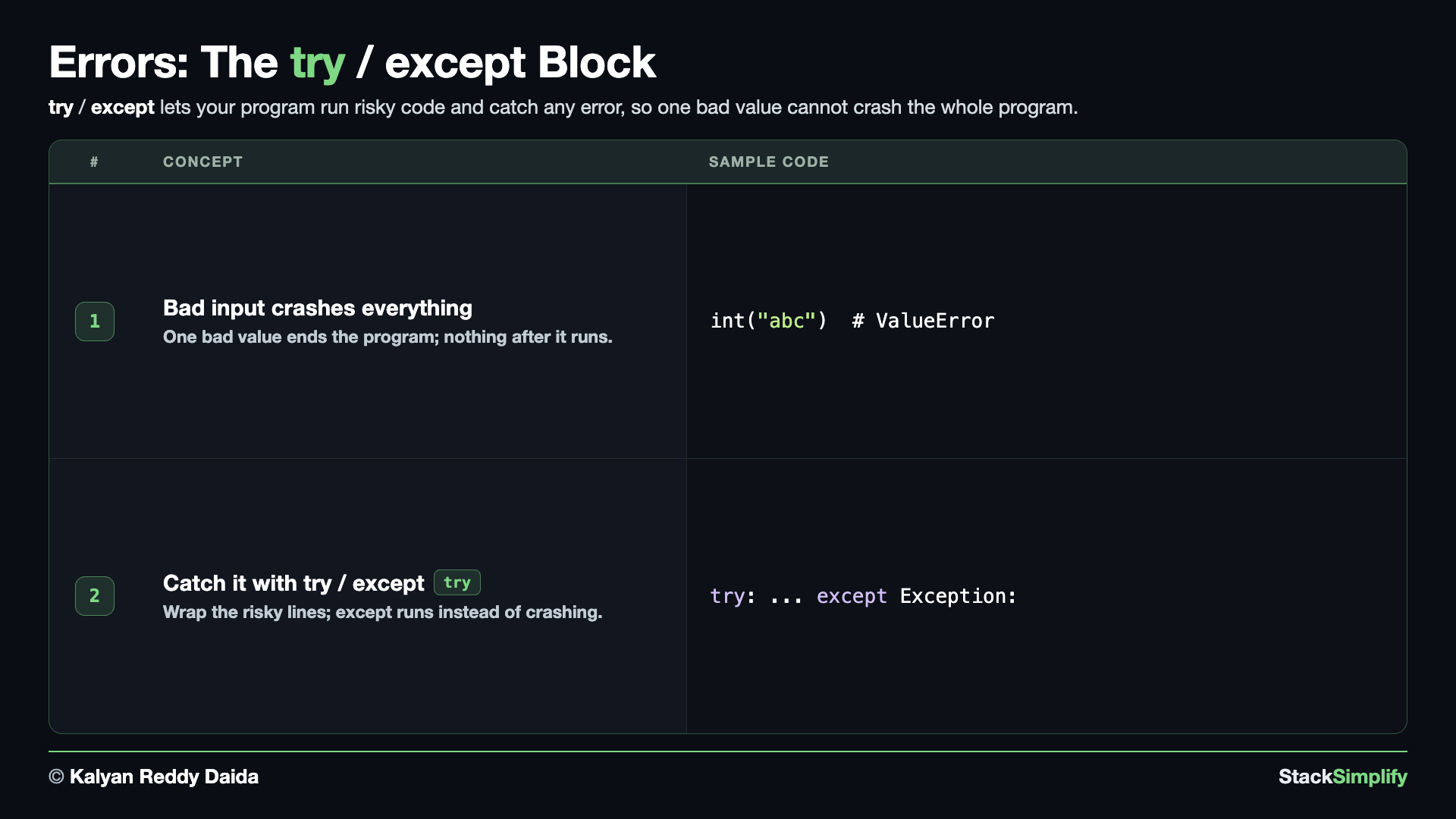
Here is our starting function with no safety net. It converts the two inputs with int(...) and divides. A good call like ("100", "20") works fine and returns 5.0. But the moment a real user passes "abc" or "0", one of those lines raises an error, the function stops, and so does everything after it. That is the problem the rest of this section fixes.
# Concept-01: without handling, bad input crashes the function and stops everything after it
# Question: How do we keep one bad value from crashing the whole program? (put the risky lines in a try block)
def calculate_books_per_student(total_books, total_students):
    books = int(total_books)
    students = int(total_students)
    return books / students

# A good call works fine.
print("Books each:", calculate_books_per_student("100", "20"))
# But calculate_books_per_student("abc", "20") would crash with a ValueError,
# and calculate_books_per_student("100", "0") would crash with a ZeroDivisionError.
Concept 2: Catch an error with try / except
Now wrap the risky lines in a try block. If everything works, Python runs the try and ignores the except. If any line inside try fails, Python jumps straight to the except block instead of crashing, and the program keeps going. Here a good call still returns the answer, while a bad call returns a friendly message - and the final line proves the program never stopped.
# Concept-02: try / except - put the risky code in a try block; if it fails, except runs and the program keeps going
# Question: How do we reply with a friendly message instead of crashing on bad input? (wrap the risky lines in try, handle the problem in except)
def calculate_books_per_student(total_books, total_students):
    try:
        books = int(total_books)
        students = int(total_students)
        return books / students
    except Exception:
        return "Something went wrong with the input."

print("Good call:", calculate_books_per_student("100", "20"))
print("Bad text:", calculate_books_per_student("abc", "20"))
print("Zero students:", calculate_books_per_student("100", "0"))
print("The program kept running.")
Good call: 5.0
Bad text: Something went wrong with the input.
Zero students: Something went wrong with the input.
The program kept running.
except Exception catches any error
except Exception: is a catch-all: it handles every kind of error at once. It is fine as a first step, but the next step shows the safer habit - catch the exact error you expect so real bugs still surface.
Pages for this step: Concept | Practice | Workshop
Python Files for this step: Concept | Practice | Practice Solutions | Workshop | Workshop Solutions
Step-02: Catching Specific Errors
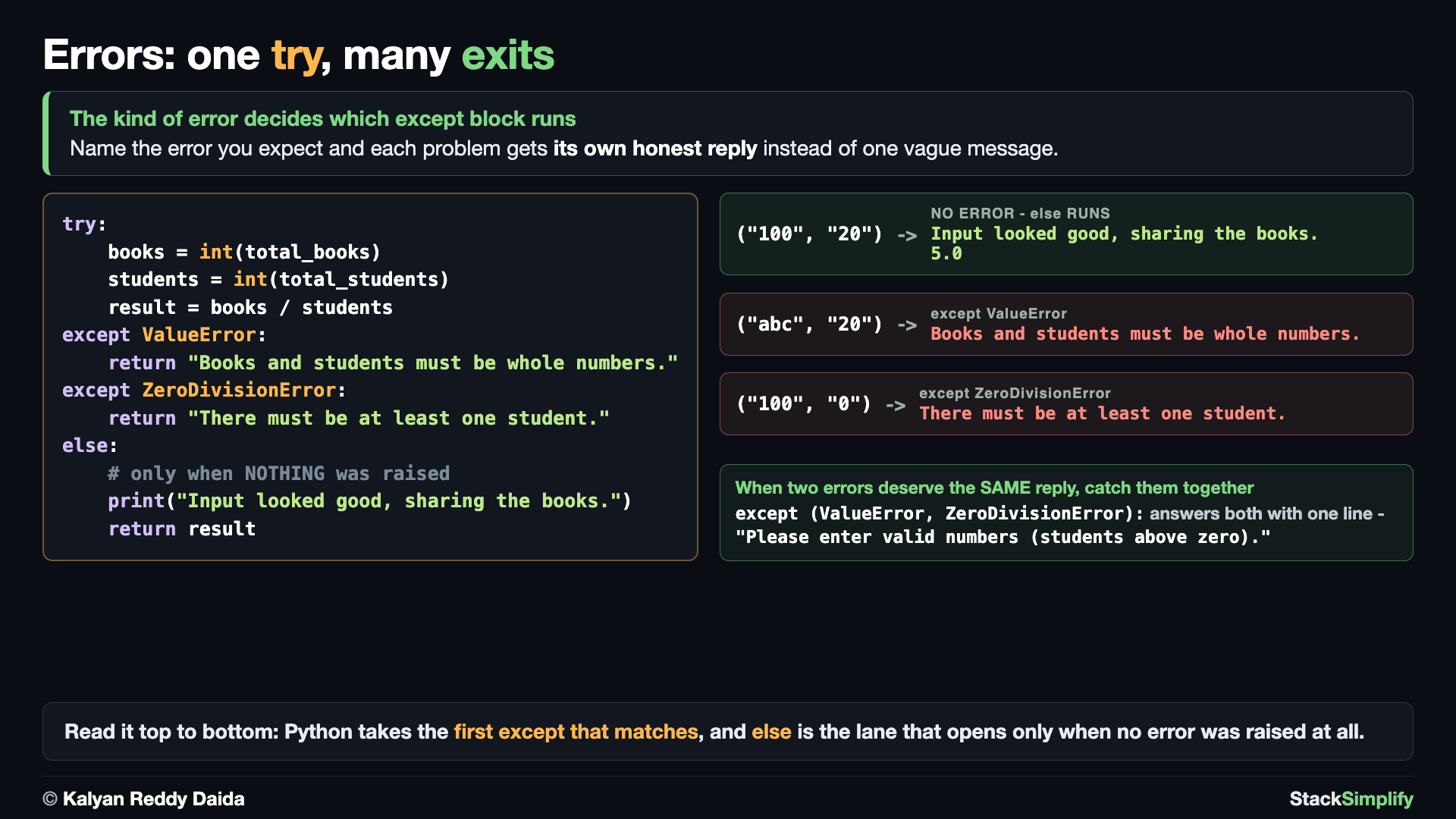
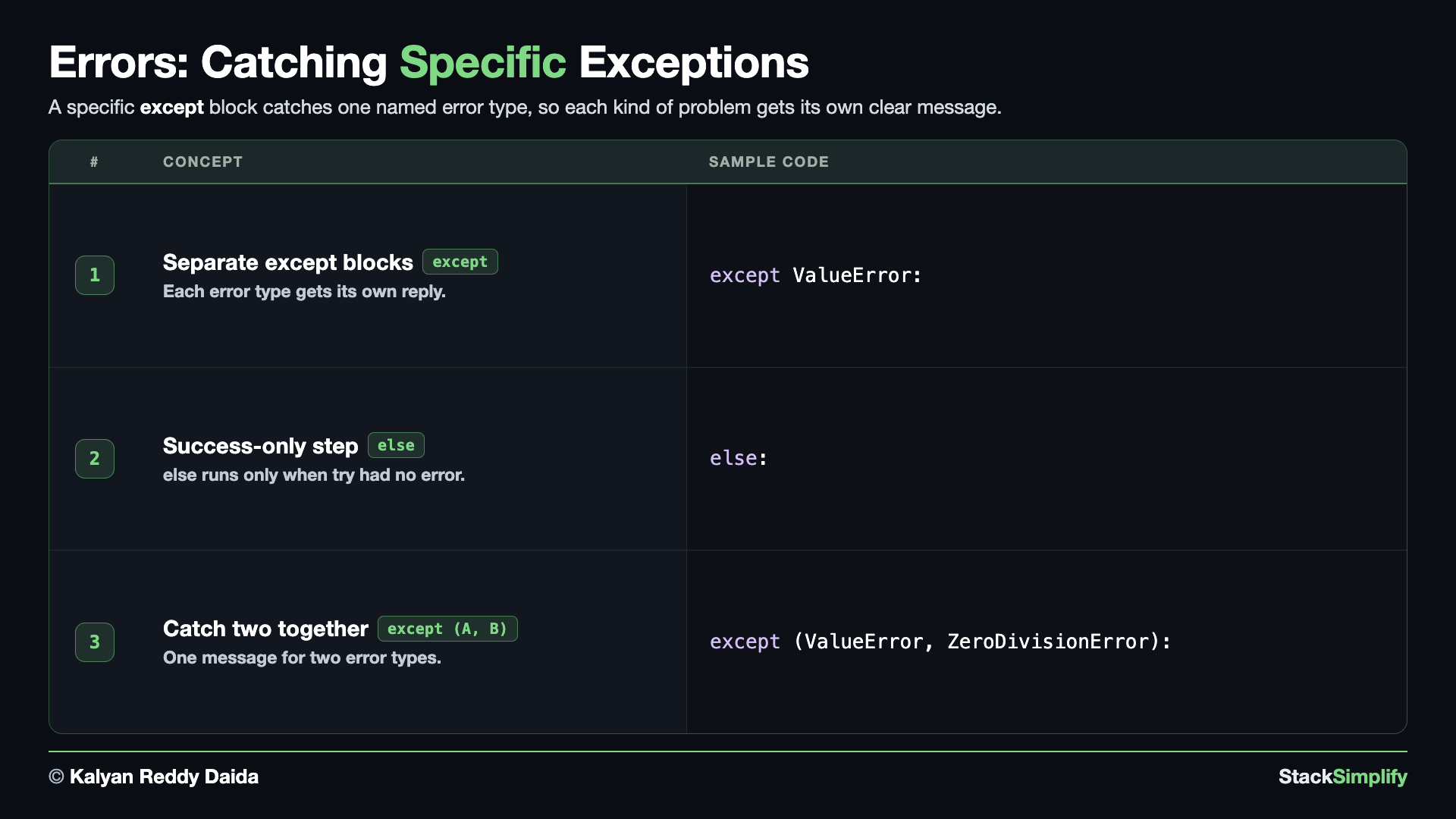
File: s09_step02_specific_errors.py
Catching Exception handles every problem at once, even bugs you did not expect. It is better to name the specific error. Create s09_step02_specific_errors.py and build it concept by concept on the same calculate_books_per_student.
Concept 1: Catch the specific error
Bad text raises a ValueError (the right type, but a wrong value), while zero students raises a ZeroDivisionError. Give each its own except block and you can reply differently to each problem. Anything you did NOT expect still surfaces as a normal error, which is exactly what you want - that is how you spot real bugs instead of hiding them.
# Concept-01: catch the SPECIFIC error you expect; give each kind its own except block
# Question-1: How do we reply to bad text input like "abc" with its own message? (catch it in an except ValueError block)
# Question-2: How do we reply to zero students like "0" with its own message? (catch it in an except ZeroDivisionError block)
def calculate_books_per_student(total_books, total_students):
    try:
        books = int(total_books)
        students = int(total_students)
        return books / students
    except ValueError:
        return "Books and students must be whole numbers."
    except ZeroDivisionError:
        return "There must be at least one student."

print(calculate_books_per_student("100", "20"))
print(calculate_books_per_student("abc", "20"))
print(calculate_books_per_student("100", "0"))
Concept 2: Run on success with else
Sometimes you want a step that runs only when the try finished with no error. Put it in an else block. Python runs else right after a clean try, and skips it if any except caught a problem. Here else prints a success note before returning the result, so it shows up only for the good call.
# Concept-02: else runs only when the try block had no error
# Question: How do we run a success-only step when the numbers were valid? (put that step in an else block)
def calculate_books_per_student(total_books, total_students):
    try:
        books = int(total_books)
        students = int(total_students)
        result = books / students
    except ValueError:
        return "Books and students must be whole numbers."
    except ZeroDivisionError:
        return "There must be at least one student."
    else:
        print("Input looked good, sharing the books.")
        return result

print(calculate_books_per_student("100", "20"))
print(calculate_books_per_student("abc", "20"))
Concept 3: Share one reply with except (A, B)
When two different errors deserve the same message, you do not need two blocks. List both types in a tuple - except (ValueError, ZeroDivisionError): - and one block handles either of them. Use separate blocks when the messages differ, and the tuple form when they share a reply.
# Concept-03: when two errors deserve the SAME message, catch them together with except (A, B)
# Question: How do we give both bad-number errors one shared reply? (list both types in a tuple: except (ValueError, ZeroDivisionError))
def calculate_books_per_student(total_books, total_students):
    try:
        books = int(total_books)
        students = int(total_students)
        return books / students
    except (ValueError, ZeroDivisionError):
        return "Please enter valid numbers (students above zero)."

print(calculate_books_per_student("abc", "20"))
print(calculate_books_per_student("100", "0"))
Please enter valid numbers (students above zero).
Please enter valid numbers (students above zero).
Catch the error you expect, not all of them
A bare except Exception hides bugs you did not expect. Catch the SPECIFIC error (ValueError, ZeroDivisionError) so real problems still surface and you can fix them.
Pages for this step: Concept | Practice | Workshop
Python Files for this step: Concept | Practice | Practice Solutions | Workshop | Workshop Solutions
Step-03: finally - Cleanup That Always Runs
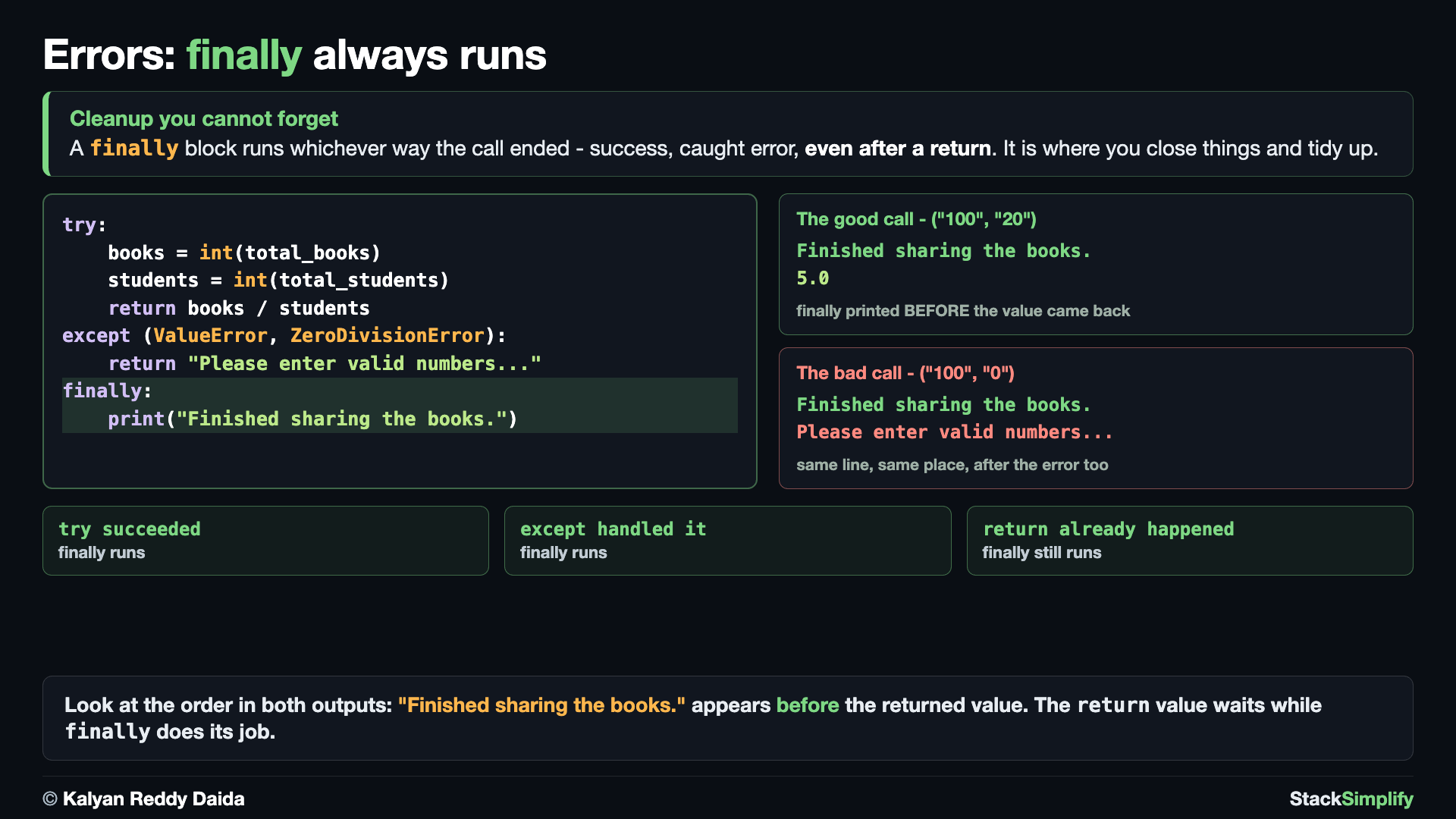
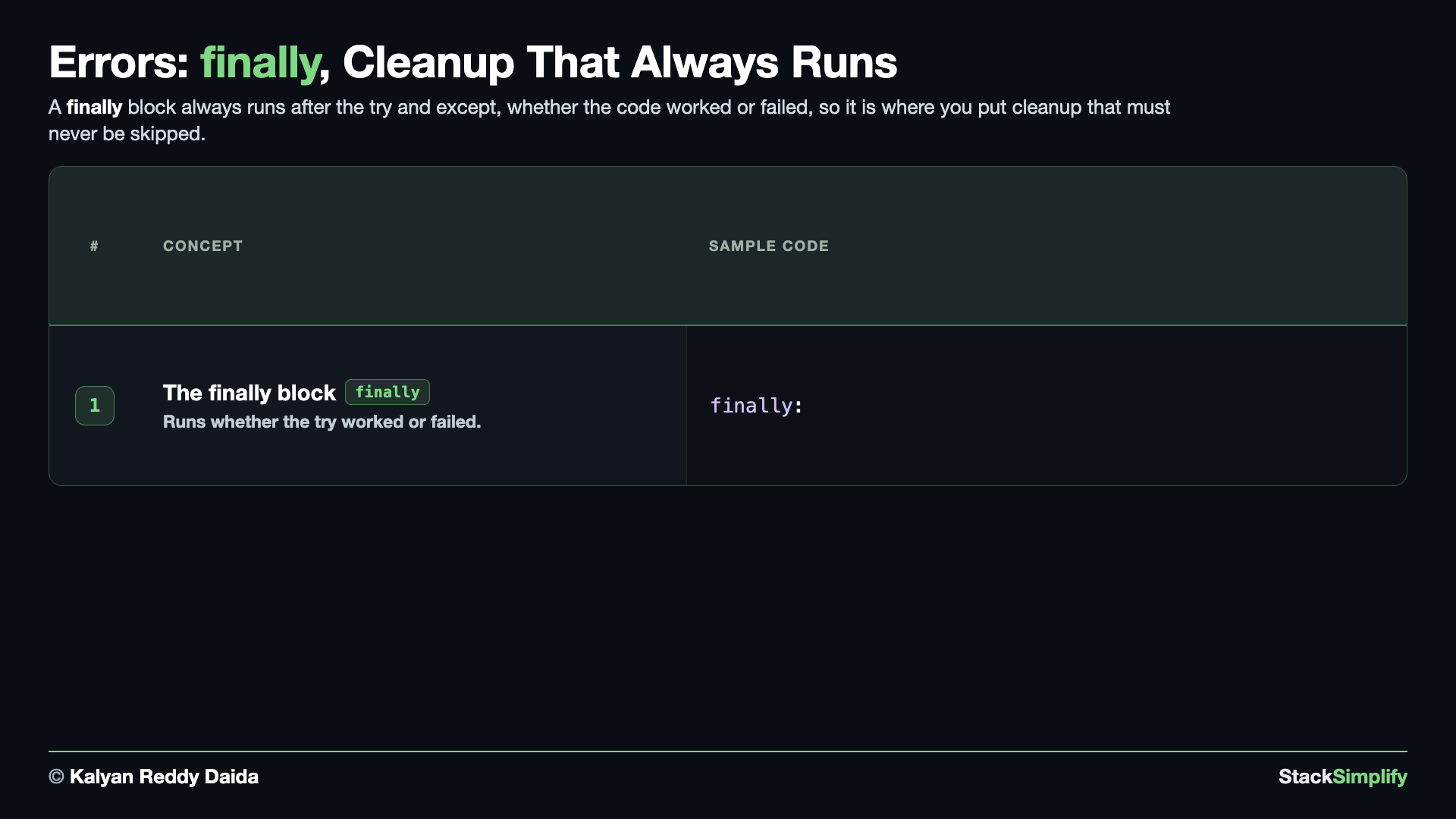
File: s09_step03_finally.py
A finally block runs no matter what. Create s09_step03_finally.py and build it concept by concept on the same calculate_books_per_student.
Concept 1: finally always runs
finally runs in every case: whether the try succeeded, an except caught a problem, or even after a return. That makes it the right home for cleanup you always want done, like closing a file or printing a finished note. Watch the output carefully - the finally line prints before the returned value reaches the caller, because finally always gets the last word.
# Concept-01: finally always runs, whether the try worked or failed (even after a return)
# Question: How do we always print a "finished" note no matter how the call ended? (put it in a finally block)
def calculate_books_per_student(total_books, total_students):
    try:
        books = int(total_books)
        students = int(total_students)
        return books / students
    except (ValueError, ZeroDivisionError):
        return "Please enter valid numbers (students above zero)."
    finally:
        # Runs in BOTH cases above, even after a return.
        print("Finished sharing the books.")

print("Good call:")
print(calculate_books_per_student("100", "20"))
print("Bad call:")
print(calculate_books_per_student("100", "0"))
Good call:
Finished sharing the books.
5.0
Bad call:
Finished sharing the books.
Please enter valid numbers (students above zero).
finally is for cleanup that must happen
finally ran after the good call and after the caught error - both times. It even runs after a return inside try or except, which is why its line appears before the returned value is printed. Put cleanup here so it happens whether things went well or not.
Pages for this step: Concept | Practice | Workshop
Python Files for this step: Concept | Practice | Practice Solutions | Workshop | Workshop Solutions
Step-04: raise - Signal Bad Input on Purpose
File: s09_step04_raise.py
Sometimes the input converts fine but is still wrong, and only you know the rule. Create s09_step04_raise.py and build it concept by concept on the same calculate_books_per_student, now rejecting impossible input.
Concept 1: Signal a problem with raise
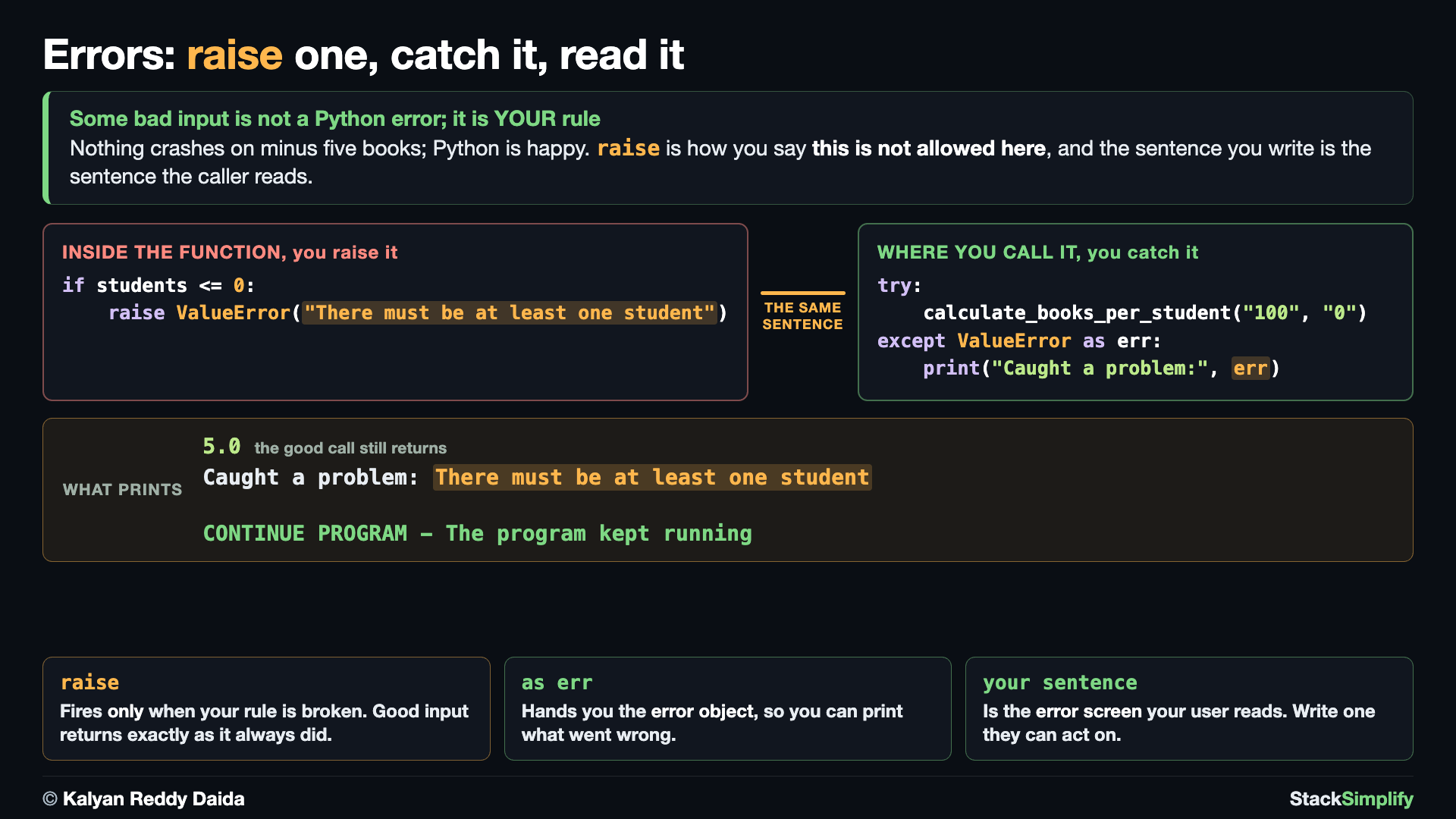
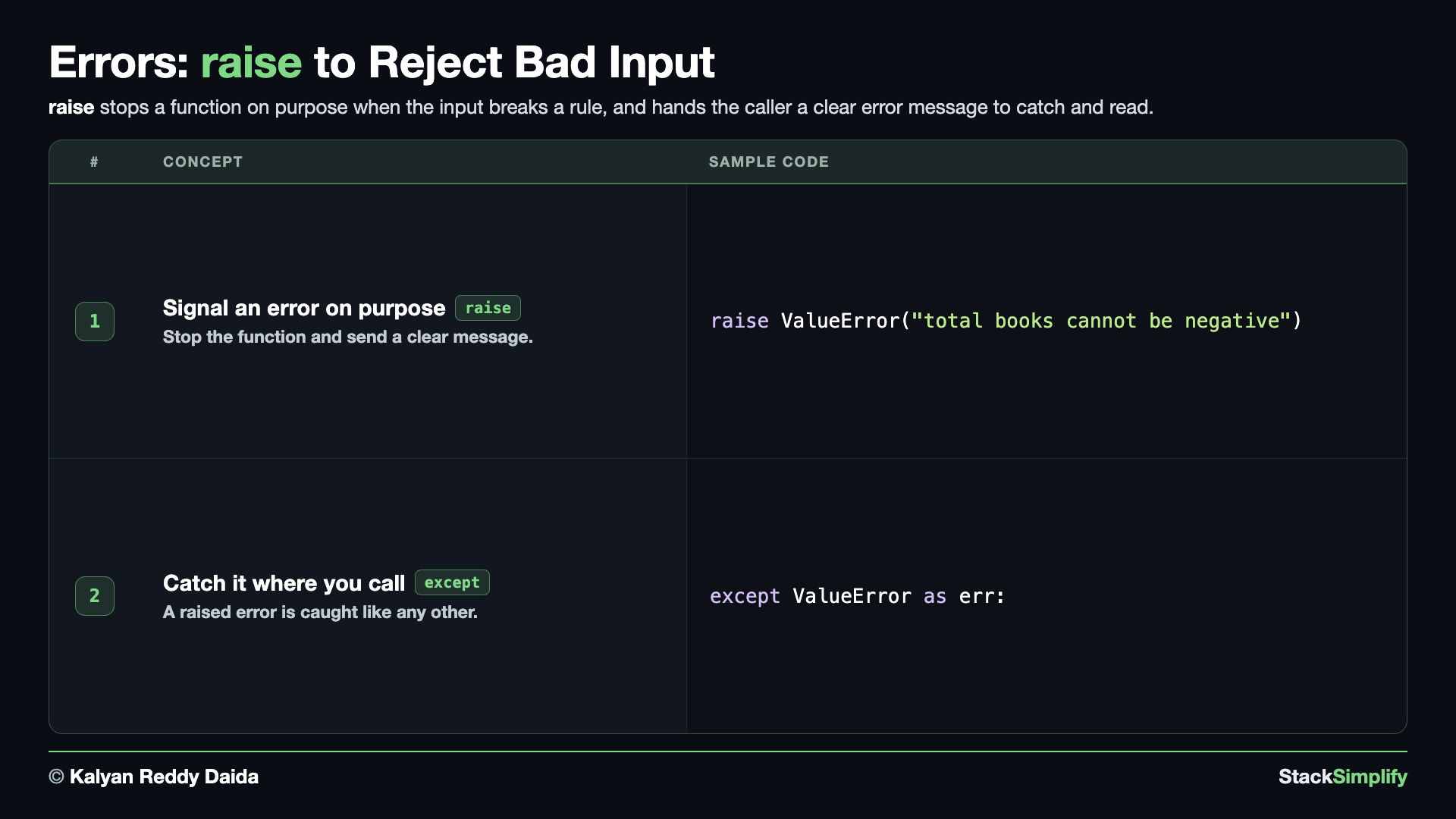
Books cannot be negative, and a class needs at least one student. These are business rules - int(...) will not complain about them, so you check them yourself and use raise to signal an error on purpose. raise ValueError("...") stops the function immediately and carries a clear message. With good input, the function returns normally, as the output shows.
# Concept-01: raise lets YOU signal an error on purpose when a business rule is broken
# Question-1: How do we reject negative books (books < 0)? (raise a ValueError with the message "Total books cannot be negative")
# Question-2: How do we reject zero or fewer students (students <= 0)? (raise a ValueError with the message "There must be at least one student")
def calculate_books_per_student(total_books, total_students):
    books = int(total_books)
    students = int(total_students)
    if books < 0:
        raise ValueError("Total books cannot be negative")
    if students <= 0:
        raise ValueError("There must be at least one student")
    result = books / students
    return result

# Good input returns normally.
print(calculate_books_per_student("100", "20"))
Concept 2: Read the error message with except ... as err
The error you raised is a normal error, so the caller catches it the same way - wrap the call in try / except. The new piece is as err: it gives you a name for the error object so you can read the message you passed into raise. Because we catch it, the script survives and reaches the line after.
# Concept-02: catch a raised error where you call it; "as err" gives you the message
# Question: How do we catch the ValueError our function raised and read its message? (wrap the call in try/except ValueError as err, then print err)
# Same calculate_books_per_student as Concept-01, repeated so this block stands on its own
# Define function
def calculate_books_per_student(total_books, total_students):
    books = int(total_books)
    students = int(total_students)
    if books < 0:
        raise ValueError("Total books cannot be negative")
    if students <= 0:
        raise ValueError("There must be at least one student")
    result = books / students
    return result

# Call the function. Uncomment one line at a time to see each rule fire.
try:
    # print("P1 Result:", calculate_books_per_student("100", "50"))
    # print("N1 Result:", calculate_books_per_student("100", "0"))
    # print("N2 Result:", calculate_books_per_student("-100", "20"))
    print("N3 Result:", calculate_books_per_student("100", "-20"))
except ValueError as err:
    print("Caught a problem:", err)

print("CONTINUE PROGRAM - The program kept running")
Caught a problem: There must be at least one student
CONTINUE PROGRAM - The program kept running
Common built-in errors to know
A few you will meet often: ValueError (right type, wrong value), TypeError (wrong type), KeyError (missing dictionary key), IndexError (list position out of range), and FileNotFoundError (file does not exist). You will catch FileNotFoundError in Files and JSON.
Pages for this step: Concept | Practice | Workshop
Python Files for this step: Concept | Practice | Practice Solutions | Workshop | Workshop Solutions
Step-05: Debugging - Find and Fix Bugs
File: s09_step05_debugging.py
Handling errors keeps a program alive; debugging is how you find WHY it is wrong in the first place. Sometimes the code does not even crash, it just gives the wrong answer. Create s09_step05_debugging.py and build it concept by concept, debugging the same calculate_books_per_student when it misbehaves.
Concept 1: Find a logic bug with print
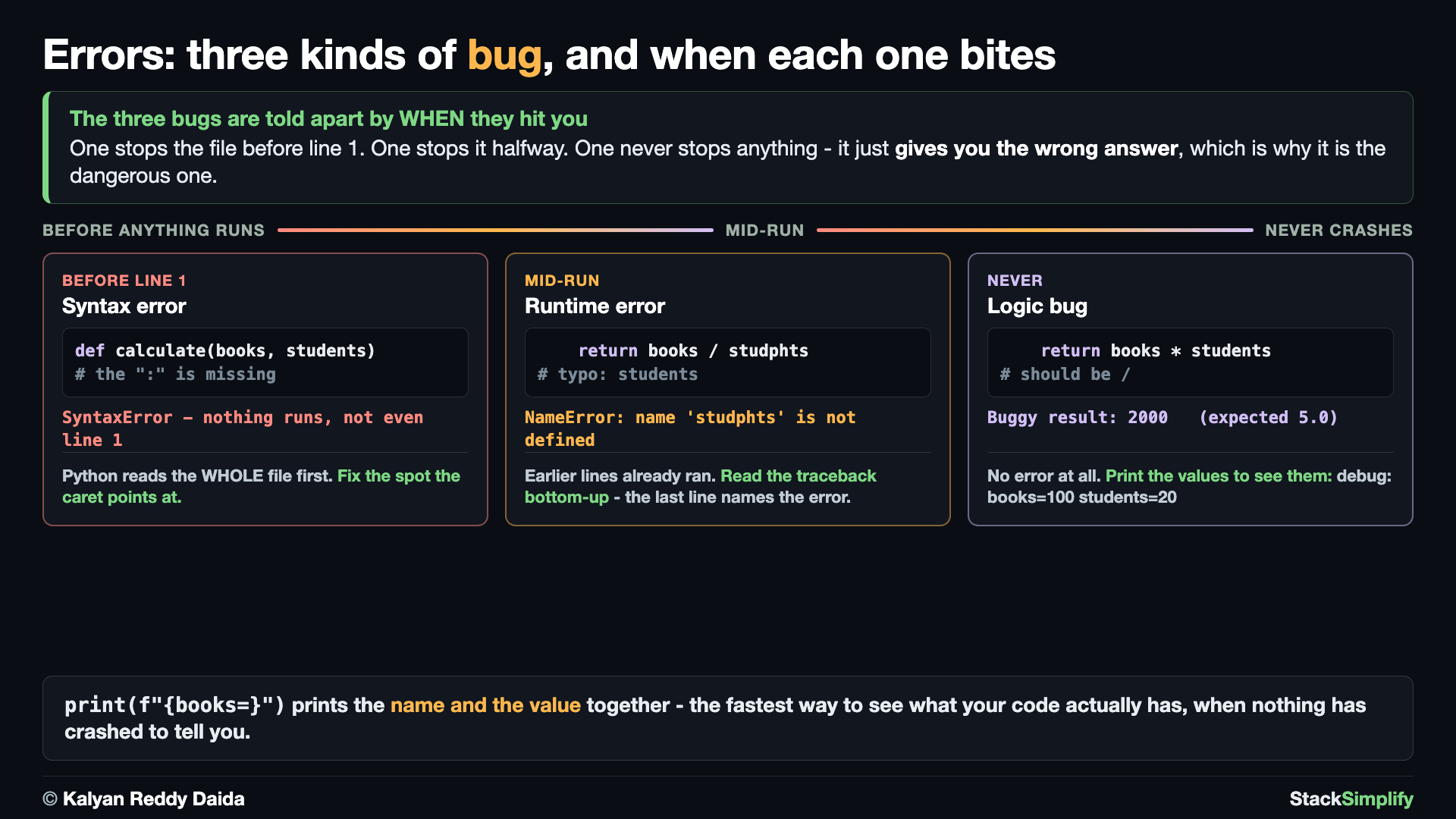
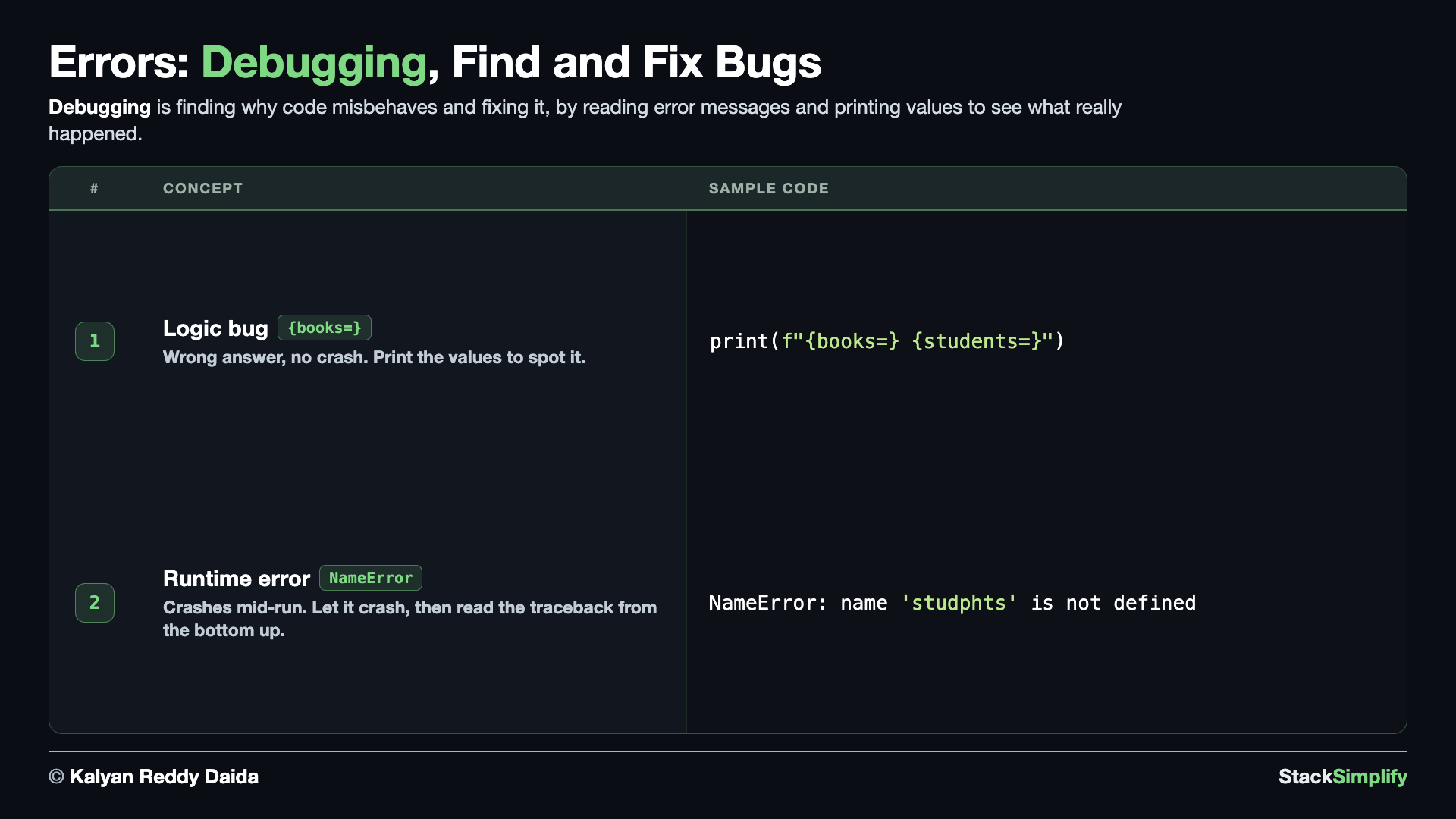
A logic bug gives a wrong answer with no crash, so no error message points you to it and you have to go looking. Here the function multiplies instead of dividing and quietly returns 2000 when you expected 5.0. Drop in a quick print(f"{books=} {students=}") to SEE the real values: the f"{name=}" form prints the name AND its value together. The values turn out correct, so the bug is the operator. Change * to /, and the fixed version returns 5.0.
# Concept-01: a LOGIC bug gives a wrong answer with NO crash; find it with print debugging
# Question: the result looks wrong but nothing crashed - how do we see the real values? (drop in print(f"{name=}") to inspect them)
def calculate_books_per_student(total_books, total_students):
    books = int(total_books)
    students = int(total_students)
    return books * students          # BUG: should divide, not multiply

print("Buggy result:", calculate_books_per_student("100", "20"))  # 2000, but we expected 5.0

# Add a quick print to SEE the values (f"{name=}" prints the name AND the value):
def calculate_books_per_student(total_books, total_students):
    books = int(total_books)
    students = int(total_students)
    print(f"  debug: {books=} {students=}")
    return books * students

calculate_books_per_student("100", "20")
# books and students are correct, so the bug is the operator: change * to / .

# Fixed:
def calculate_books_per_student(total_books, total_students):
    books = int(total_books)
    students = int(total_students)
    return books / students

print("Fixed result:", calculate_books_per_student("100", "20"))  # 5.0
Why a debug print shows quotes around a string
Because it uses the same form you would see in the shell, a string comes out with its quotes: print(f"{name=}") prints name='Sam', not name=Sam. That is a feature while debugging. It is how you tell the number 20 from the text "20" at a glance.
Concept 2: Read the traceback for a runtime error
A runtime error crashes mid-run because a line that looked fine could not run. Here the typo studphts is a name Python never defined, so that line raises a NameError.
This time we do not wrap the call in try / except. A typo is not a case to handle, it is a bug to fix, so we let the program crash on purpose and read what Python tells us. When an error is not caught, Python stops the file and prints a traceback.
# Concept-02: a RUNTIME error crashes mid-run; let it crash and READ the traceback
# Question: which line blew up and why? (read bottom-up: the last line is the error, the lines above show where)
def calculate_books_per_student(total_books, total_students):
    books = int(total_books)
    students = int(total_students)
    return books / studphts          # BUG: 'studphts' is a typo -> NameError when this line runs

# We do NOT catch this one. A typo is not a case to handle, it is a bug to FIX, so we let it
# crash on purpose and read what Python prints. The file stops here; nothing after this runs.
print("Books each:", calculate_books_per_student("100", "20"))
# Fix: correct the typo back to 'students' and this line prints "Books each: 5.0".
Traceback (most recent call last):
  File "s09_step05_debugging.py", line 39, in <module>
    print("Books each:", calculate_books_per_student("100", "20"))
                         ~~~~~~~~~~~~~~~~~~~~~~~~~~~^^^^^^^^^^^^^
  File "s09_step05_debugging.py", line 35, in calculate_books_per_student
    return books / studphts          # BUG: 'studphts' is a typo -> NameError when this line runs
                   ^^^^^^^^
NameError: name 'studphts' is not defined. Did you mean: 'students'?
Read the last line first: the error type is NameError, the message names studphts, and Python even guesses what you meant. Then read upward to find WHERE: the lower File ... block is the line that actually broke (line 35, inside calculate_books_per_student), and the block above it is the line that called it (line 39). The ^^^^ markers point at the exact part of each line. Fix the typo back to students and the program prints Books each: 5.0.
Do not catch a typo
It is tempting to make the red text go away with except NameError:. Do not. try / except is for situations you expect and can answer, like bad user input. A NameError means the code itself is wrong, and hiding it only means you find the bug later, from a user instead of from Python. (On your machine the File lines show the full path to the file; only the file name is shown above.)
Pages for this step: Concept (no Practice or Workshop problem for this step)
Python Files for this step: Concept
Two Kinds of Errors: Syntax vs Runtime
It helps to know which of two kinds of error you are looking at:
- A syntax error means the code is written wrong, so Python will not run it at all: a missing
:after anif, an unclosed(, or a stray quote. You fix it before the program ever starts.try/exceptcannot catch a syntax error, because the line never runs. - A runtime error (also called an exception) happens while the program is running (the code was valid), but something went wrong as it ran, like
int("abc")or dividing by zero. These are the errorstry/exceptcatches.
So: fix syntax errors so the program runs at all, and handle runtime errors so a running program does not crash.
Python reads the whole file before it runs a single line, so one syntax error stops everything, not just the broken line. Either of these would stop the file you just wrote:
def calculate_books_per_student(total_books, total_students)   # missing the ":" at the end
print("books each:", calculate_books_per_student("100", "20")  # missing the closing ")"
Python points near the spot with a caret ^ and says SyntaxError: .... Add the : or the ) and the file can start.
How to Read a Traceback
When a runtime error is not caught, Python prints a traceback and stops, exactly as you saw in Concept 2. It looks scary, but it tells you precisely what went wrong. A short one, from a file that calls int("abc") on its own line, looks like this:
Traceback (most recent call last):
  File "myprogram.py", line 3, in <module>
    number = int("abc")
ValueError: invalid literal for int() with base 10: 'abc'
Read it from the bottom up:
- The last line is the most important: it names the error type (
ValueError) and the message (invalid literal for int()...). - Just above, Python shows the file and line number (
line 3) and the exact line of code that failed (number = int("abc")). - The first line,
Traceback (most recent call last), just says a list of calls follows; the failing call is at the very bottom.
When the error happens inside a function you called, you get one File ... block per call, as in Concept 2. The blocks are listed in call order, so the BOTTOM one is always where the code actually broke and the ones above it show how you got there.
So your routine is: read the bottom line for what broke, then read upward for where it broke. That one habit lets you fix most errors on your own.
When reading the error is not enough
Errors tell you where a program STOPPED. They cannot tell you what a value was three lines earlier, or which pass of a loop went wrong. For that you pause the program and look, which is Step-06.
Step-06: Debug in VS Code - Pause and Step Through Your Code
File: s09_step06_debug_in_vscode.py
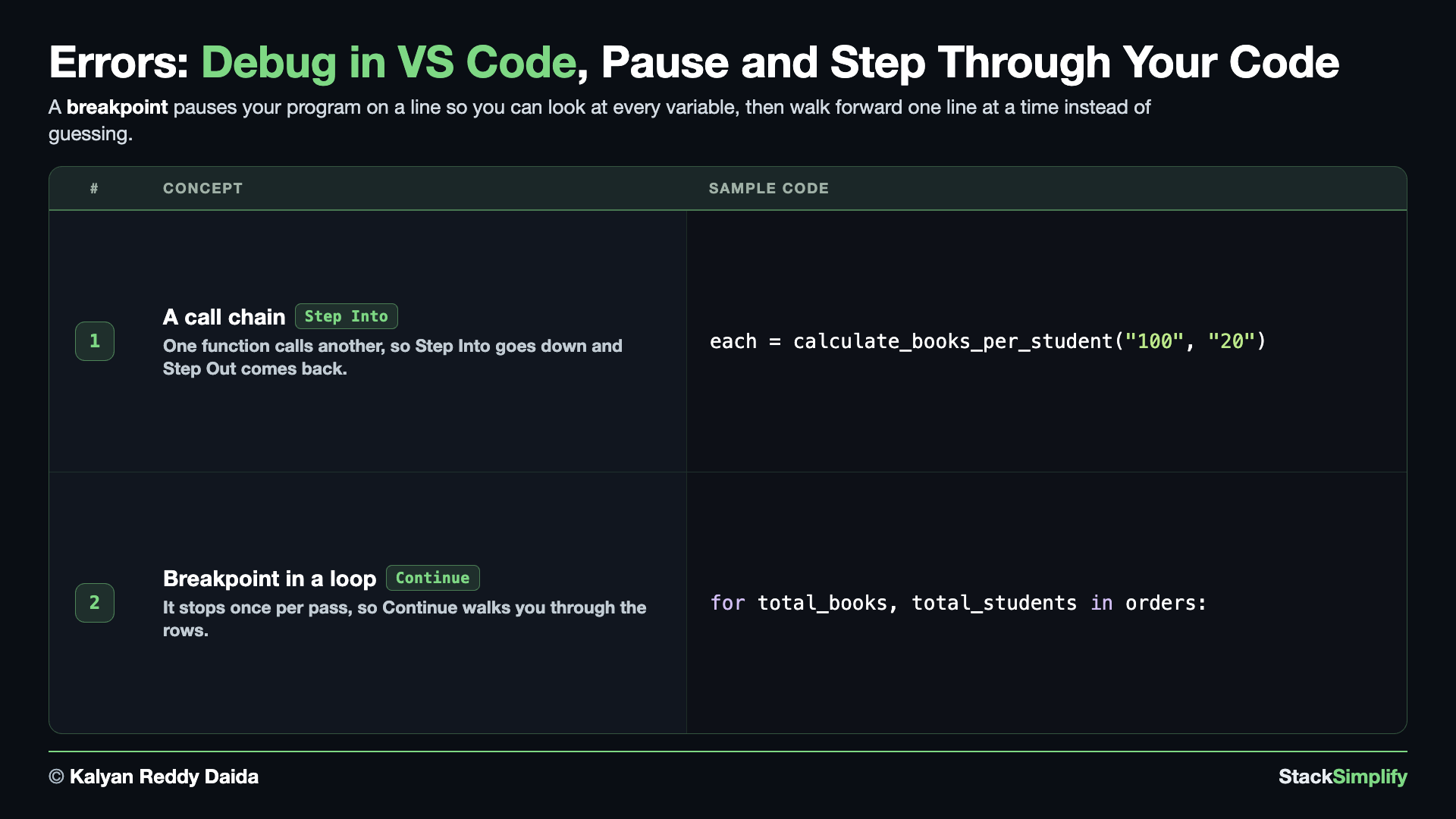
print() shows you a value AFTER the line has run. The debugger stops your program ON a line and holds it there, so you can look at every variable before deciding what happens next. Create s09_step06_debug_in_vscode.py and build it concept by concept. The code is deliberately familiar: it is the same calculate_books_per_student you have used all section, so nothing competes with learning the controls.
Concept 1: A call chain, so Step Into and Step Out have somewhere to go
Step Over and Step Into behave identically except on a line that CALLS something, so this code gives them a call to differ on: calculate_books_per_student calls to_number, which makes two levels to walk. Put a breakpoint on the each = ... line and run it twice. Press Step Over and the whole call finishes in one press, landing you on the print. Start again and press Step Into instead: now you land on the first line INSIDE calculate_books_per_student. Press it again on to_number(total_books) and you are a second level down. Step Out brings you back up, one level per press.
# Concept-01: a call chain gives Step Into and Step Out something to do
# Question: how do you follow a value INTO the function that made it? (put a breakpoint on the call, then Step Into instead of Step Over)
def to_number(text):
    """Turn a piece of text into a whole number."""
    return int(text)

def calculate_books_per_student(total_books, total_students):
    books = to_number(total_books)
    students = to_number(total_students)
    return books / students

# Put your breakpoint on the NEXT line, then try Step Over and Step Into on it.
each = calculate_books_per_student("100", "20")
print("Books each:", each)
Concept 2: A breakpoint inside a loop, so Continue walks the rows
This block repeats both function definitions on purpose, so you can copy it on its own and it runs. A breakpoint is not a one-time stop: it fires every time that line runs. Put one inside a loop and the program pauses once per pass, which is how you inspect twenty rows without twenty breakpoints. Press Continue and it runs until the same line comes round again, with total_books and total_students holding the NEXT pair. Watch the Variables panel change on each stop. That repeated stop is also why Restart is useful: step past the row you cared about and you can simply start over.
# Concept-02: a breakpoint inside a LOOP stops once per pass, so Continue walks the rows
# Question: how do you inspect every row without 20 breakpoints? (one breakpoint in the loop, then press Continue)
def to_number(text):
    """Turn a piece of text into a whole number."""
    return int(text)

def calculate_books_per_student(total_books, total_students):
    books = to_number(total_books)
    students = to_number(total_students)
    return books / students

orders = [("100", "20"), ("240", "12"), ("90", "45")]

for total_books, total_students in orders:
    # Breakpoint here: the debugger stops on this line once for EVERY pair in orders.
    answer = calculate_books_per_student(total_books, total_students)
    print(f"{total_books} books / {total_students} students = {answer}")
Pages for this step: Concept (no Practice or Workshop problem for this step)
Python Files for this step: Concept
Debug in VS Code, Step by Step
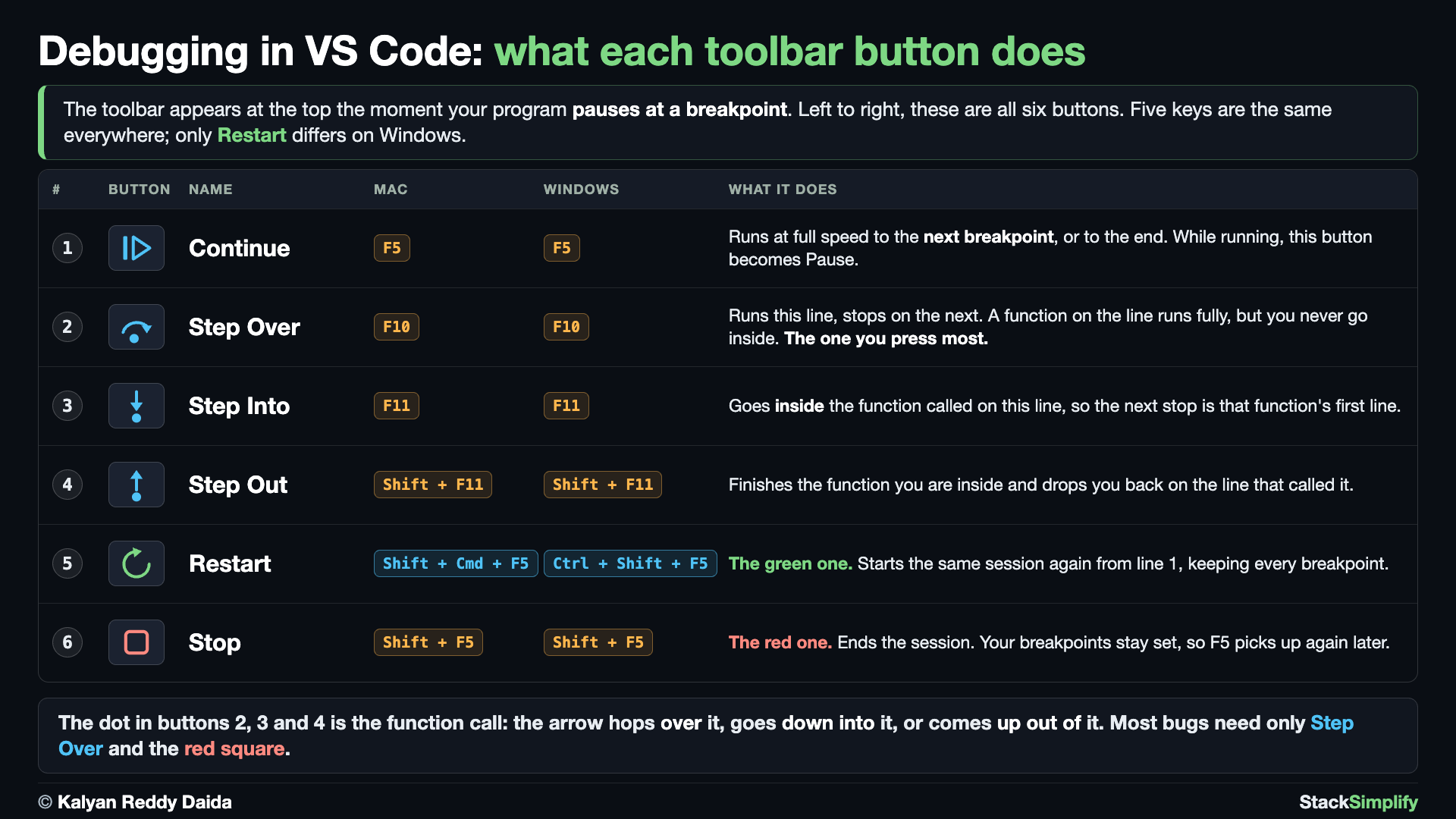
Here is the full routine, using s09_step06_debug_in_vscode.py. Every button on the debug toolbar is in the picture below; the walkthrough tells you when to reach for each one.
- Open the file in VS Code (click it in the Explorer on the left).
- Set a breakpoint. Move your mouse just to the left of a line number (use the
each = calculate_books_per_student("100", "20")line). A faded red dot appears; click it so it becomes a solid red dot. That is a breakpoint: the program will pause there. - Start debugging. Press F5 (or click the Run and Debug icon in the left sidebar, the triangle with a little bug, then Run and Debug). If VS Code asks, choose Python File. The program runs until it reaches your breakpoint.
- The program pauses. The breakpoint line is highlighted and the toolbar appears at the top. Nothing after that line has run yet.
- Look at the values. The Variables panel (top-left of the Run and Debug view) lists the names that exist right now and what they hold. You can also hover the mouse over a variable in the code to see its value in a tooltip.
- Watch an expression (optional). In the Watch panel click + and type, for example,
books / studentsto see the answer before thereturnline runs. - Step through the code with the toolbar buttons:
- Step Over (F10): run the current line and stop on the next one (does not go inside function calls).
- Step Into (F11): go INSIDE a function call to follow it line by line.
- Step Out (Shift+F11): finish the current function and stop back where it was called.
- Continue (F5): run until the next breakpoint (or the end).
- Restart (Shift+Cmd+F5 on a Mac, Ctrl+Shift+F5 on Windows): start the same session again from line 1, keeping your breakpoints.
- Stop (Shift+F5): end the debug session.
- Read the values as you go. Step Over one line at a time and watch the Variables panel. That is the whole skill: when a value is not what you expected, the line you just ran is the suspect.
- Move the breakpoint into the loop in Concept 2 and press Continue three times. You will stop once per pair, with the Variables panel showing the next row each time.
Use print() for quick checks and the debugger when you need to watch the program think, one line at a time.
Practice and Workshop
Every step has a matching practice problem - try it yourself, then expand the solution to check. Some practices end with a short input() "Write a Program" problem. Every step also has an optional workshop problem (the same idea in a car scenario). The numbers line up with the steps, so if you get stuck on practice-03, re-read Concept Step-03.
| Step | Concept Name | Concept | Practice | Workshop |
|---|---|---|---|---|
| 01 | try except basics | concept | practice | workshop |
| 02 | specific errors | concept | practice | workshop |
| 03 | finally | concept | practice | workshop |
| 04 | raise | concept | practice | workshop |
| 05 | debugging | concept | - | - |
| 06 | debug in VS Code | concept | - | - |
Open the full Practice page and Workshop page for this section - each problem has its statement, expected output, an optional hint, and an expandable solution.
What You Learned
- You followed one function,
calculate_books_per_student, and made it safer step by step. try/exceptkeeps your program running when a risky line fails instead of crashing.- Catch the specific error (
ValueError,ZeroDivisionError); stack multipleexceptblocks, or useexcept (A, B)when both need the same reply; useelsefor the success case. finallyalways runs; it is the right place for cleanup.raisesignals bad input on purpose; catch it withexcept ... as errto read the message.- A syntax error stops the code from running at all; a runtime error crashes a running program. Read the traceback from the bottom up to find the failing line and the error type.
- Debug with
print()first, and the VS Code debugger when you need to watch the program think. - Set a breakpoint to pause on a line, then Step Over to skip a call, Step Into to follow it, Step Out to come back, and Continue to reach the next stop.
Next
Section 10: Files, JSON, and Paths. Read and write files, and work with file paths.
Prefer to learn by watching?
The full video course teaches every concept on screen and builds the projects with you, step by step.
Section 08: Type Hints Next: Section 10: Files, JSON, and Paths