Skip to content

Introduction

Download slides (PDF) Open the video course

Six pictures cover the whole course: what you get, what you learn and in what order, how every section is taught, what you build, and the two ways to run the code yourself.

What You Get

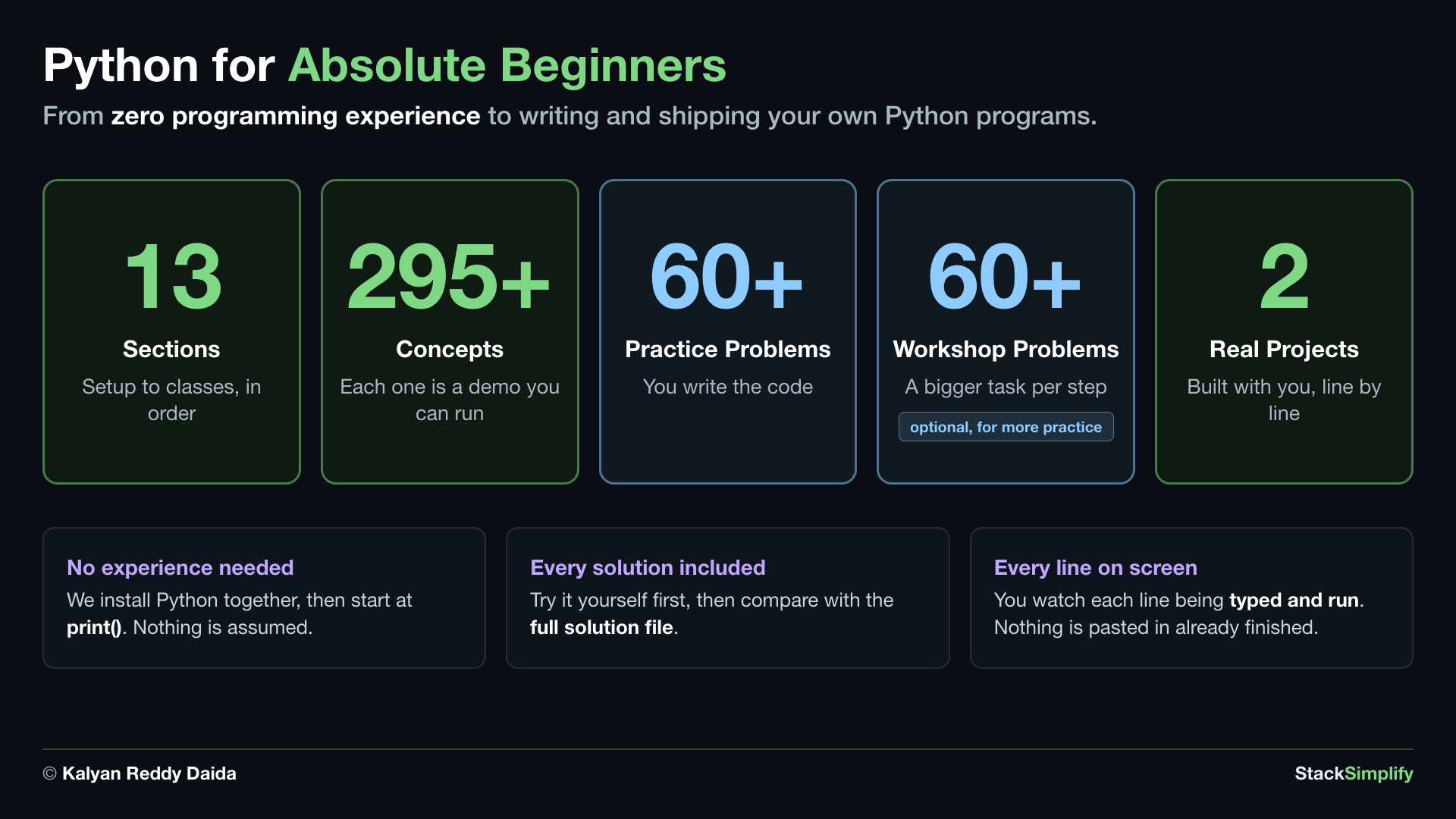
Python for Absolute Beginners, by the numbers: from zero programming experience to writing and shipping your own Python programs. 13 sections, setup to classes, in order. 295 plus concepts, each one is a demo you can run. 60 plus practice problems where you write the code. 60 plus workshop problems, a bigger task per step, optional and for more practice. 2 real projects, built with you line by line. No experience needed: we install Python together, then start at print(), and nothing is assumed. Every solution included: try it yourself first, then compare with the full solution file. Every line on screen: you watch each line being typed and run, and nothing is pasted in already finished

What You Learn, and in What Order

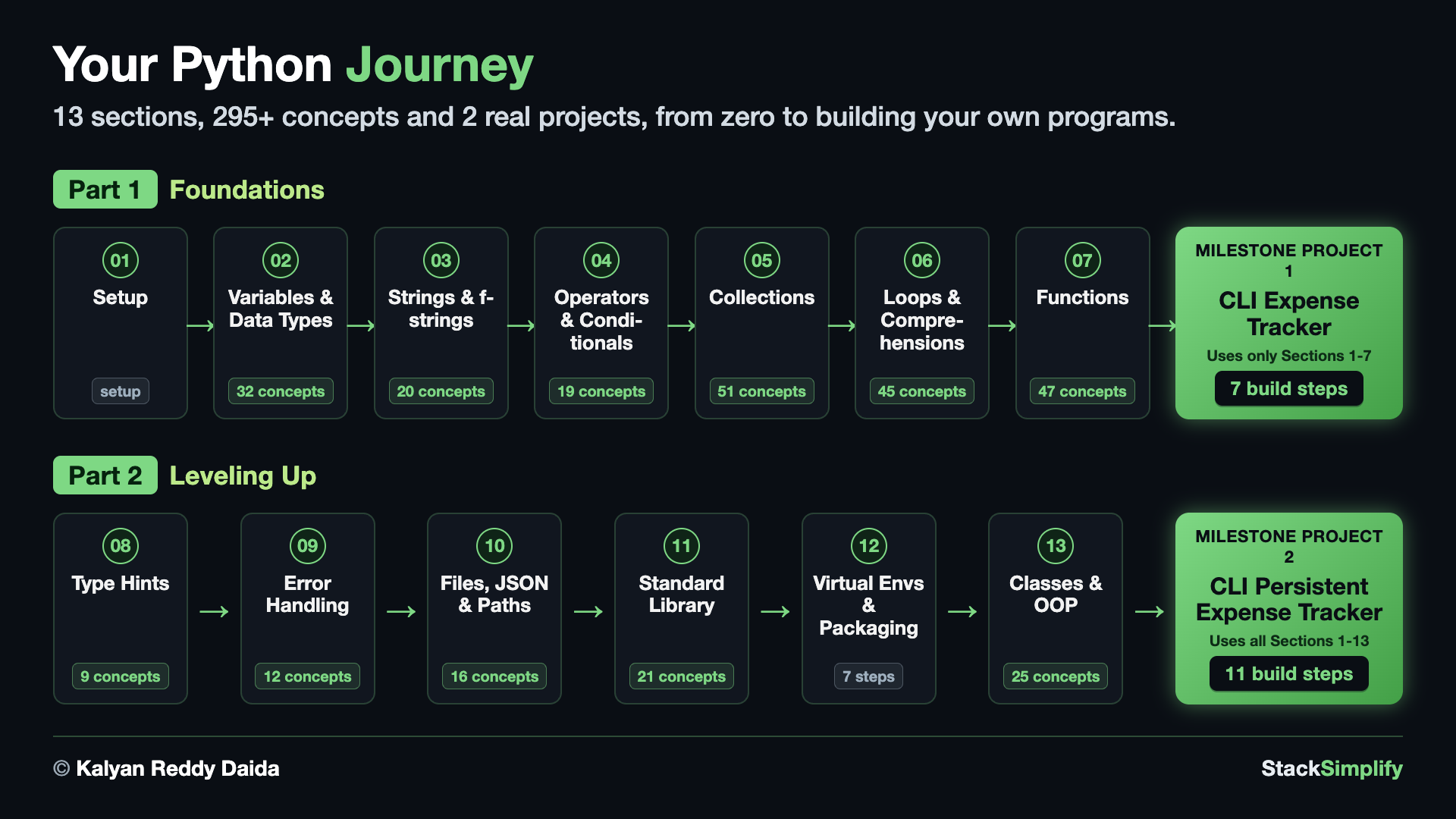
Your Python journey: 13 sections, 295 plus concepts and 2 real projects, from zero to building your own programs. Part 1, Foundations: Setup, then Variables and Data Types with 32 concepts, Strings and f-strings with 20, Operators and Conditionals with 19, Collections with 51, Loops and Comprehensions with 45, and Functions with 47, leading to Milestone Project 1, the CLI Expense Tracker, which uses only Sections 1 to 7 and takes 7 build steps. Part 2, Leveling Up: Type Hints with 9 concepts, Error Handling with 12, Files JSON and Paths with 16, Standard Library with 21, Virtual Environments and Packaging which is 7 command-line steps, and Classes and OOP with 25, leading to Milestone Project 2, the CLI Persistent Expense Tracker, which uses all Sections 1 to 13 and takes 11 build steps

How You Learn

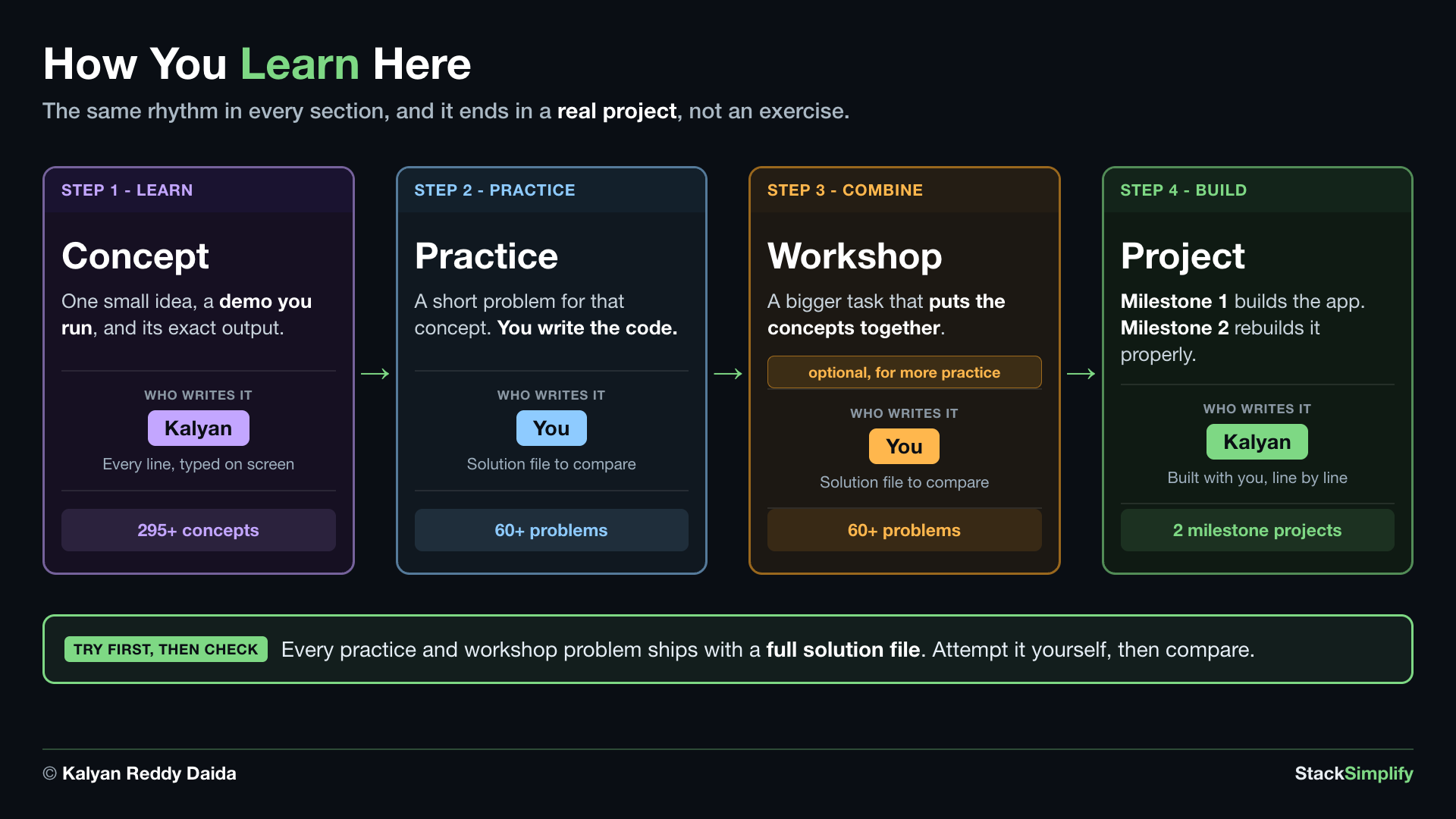
How you learn here: the same rhythm in every section, and it ends in a real project rather than an exercise. Step 1, learn: a Concept is one small idea, a demo you run, and its exact output, written by Kalyan with every line typed on screen, and there are 295 plus concepts. Step 2, practice: a Practice problem is a short problem for that concept where you write the code and a solution file is there to compare against, and there are 60 plus problems. Step 3, combine: a Workshop is a bigger task that puts the concepts together, optional and for more practice, where you write the code and a solution file is there to compare against, and there are 60 plus problems. Step 4, build: a Project, where Milestone 1 builds the app and Milestone 2 rebuilds it properly, built by Kalyan with you line by line, across 2 milestone projects. Try first, then check: every practice and workshop problem ships with a full solution file, so attempt it yourself, then compare

What You Build

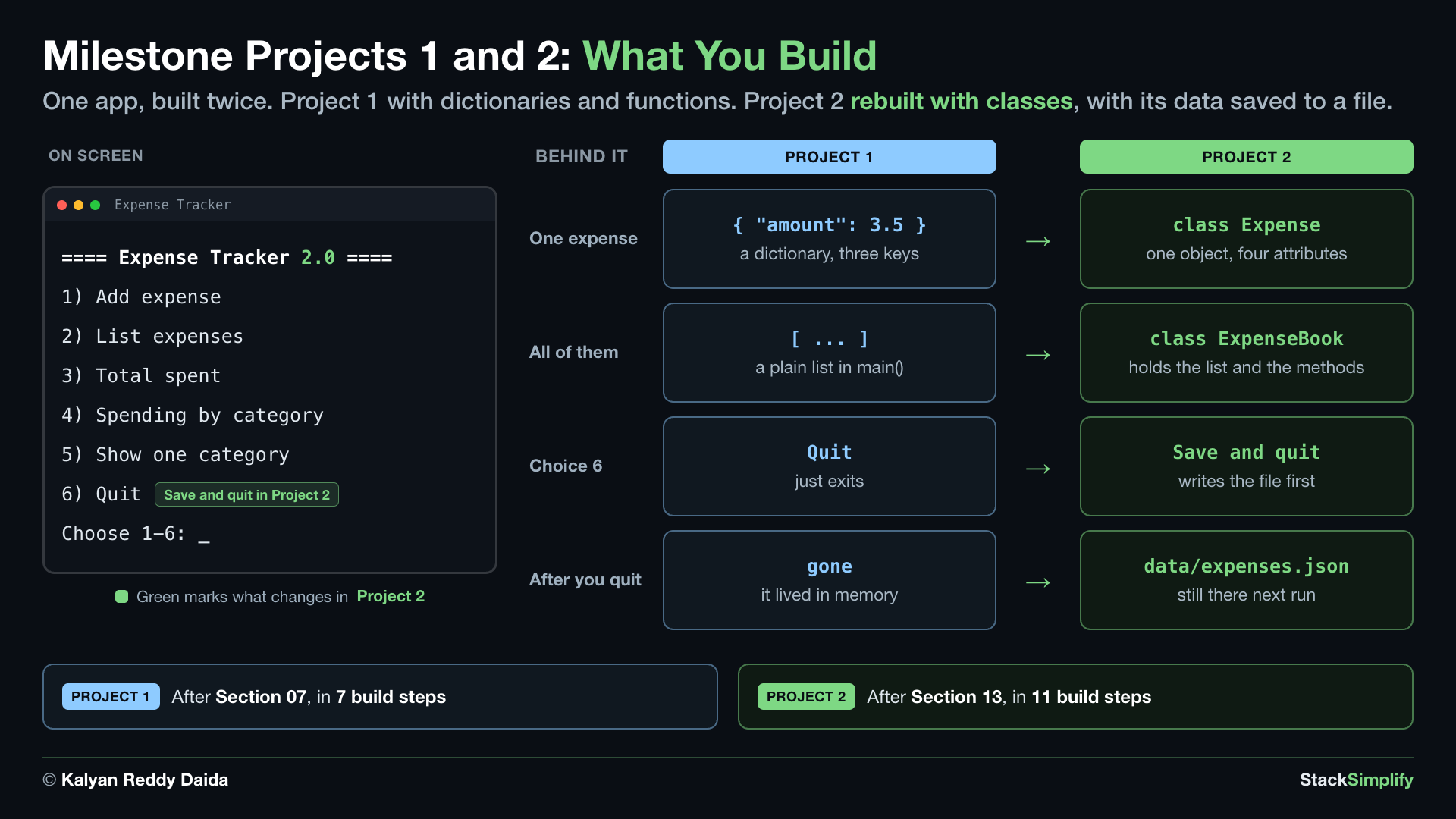
Milestone Projects 1 and 2: what you build. One app, built twice. Project 1 with dictionaries and functions. Project 2 rebuilt with classes, with its data saved to a file. On screen, a terminal running the Expense Tracker menu: the title line, then 1 Add expense, 2 List expenses, 3 Total spent, 4 Spending by category, 5 Show one category, 6 Quit, and the prompt Choose 1 to 6. Green marks what changes in Project 2: the 2.0 added to the title, and choice 6, which becomes Save and quit. Behind it, four things change. One expense: a dictionary with three keys becomes class Expense, one object with four attributes. All of them: a plain list in main becomes class ExpenseBook, which holds the list and the methods. Choice 6: Quit, which just exits, becomes Save and quit, which writes the file first. After you quit: the data is gone because it lived in memory, and instead it is saved to data slash expenses dot json and is still there next run. Project 1 comes after Section 07, in 7 build steps. Project 2 comes after Section 13, in 11 build steps

Running the Concept Demos

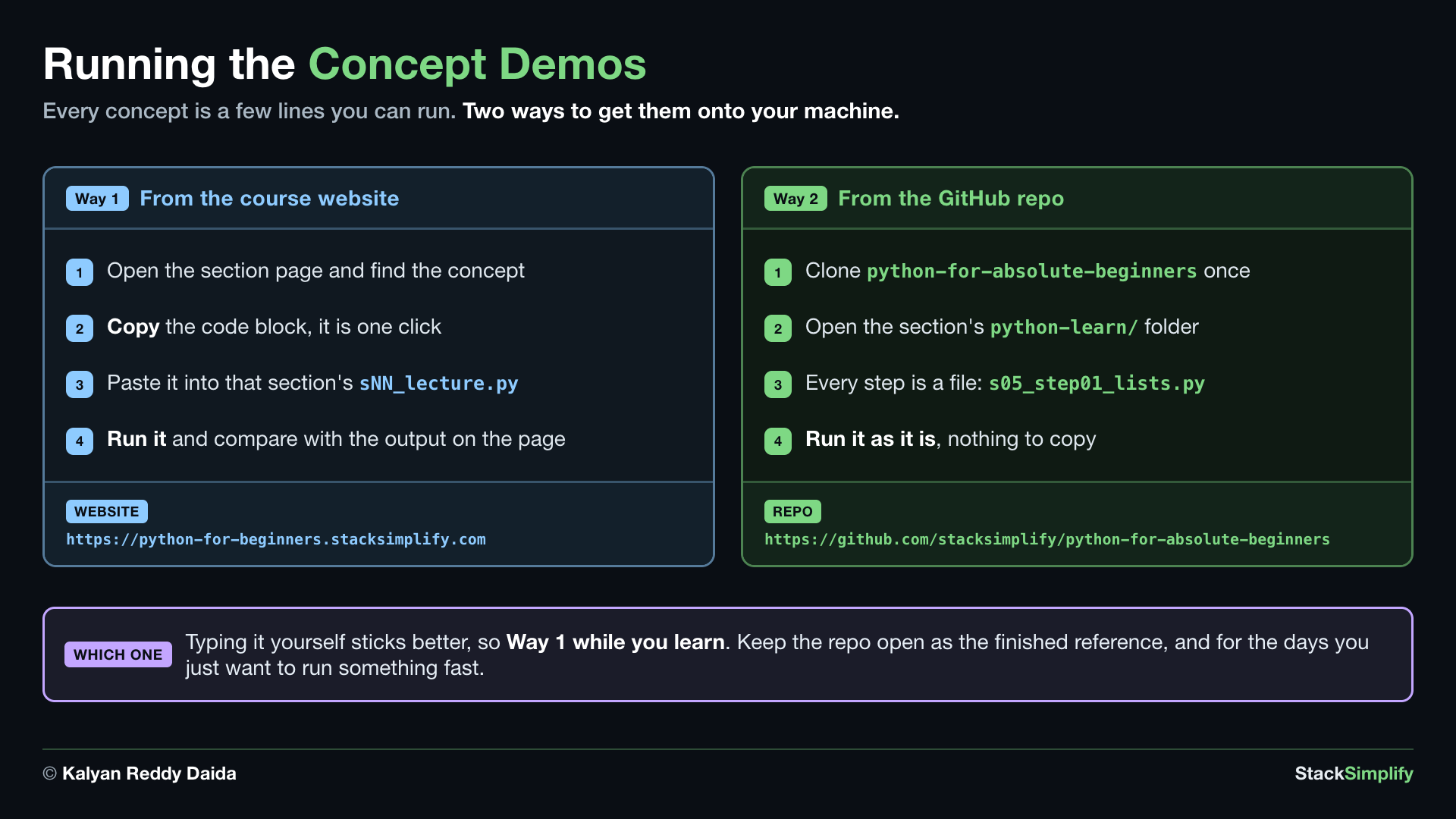
Running the concept demos: every concept is a few lines you can run, and there are two ways to get them onto your machine. Way 1, from the course website at https python-for-beginners.stacksimplify.com: open the section page and find the concept, copy the code block in one click, paste it into that section's lecture file, then run it and compare with the output on the page. Way 2, from the GitHub repo at https github.com slash stacksimplify slash python-for-absolute-beginners: clone python-for-absolute-beginners once, open the section's python-learn folder, where every step is a file such as s05_step01_lists.py, and run it as it is with nothing to copy. Which one: typing it yourself sticks better, so use Way 1 while you learn, and keep the repo open as the finished reference and for the days you just want to run something fast

Practice and Workshop Problems

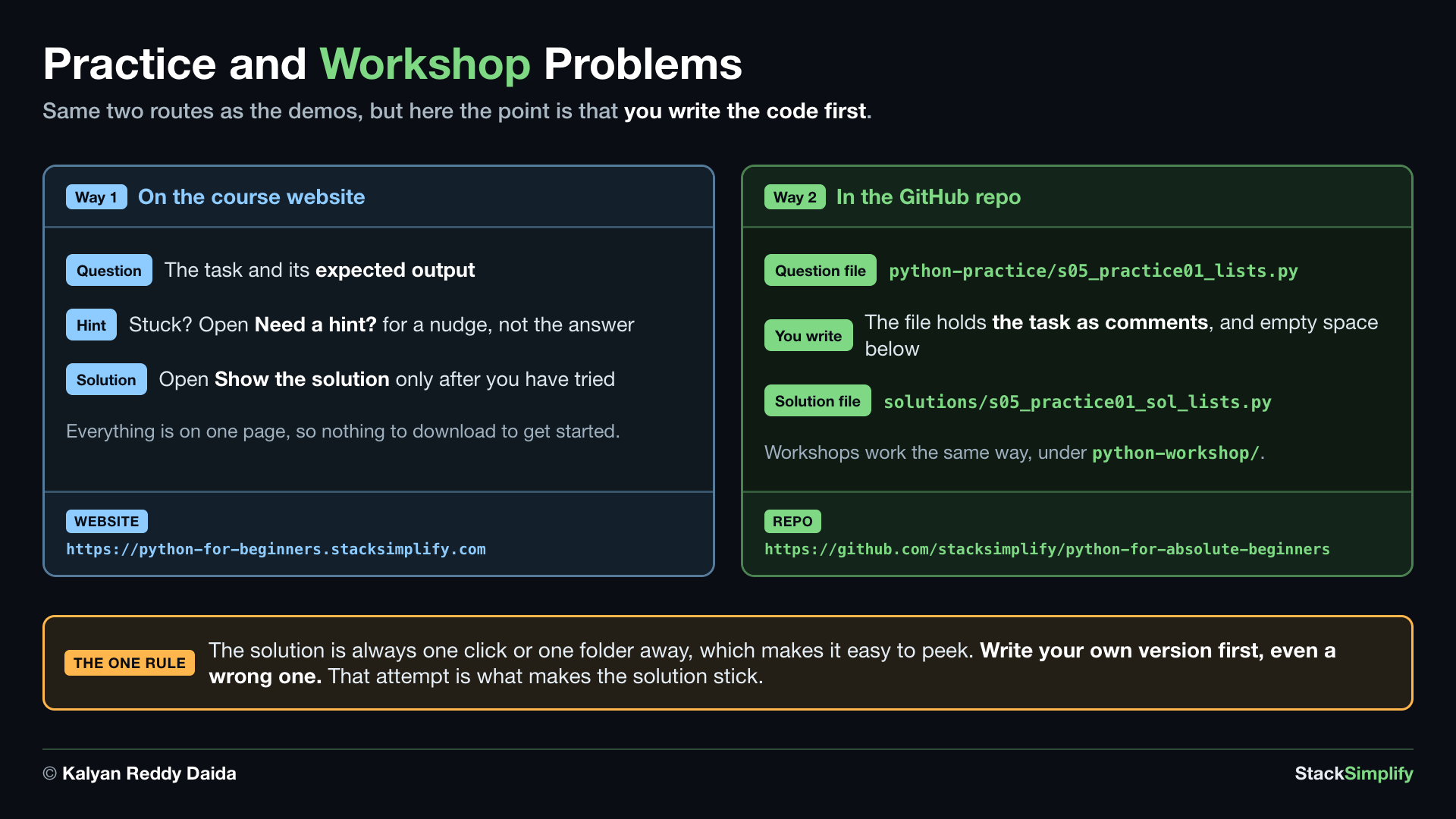
Practice and workshop problems: the same two routes as the demos, but here the point is that you write the code first. Way 1, on the course website at https python-for-beginners.stacksimplify.com: the Question gives the task and its expected output, the Hint is there if you are stuck and gives a nudge rather than the answer, and the Solution opens only after you have tried, with everything on one page so there is nothing to download to get started. Way 2, in the GitHub repo at https github.com slash stacksimplify slash python-for-absolute-beginners: the question file is python-practice slash s05_practice01_lists.py, which holds the task as comments with empty space below for you to write, and the solution file sits in the solutions folder as s05_practice01_sol_lists.py, with workshops working the same way under python-workshop. The one rule: the solution is always one click or one folder away, which makes it easy to peek, so write your own version first, even a wrong one, because that attempt is what makes the solution stick

Ready to begin? Start Here walks you through how to use this site, then Section 01 sets up Python on your machine.

Prefer to learn by watching?

The full video course teaches every concept on screen and builds the projects with you, step by step.

Get the Video Course


Next: Start Here