Milestone Project 2: Persistent Expense Tracker
View project code on GitHub Download slides (PDF) Get the Video Course
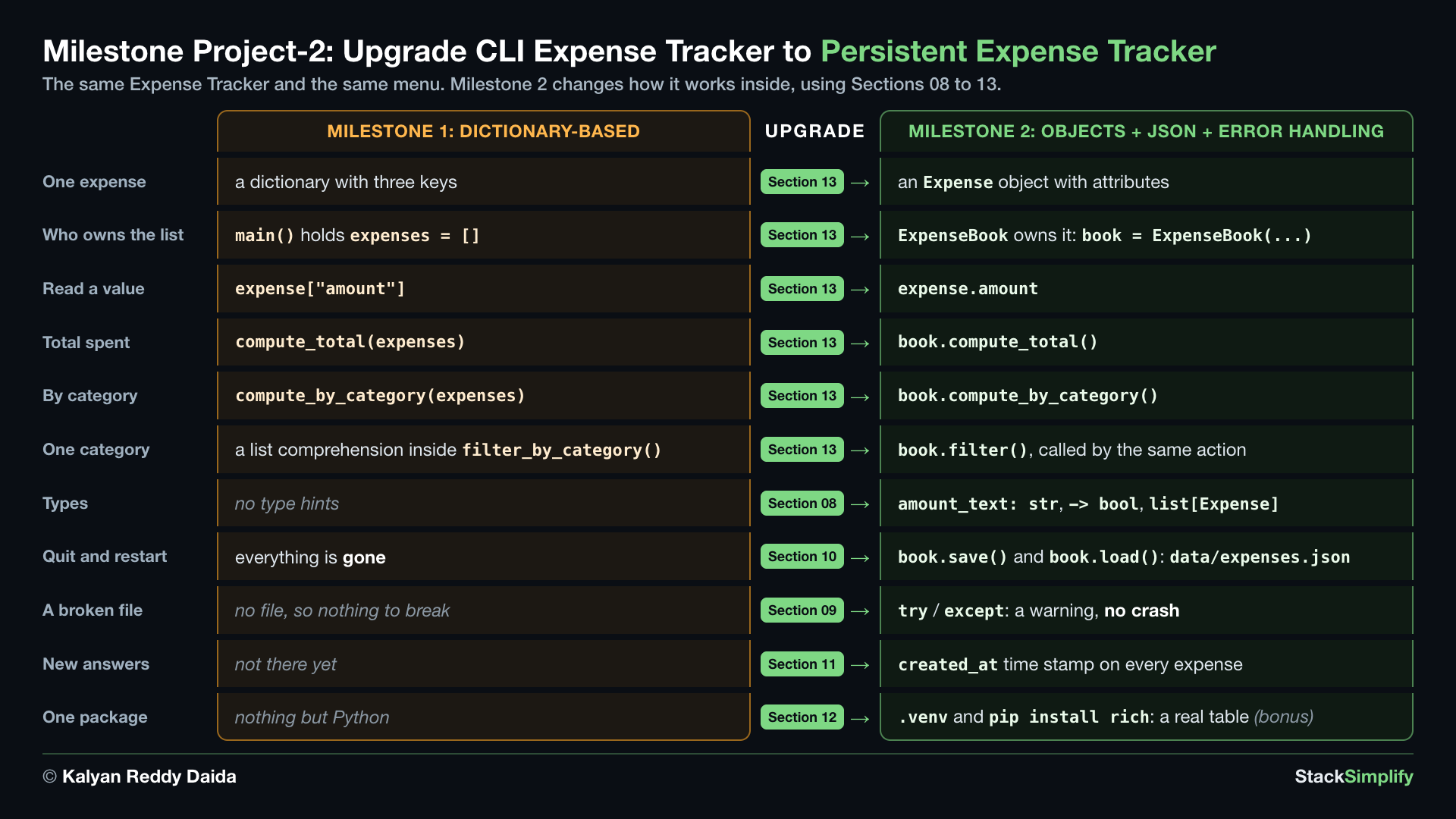
Your second capstone, and it does not start from a blank folder. You take the Milestone Project 1 tracker you already built and upgrade it: store expenses as objects, save them to a file so they survive between runs, and handle errors without crashing. This project uses ideas from Sections 01-11 and 13, plus two pieces of Section 12: the __main__ guard in Step-09, and a virtual environment in the optional bonus step.
Step-00: What You Will Build
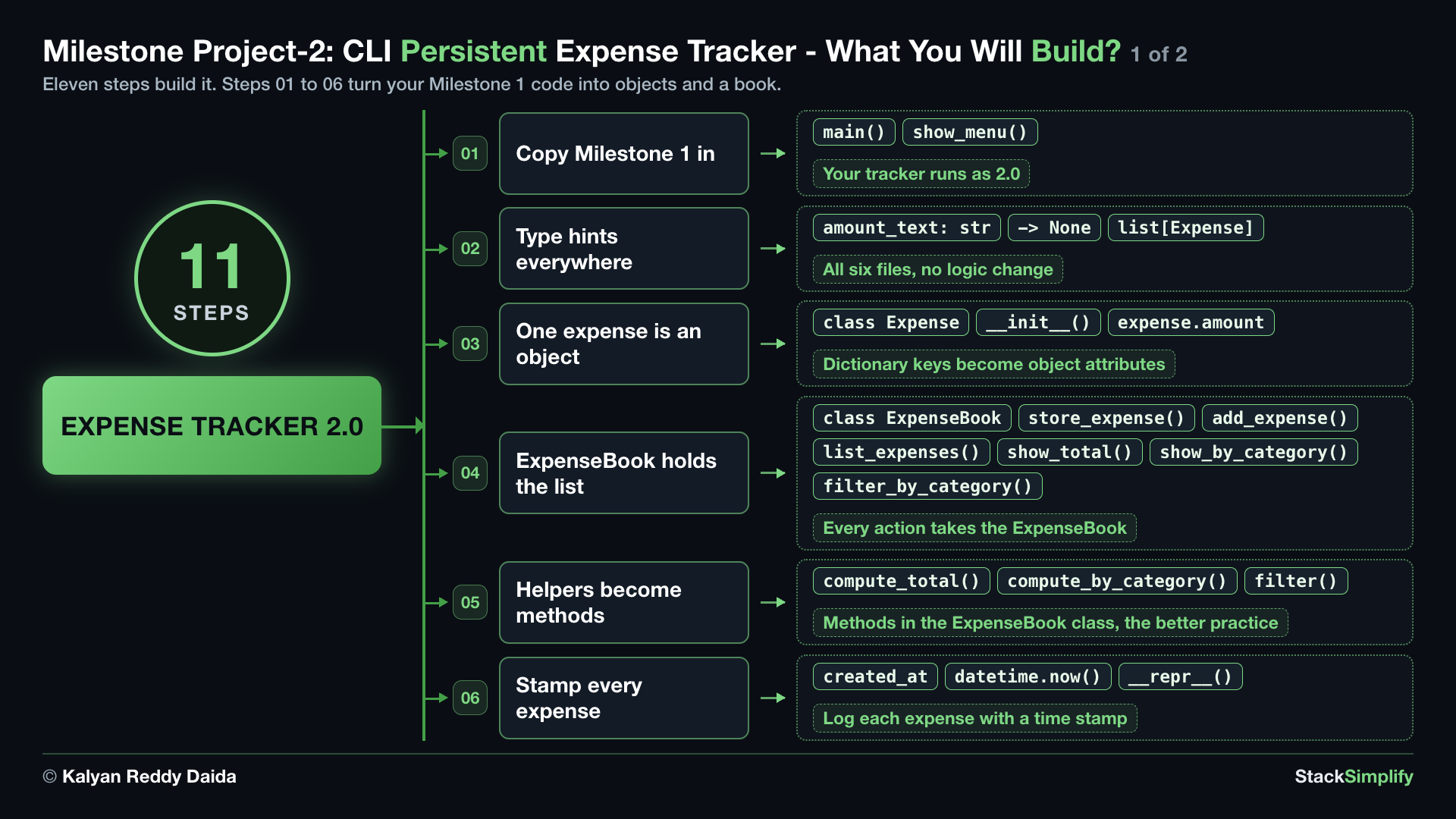
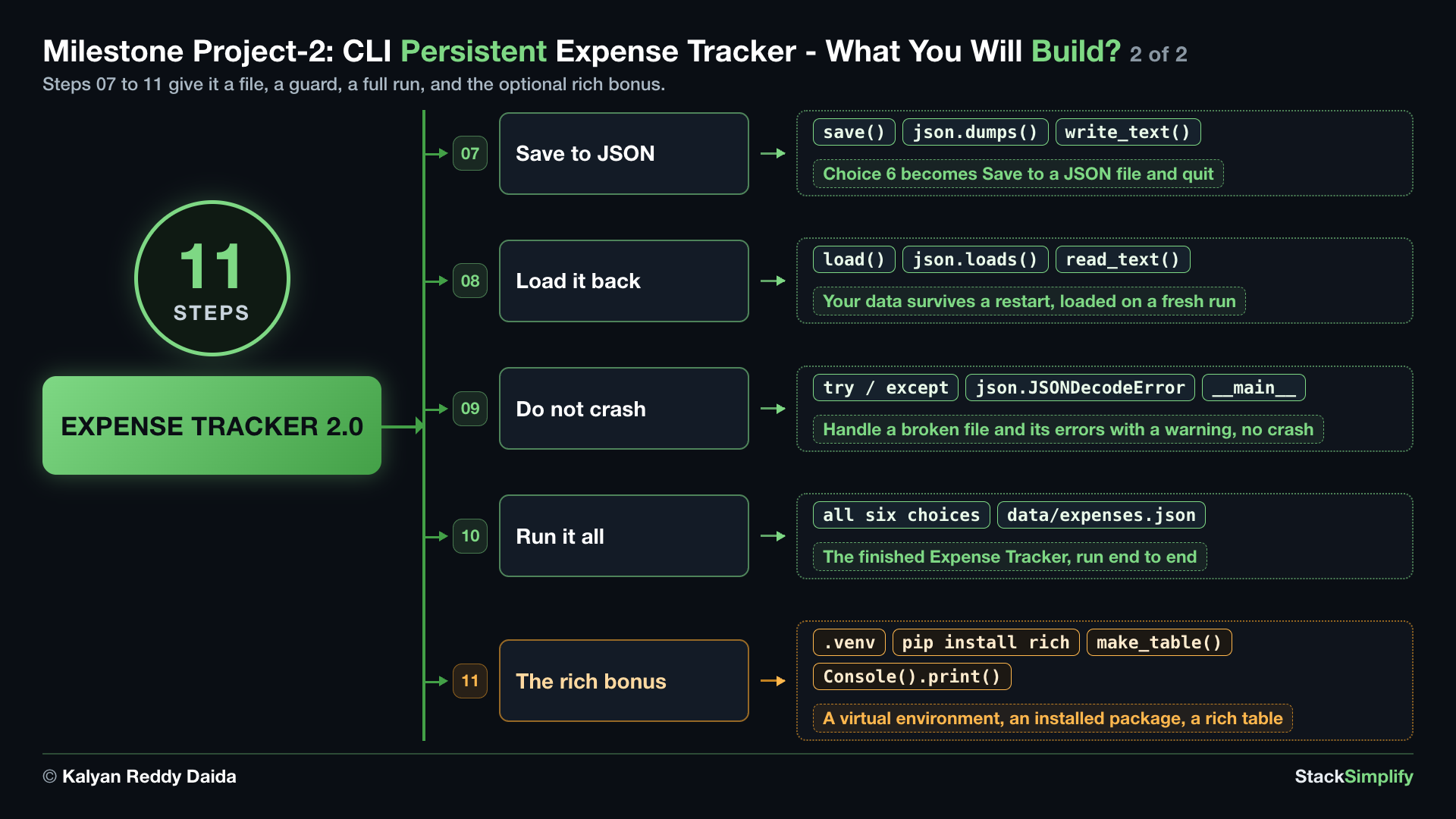
This page grows your Milestone 1 tracker into Milestone 2, one stage at a time. Step-00 is the assignment. Step-01 to Step-09 are the nine stages: each one edits one or more files, and the app runs at the end of every step. Step-10 runs the finished program from end to end.
What you build
The same menu as Milestone 1, plus saved data:
- Add expense, stored as an
Expenseobject. - List expenses in an aligned table.
- Total spent, the sum of all amounts.
- Spending by category: the total per category.
- Show one category, only that category's expenses.
- Save and quit: write the expenses to
data/expenses.json, in adata/folder next to your code.
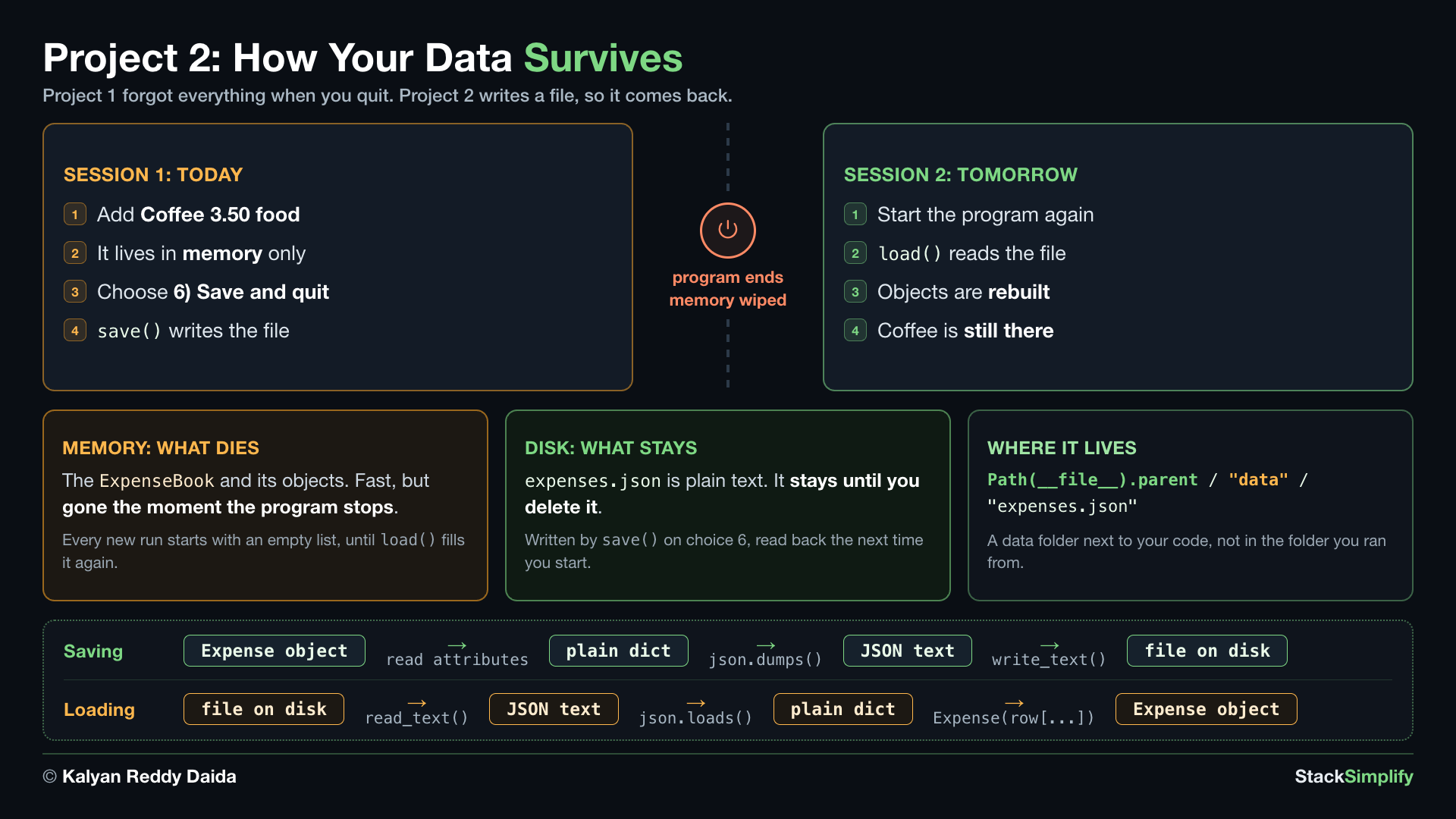
On start, it loads data/expenses.json if it exists, so your data from the last run is back. The file always sits next to the program file, not in the folder you happen to run from.
What you practice (Sections 01-11 and 13)
- Classes (Section 13) for the data model: an
Expensewith__init__and__repr__ - Files, JSON and
pathlib(Section 10) for saving and loading try/excepterror handling (Section 09) and type hints (Section 08)- The
__main__guard (Section 12), and a virtual environment withpip installin the optional bonus step datetimefrom the standard library (Section 11)
Where you start
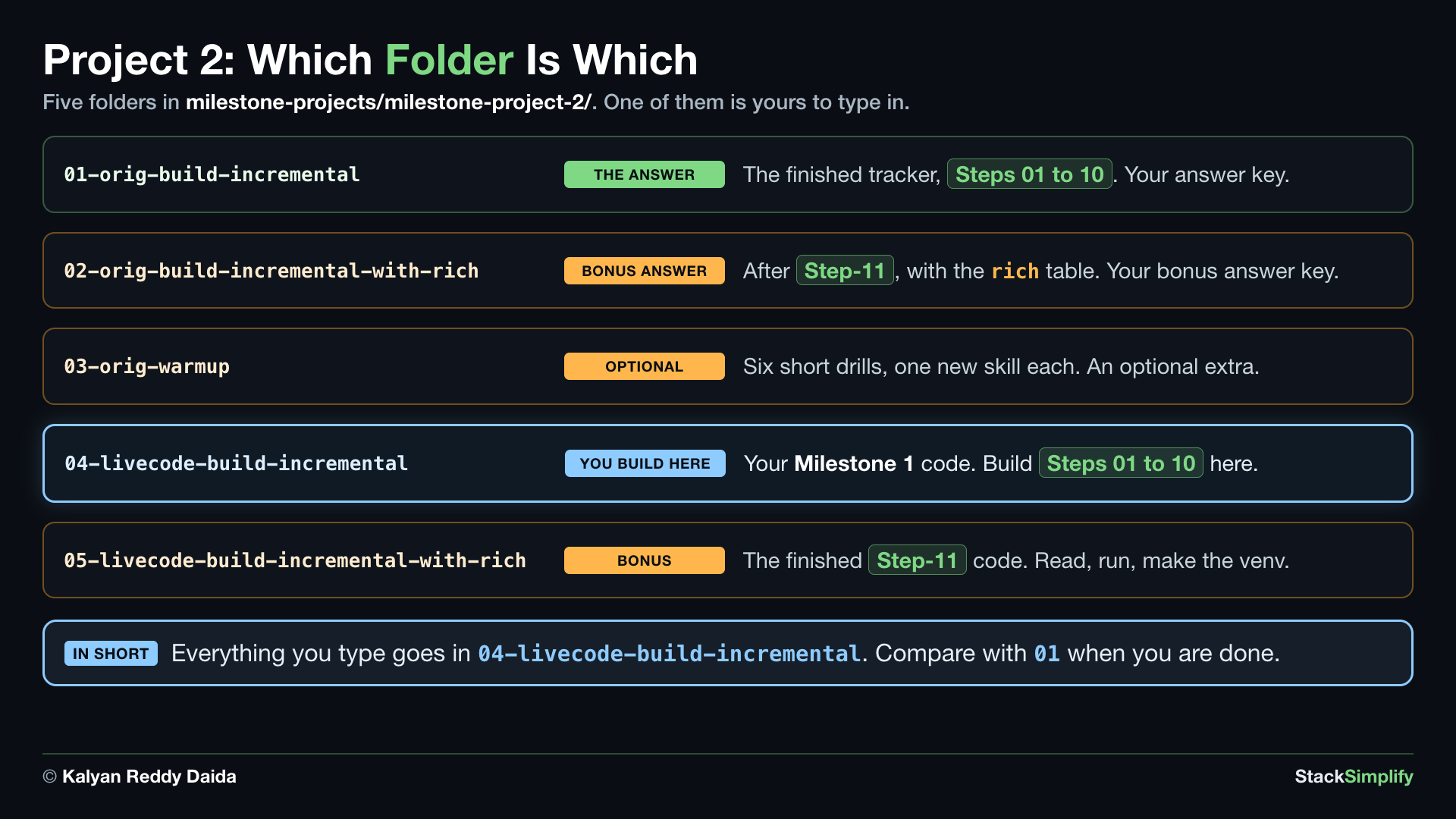
Build in this project's 04-livecode-build-incremental/ folder. It already holds the six Milestone 1 files, with the comments and the long docstring at the top of each file taken out, so only the code and the short docstrings under the def lines are left, and it runs exactly like Milestone 1. Would you rather start from the Milestone 1 code itself? Copy the six .py files from ../milestone-project-1/build-incremental/ over them, then delete the long docstring at the top of each one: only the block above the first import or def goes, and the short docstring under each def line stays. Do not type into this project's 01-orig-build-incremental/: it holds the finished Milestone 2 files you compare against.
What carries over from Milestone 1
You are not rewriting the tracker. You are upgrading it, and most of your Milestone 1 code comes with you:
| Your Milestone 1 file | What happens to it here |
|---|---|
f1_is_valid_amount.py | Carried over. The function body does not change at all; the signature gains type hints, and the docstring at the top is reworded. |
f2_format_row.py | Carried over, changed inside. The signature gains type hints, and an expense is an object now, so the file imports Expense and three square brackets become dots. The f-string stays exactly as it was. |
f3_compute_total.py | Moves into the class as the method ExpenseBook.compute_total(), same name, then the file goes away. |
f4_compute_by_category.py | Moves into the class as the method ExpenseBook.compute_by_category(), same name, then the file goes away. |
f5_actions.py | Edited. Every action takes the book instead of a bare list. |
main.py | Edited. It holds a book, loads on start, and saves when you quit. |
New here: expense.py and expense_book.py |
That is why this project has an f1 and an f2 but no f3 or f4. The gap is where your two helper files used to be, before their code moved into the class.
Rules
- Model the data with classes: an
Expenseclass (with__init__and__repr__) and anExpenseBook. - Keep
ExpenseandExpenseBookfree ofinput()andprint(). They hold data and logic only. All input and printing lives in the menu actions and inmain.py. (This separation is what lets a web app reuse the same logic later.) - Save and load with
pathlibandjson. Each expense carries acreated_attime stamp (datetime). - Handle a MISSING file (first run, so start empty) and a BROKEN file (catch
json.JSONDecodeError,TypeErrorandKeyError, print a warning, and start empty). - Validate the amount WITHOUT
try/except(string methods), like Milestone 1. - Type-hint your functions and methods.
- The table uses the same width and alignment f-string trick you already used in Milestone 1 (
:<20left-aligns in 20 columns,:<14in 14,:>10right-aligns in 10, with a single space between the columns). No section teaches those specs; you carry them over from Milestone 1 rather than learn them here.
Sample run
The menu prints again before every Choose 1-6: prompt. Here is a short session with one expense:
==== Expense Tracker 2.0 ====
1) Add expense
2) List expenses
3) Total spent
4) Spending by category
5) Show one category
6) Save and quit
Choose 1-6: 1
Description: Coffee
Amount: 3.50
Category: food
Added: Coffee (3.50) [food]
Choose 1-6: 4
food                 3.50
Choose 1-6: 6
Saved. Goodbye!
Run it again and choose 2: your Coffee is still there, loaded from the file.
How to run it
Open a terminal in the folder you are working in and run the program:
The menu appears. Type a number and press Enter. Once you finish Step-08, choose 6 to save and quit, then run it again: your expenses are still there.
How to build it
The finished program has five layers. Only the actions and the driver talk to a person:
| Layer | Files | Its job |
|---|---|---|
| Data | expense.py | the Expense class: one expense |
| Logic and storage | expense_book.py | ExpenseBook: store_expense(), compute_total(), compute_by_category(), filter(), save(), load() |
| Pure helpers | f1_is_valid_amount.py, f2_format_row.py | check an amount, format a row |
| Actions | f5_actions.py | what each menu choice does, with input() and print() |
| Menu driver | main.py | load, show the menu, call the action, save |
Nine stages, one step each. Each step changes one or more files, and the app runs at the end of every one:
| Step | Stage | What you change | Then the app |
|---|---|---|---|
| Step-01 | 0 | start from the Milestone 1 files in 04-livecode-build-incremental/, retitle the menu | runs exactly as before |
| Step-02 | 1 | add type hints to all six files | prints the same output |
| Step-03 | 2 | add expense.py: an expense becomes an Expense object | prints the same output |
| Step-04 | 3 | add expense_book.py: ExpenseBook holds the list | prints the same output |
| Step-05 | 4 | move compute_total and compute_by_category into the class, add filter(), delete their files | prints the same output |
| Step-06 | 5 | a created_at time stamp and __repr__ on every expense | prints the same output |
| Step-07 | 6 | save() with json and pathlib; choice 6 saves | writes data/expenses.json |
| Step-08 | 7 | load() on start | keeps your data after a restart |
| Step-09 | 8 | try / except around the load, then the __main__ guard | warns instead of crashing on a broken file |
| Step-10 | - | nothing new: run it all, every menu choice, a restart, and a broken file | everything |
| Step-11 | - | optional, in its own folder: a venv, pip install rich, and tables on screen | prints a real table |
Steps 02 to 06 change nothing on screen, and that is the lesson: a refactor changes the shape of a program, not what it does. Step-07 is the first step that changes the screen: choice 6 becomes Save and quit.
Build it yourself first
Each step below shows what to change. Try the change on your own before you read the code. If you want some practice first, the optional drills in 03-orig-warmup/ practice each new skill on its own.
Step-01: main.py: Copy Milestone 1 In
File: main.py
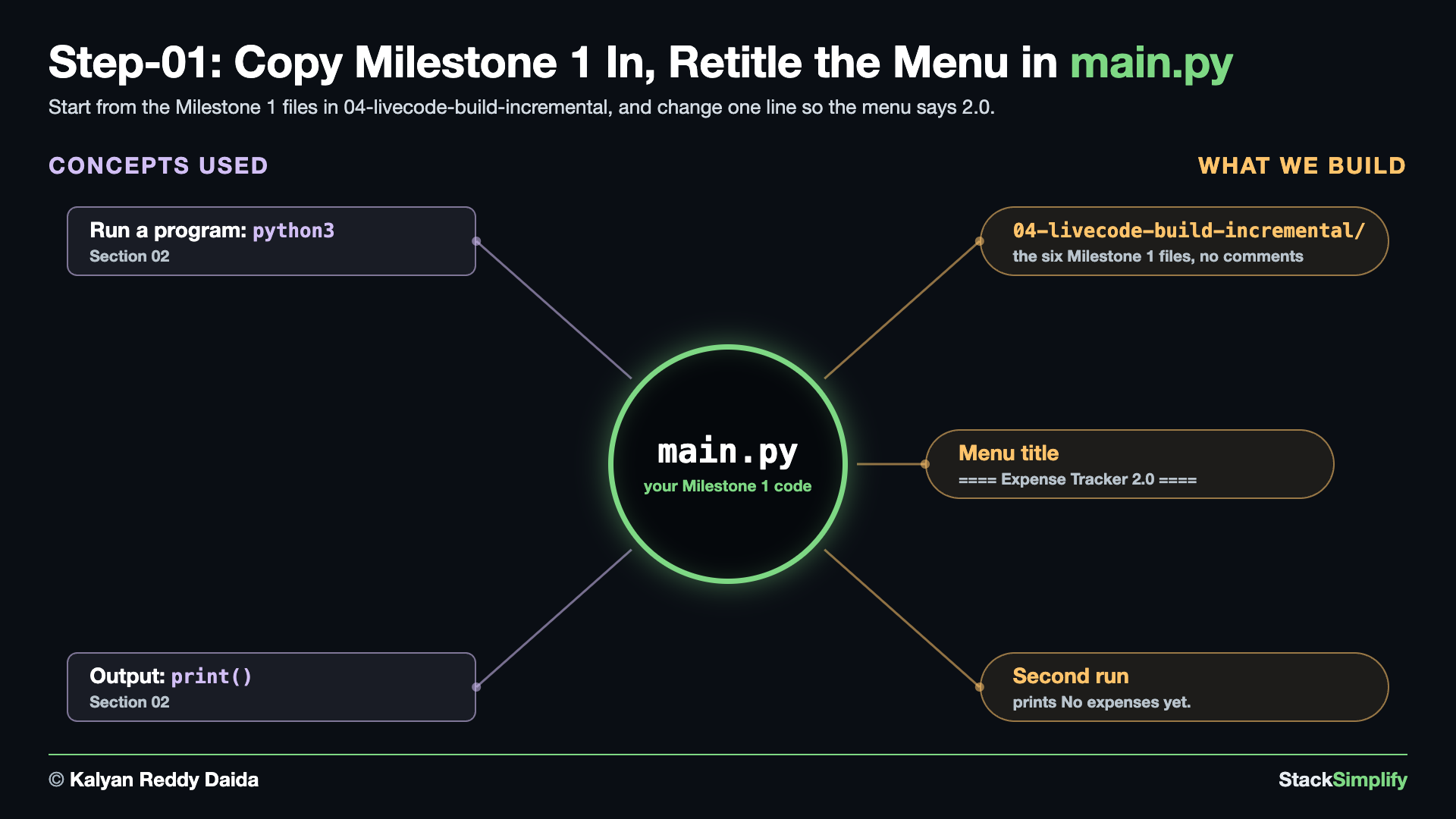
What you build in this step. Your starting point: the six Milestone 1 files in 04-livecode-build-incremental/, with one line changed so the menu says 2.0. Nothing else is new yet, and that is the point: the program you are about to improve runs before the real changes begin.
Concepts used:
- Run a program:
python3, run your Milestone 1 files as they are (Section 02) - Output:
print(), the retitled menu line (Section 02)
Before you start. Build in 04-livecode-build-incremental/. It already holds the six Milestone 1 files without comments and without the long docstring at the top of each file, so you start from clean code. Would you rather start from the Milestone 1 code itself? Copy the six .py files from ../milestone-project-1/build-incremental/ over the ones in it, then delete the long docstring at the top of each file: only the block above the first import or def goes, and the short docstring under each def line stays. Those top blocks are long, you scroll past them every time you type, and they describe the Milestone 1 design, so parts of them are not true here any more. When a later step edits a comment or the docstring at the top of a file, skip that part: the code changes are what matter. The finished files in 01-orig-build-incremental/ still have their comments and longer docstrings, so they look longer than yours, and those docstrings are the up-to-date ones for Milestone 2. The code is the same.
Write it. In main.py, one line changes: the menu title in show_menu(). Here is the whole function, before and after:
What changed.
print()
- print("==== Expense Tracker ====")
+ print("==== Expense Tracker 2.0 ====")
print("1) Add expense")
- This is the only change in this step. Every other line is your Milestone 1 code.
Run it. Add an expense, list it, and quit:
==== Expense Tracker 2.0 ====
1) Add expense
2) List expenses
3) Total spent
4) Spending by category
5) Show one category
6) Quit
Choose 1-6: 1
Description: Coffee
Amount: 3.50
Category: food
Added: Coffee (3.50) [food]
==== Expense Tracker 2.0 ====
...
Choose 1-6: 2
Description Category Amount
Coffee food 3.50
==== Expense Tracker 2.0 ====
...
Choose 1-6: 6
Goodbye!
Then run it again and list the expenses:
==== Expense Tracker 2.0 ====
1) Add expense
2) List expenses
3) Total spent
4) Spending by category
5) Show one category
6) Quit
Choose 1-6: 2
No expenses yet.
==== Expense Tracker 2.0 ====
...
Choose 1-6: 6
Goodbye!
- The expense is gone on the second run. Milestone 1 keeps expenses only in memory, so they disappear when the program ends. Saving them to a file is what this project adds, in Step-07 and Step-08.
Project files for this step: main.py (the finished version) | the Milestone 1 build files
Step-02: f1_is_valid_amount.py: Type Hints on Every File
File: f1_is_valid_amount.py, plus type hints in the other five files
What are type hints? A type hint is a short label that says what kind of value something holds. On a function you hint each parameter and what it gives back, so def is_valid_amount(amount_text: str) -> bool: reads as "pass me text, get back True or False". On a variable you hint what it will hold, which matters most for an empty container, because [] on its own says nothing about what goes into it: expenses: list[Expense] = [] says this list holds Expense objects. Python never checks a hint, and the program runs exactly the same without it. Hints are for you and your editor: the code describes itself, and your editor can offer expense.amount while you type. You built both kinds in Section 08: Type Hints.
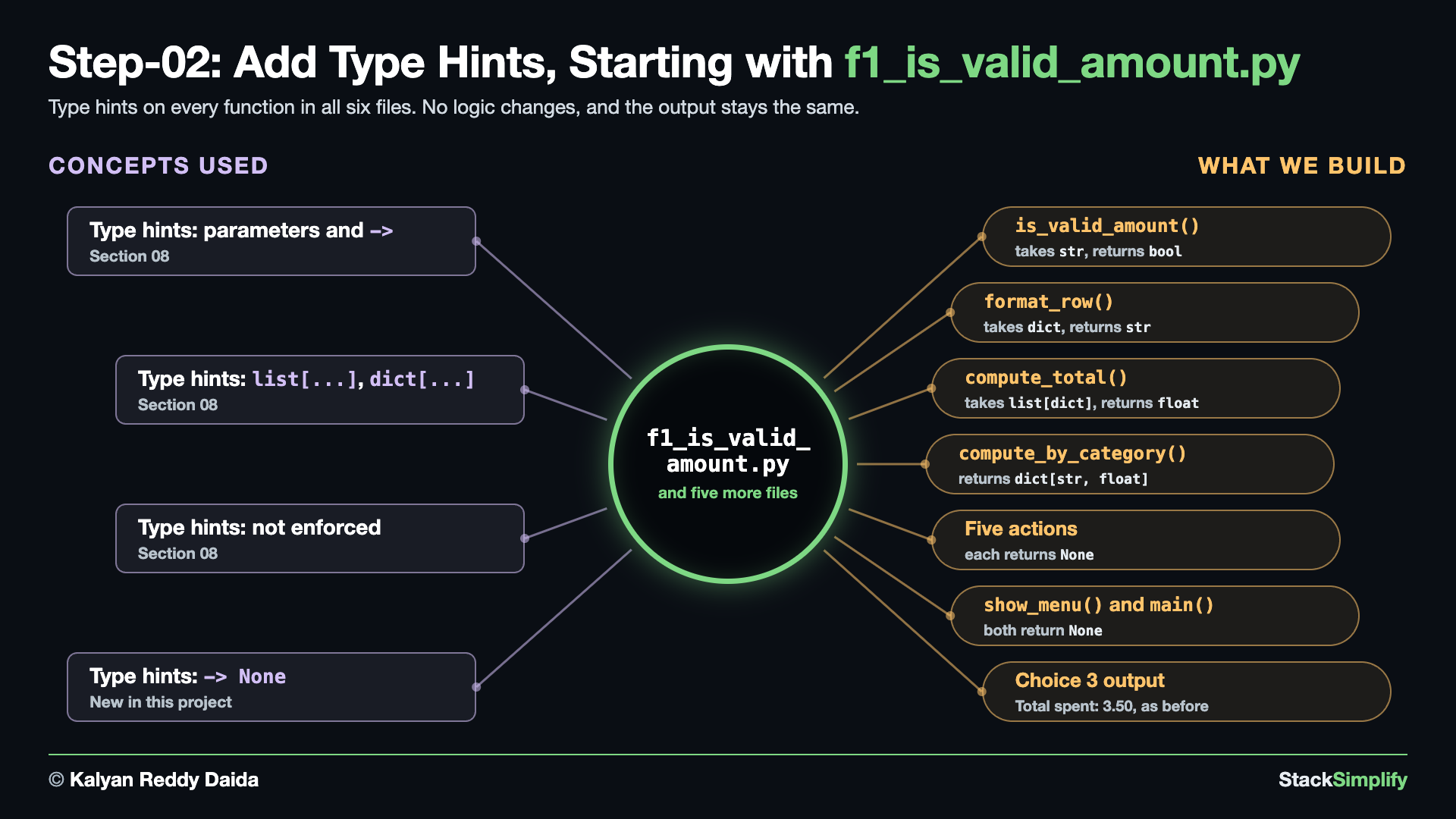
What you build in this step. Type hints on every function in all six files, and on the two empty containers, totals and expenses. No logic changes, and the output stays exactly the same.
Concepts used:
- Type hints: parameters and
->, hint every parameter and return value (Section 08) - Type hints:
list[...],dict[...],list[dict]anddict[str, float](Section 08) - Type hints: not enforced, Python does not check them when the program runs (Section 08)
- Type hints:
-> None, marks a function that returns nothing (New in this project)
2.1 f1_is_valid_amount.py: Hint the Amount Check
Write it. Change only the def line. Every line below it stays your Milestone 1 code. Here is the whole file, before and after:
def is_valid_amount(amount_text):
"""True if amount_text is a positive number like '12' or '12.50' (rejects 0 and negatives)."""
amount_text = amount_text.strip()
decimal_parts = amount_text.split(".")
if len(decimal_parts) == 1:
is_valid_format = decimal_parts[0].isdecimal()
elif len(decimal_parts) == 2:
is_valid_format = (
decimal_parts[0].isdecimal() and
decimal_parts[1].isdecimal()
)
else:
is_valid_format = False
if not is_valid_format:
return False
return float(amount_text) > 0
def is_valid_amount(amount_text: str) -> bool:
"""True if amount_text is a positive number like '12' or '12.50' (rejects 0 and negatives)."""
amount_text = amount_text.strip()
decimal_parts = amount_text.split(".")
if len(decimal_parts) == 1:
is_valid_format = decimal_parts[0].isdecimal()
elif len(decimal_parts) == 2:
is_valid_format = (
decimal_parts[0].isdecimal() and
decimal_parts[1].isdecimal()
)
else:
is_valid_format = False
if not is_valid_format:
return False
return float(amount_text) > 0
What changed.
-def is_valid_amount(amount_text):
+def is_valid_amount(amount_text: str) -> bool:
"""True if amount_text is a positive number like '12' or '12.50' (rejects 0 and negatives)."""
amount_text: strsays the parameter is text.-> boolsays the function returnsTrueorFalse.
2.2 f2_format_row.py: Hint the Row Formatter
Change the def line. Here is the whole file, before and after:
What changed.
-def format_row(expense):
+def format_row(expense: dict) -> str:
"""Return one aligned table row for an expense."""
- One expense is still a dictionary, so the hint is
dict. It becomesExpensein Step-03.
2.3 f3_compute_total.py: Hint the Total
Change the def line. Here is the whole file, before and after:
What changed.
-def compute_total(expenses):
+def compute_total(expenses: list[dict]) -> float:
"""Return the sum of every expense amount."""
list[dict]means a list of dictionaries.
2.4 f4_compute_by_category.py: Hint the Totals Dictionary
Two lines change: the def line, and the line that creates the empty dictionary. Here is the whole file, before and after:
def compute_by_category(expenses):
"""Return a dict of category -> total amount."""
totals = {}
for expense in expenses:
category = expense["category"]
totals[category] = totals.get(category, 0.0) + expense["amount"]
return totals
def compute_by_category(expenses: list[dict]) -> dict[str, float]:
"""Return a dict of category -> total amount."""
totals: dict[str, float] = {}
for expense in expenses:
category = expense["category"]
totals[category] = totals.get(category, 0.0) + expense["amount"]
return totals
What changed.
-def compute_by_category(expenses):
+def compute_by_category(expenses: list[dict]) -> dict[str, float]:
"""Return a dict of category -> total amount."""
- totals = {}
+ totals: dict[str, float] = {}
for expense in expenses:
dict[str, float]means a dictionary with text keys and decimal values.
2.5 f5_actions.py: Hint the Five Actions
Change the five def lines. Here is the whole file, before and after:
from f1_is_valid_amount import is_valid_amount
from f2_format_row import format_row
from f3_compute_total import compute_total
from f4_compute_by_category import compute_by_category
def add_expense(expenses):
"""Prompt the user for a new expense and add it to the list."""
description = input("Description: ").strip()
if description == "":
description = "(no description)"
amount_text = input("Amount: ").strip()
if not is_valid_amount(amount_text):
print("Invalid amount - enter a positive number like 12.50")
return
category = input("Category: ").strip().lower()
if category == "":
category = "uncategorized"
amount = float(amount_text)
expense = {
"description": description,
"amount": amount,
"category": category,
}
expenses.append(expense)
print(f"Added: {description} ({amount:,.2f}) [{category}]")
def list_expenses(expenses):
"""Display all recorded expenses."""
if not expenses:
print("No expenses yet.")
return
print(f"{'Description':<20} {'Category':<14} {'Amount':>10}")
for expense in expenses:
print(format_row(expense))
def show_total(expenses):
"""Display the total amount spent."""
print(f"Total spent: {compute_total(expenses):,.2f}")
def show_by_category(expenses):
"""Display the total spent in each category."""
totals = compute_by_category(expenses)
if not totals:
print("No expenses yet.")
return
for category, total in totals.items():
print(f"{category:<14} {total:>10,.2f}")
def filter_by_category(expenses):
"""Display expenses that belong to one category."""
wanted_category = input("Category to show: ").strip().lower()
matches = [
expense
for expense in expenses
if expense["category"] == wanted_category
]
if not matches:
print(f"No expenses in '{wanted_category}'.")
return
print(f"{'Description':<20} {'Category':<14} {'Amount':>10}")
for expense in matches:
print(format_row(expense))
from f1_is_valid_amount import is_valid_amount
from f2_format_row import format_row
from f3_compute_total import compute_total
from f4_compute_by_category import compute_by_category
def add_expense(expenses: list[dict]) -> None:
"""Prompt the user for a new expense and add it to the list."""
description = input("Description: ").strip()
if description == "":
description = "(no description)"
amount_text = input("Amount: ").strip()
if not is_valid_amount(amount_text):
print("Invalid amount - enter a positive number like 12.50")
return
category = input("Category: ").strip().lower()
if category == "":
category = "uncategorized"
amount = float(amount_text)
expense = {
"description": description,
"amount": amount,
"category": category,
}
expenses.append(expense)
print(f"Added: {description} ({amount:,.2f}) [{category}]")
def list_expenses(expenses: list[dict]) -> None:
"""Display all recorded expenses."""
if not expenses:
print("No expenses yet.")
return
print(f"{'Description':<20} {'Category':<14} {'Amount':>10}")
for expense in expenses:
print(format_row(expense))
def show_total(expenses: list[dict]) -> None:
"""Display the total amount spent."""
print(f"Total spent: {compute_total(expenses):,.2f}")
def show_by_category(expenses: list[dict]) -> None:
"""Display the total spent in each category."""
totals = compute_by_category(expenses)
if not totals:
print("No expenses yet.")
return
for category, total in totals.items():
print(f"{category:<14} {total:>10,.2f}")
def filter_by_category(expenses: list[dict]) -> None:
"""Display expenses that belong to one category."""
wanted_category = input("Category to show: ").strip().lower()
matches = [
expense
for expense in expenses
if expense["category"] == wanted_category
]
if not matches:
print(f"No expenses in '{wanted_category}'.")
return
print(f"{'Description':<20} {'Category':<14} {'Amount':>10}")
for expense in matches:
print(format_row(expense))
What changed.
-def add_expense(expenses):
+def add_expense(expenses: list[dict]) -> None:
"""Prompt the user for a new expense and add it to the list."""
...
-def list_expenses(expenses):
+def list_expenses(expenses: list[dict]) -> None:
"""Display all recorded expenses."""
...
-def show_total(expenses):
+def show_total(expenses: list[dict]) -> None:
"""Display the total amount spent."""
...
-def show_by_category(expenses):
+def show_by_category(expenses: list[dict]) -> None:
"""Display the total spent in each category."""
...
-def filter_by_category(expenses):
+def filter_by_category(expenses: list[dict]) -> None:
"""Display expenses that belong to one category."""
-> Nonesays a function returns nothing: it only prints or changes data.
2.6 main.py: Hint the Menu and the Loop
Change the two def lines, and give the empty list in main() a hint. Here is the whole file, before and after:
from f5_actions import (
add_expense,
list_expenses,
show_total,
show_by_category,
filter_by_category,
)
def show_menu():
    print()
    print("==== Expense Tracker 2.0 ====")
    print("1) Add expense")
    print("2) List expenses")
    print("3) Total spent")
    print("4) Spending by category")
    print("5) Show one category")
    print("6) Quit")
def main():
expenses = []
while True:
show_menu()
choice = input("Choose 1-6: ").strip()
if choice == "1":
add_expense(expenses)
elif choice == "2":
list_expenses(expenses)
elif choice == "3":
show_total(expenses)
elif choice == "4":
show_by_category(expenses)
elif choice == "5":
filter_by_category(expenses)
elif choice == "6":
print("Goodbye!")
break
else:
print("Please choose a number from 1 to 6.")
main()
from f5_actions import (
add_expense,
list_expenses,
show_total,
show_by_category,
filter_by_category,
)
def show_menu() -> None:
print()
print("==== Expense Tracker 2.0 ====")
print("1) Add expense")
print("2) List expenses")
print("3) Total spent")
print("4) Spending by category")
print("5) Show one category")
print("6) Quit")
def main() -> None:
expenses: list[dict] = []
while True:
show_menu()
choice = input("Choose 1-6: ").strip()
if choice == "1":
add_expense(expenses)
elif choice == "2":
list_expenses(expenses)
elif choice == "3":
show_total(expenses)
elif choice == "4":
show_by_category(expenses)
elif choice == "5":
filter_by_category(expenses)
elif choice == "6":
print("Goodbye!")
break
else:
print("Please choose a number from 1 to 6.")
main()
What changed.
-def show_menu():
+def show_menu() -> None:
print()
...
-def main():
- expenses = []
+def main() -> None:
+ expenses: list[dict] = []
while True:
expenses: list[dict] = []: an empty[]says nothing about what goes inside, so the hint says it: a list of dictionaries. It is the same idea astotalsin 2.4. In 3.2 the hint becomeslist[Expense], and in Step-04 the book replaces the whole line.- Python does not check hints when the program runs. They are for the people who read the code.
Run it.
==== Expense Tracker 2.0 ====
1) Add expense
2) List expenses
3) Total spent
4) Spending by category
5) Show one category
6) Quit
Choose 1-6: 1
Description: Coffee
Amount: 3.50
Category: food
Added: Coffee (3.50) [food]
==== Expense Tracker 2.0 ====
...
Choose 1-6: 3
Total spent: 3.50
==== Expense Tracker 2.0 ====
...
Choose 1-6: 6
Goodbye!
- The output is the same as before.
Project files for this step: f1_is_valid_amount.py
Step-03: expense.py: One Expense Becomes an Object
File: expense.py, plus dot edits and Expense hints in f2_format_row.py, f3_compute_total.py, f4_compute_by_category.py and f5_actions.py, and the list hint in main.py
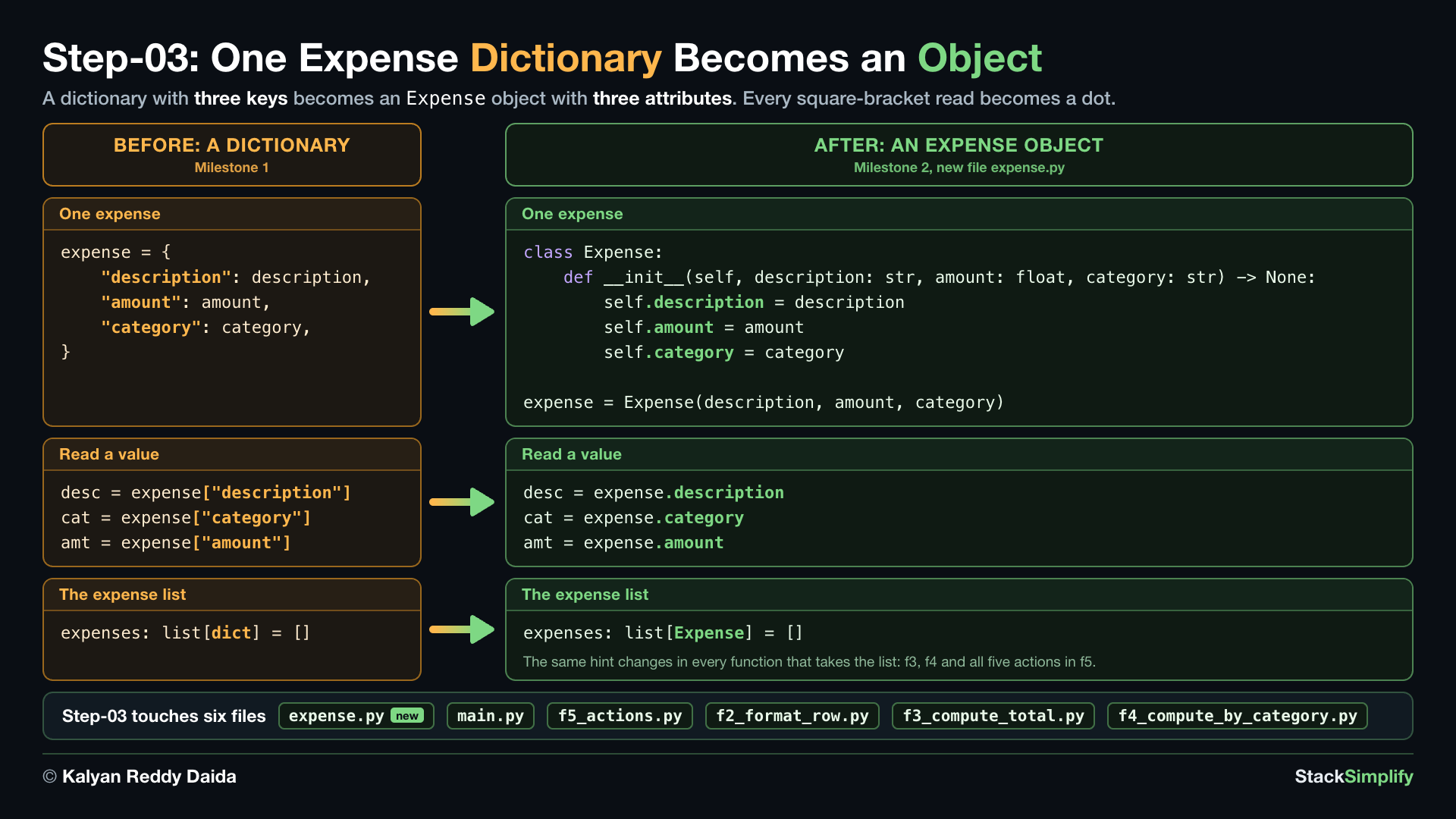
What you build in this step. An Expense class, so one expense becomes an object with three attributes instead of a dictionary with three keys. Every place that read a key with square brackets now reads an attribute with a dot.
Concepts used:
- Modules:
from ... import,from expense import Expense(Section 07) - Type hints: parameters and
->,description: strand-> Noneon__init__(Section 08) - Type hints:
list[...],dict[...],list[Expense]inf3,f4,f5_actions.pyandmain.py: the hints follow the objects (Section 08) - Debugging: read the traceback, the
TypeErrorthat shows where to fix next (Section 09) - Classes: a blueprint for objects, the
Expenseclass (Section 13) - Classes:
__init__andself, store the description, amount and category (Section 13) - Classes: attributes with a dot,
expense.descriptionin place ofexpense["description"](Section 13)
3.1 expense.py: One Expense Becomes an Object
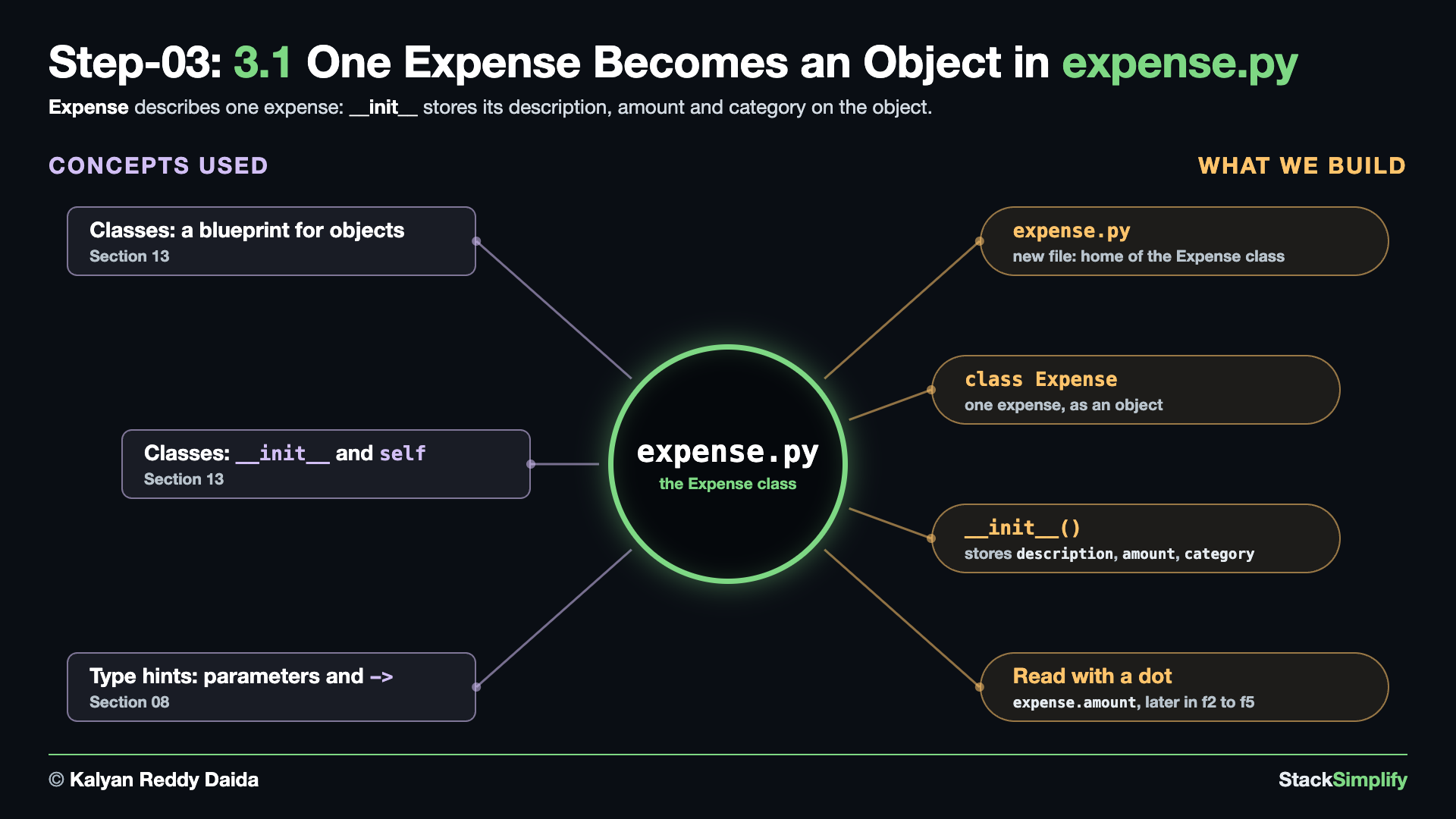
Write it. Create expense.py:
class Expense:
"""One expense: what it was, how much, and which category."""
def __init__(self, description: str, amount: float, category: str) -> None:
self.description = description
self.amount = amount
self.category = category
class Expense:describes one expense.__init__runs when you create an object, andself.description = descriptionstores each value on that object.- You add a fourth attribute in Step-06.
3.2 main.py: The List Holds Expense Objects
Write it. From this step on, the list in main() holds Expense objects, so its hint says so. Import the class at the top, above from f5_actions import (, and change the hint. Here is the whole file, before and after:
from f5_actions import (
add_expense,
list_expenses,
show_total,
show_by_category,
filter_by_category,
)
def show_menu() -> None:
print()
print("==== Expense Tracker 2.0 ====")
print("1) Add expense")
print("2) List expenses")
print("3) Total spent")
print("4) Spending by category")
print("5) Show one category")
print("6) Quit")
def main() -> None:
expenses: list[dict] = []
while True:
show_menu()
choice = input("Choose 1-6: ").strip()
if choice == "1":
add_expense(expenses)
elif choice == "2":
list_expenses(expenses)
elif choice == "3":
show_total(expenses)
elif choice == "4":
show_by_category(expenses)
elif choice == "5":
filter_by_category(expenses)
elif choice == "6":
print("Goodbye!")
break
else:
print("Please choose a number from 1 to 6.")
main()
from expense import Expense
from f5_actions import (
add_expense,
list_expenses,
show_total,
show_by_category,
filter_by_category,
)
def show_menu() -> None:
print()
print("==== Expense Tracker 2.0 ====")
print("1) Add expense")
print("2) List expenses")
print("3) Total spent")
print("4) Spending by category")
print("5) Show one category")
print("6) Quit")
def main() -> None:
expenses: list[Expense] = []
while True:
show_menu()
choice = input("Choose 1-6: ").strip()
if choice == "1":
add_expense(expenses)
elif choice == "2":
list_expenses(expenses)
elif choice == "3":
show_total(expenses)
elif choice == "4":
show_by_category(expenses)
elif choice == "5":
filter_by_category(expenses)
elif choice == "6":
print("Goodbye!")
break
else:
print("Please choose a number from 1 to 6.")
main()
What changed.
+from expense import Expense
from f5_actions import (
...
def main() -> None:
- expenses: list[dict] = []
+ expenses: list[Expense] = []
while True:
- Python runs either way. The hint tells your editor, and anyone reading the code, what the list holds. The next sub-step starts putting
Expenseobjects into it.
3.3 f5_actions.py: Build an Expense in add_expense()
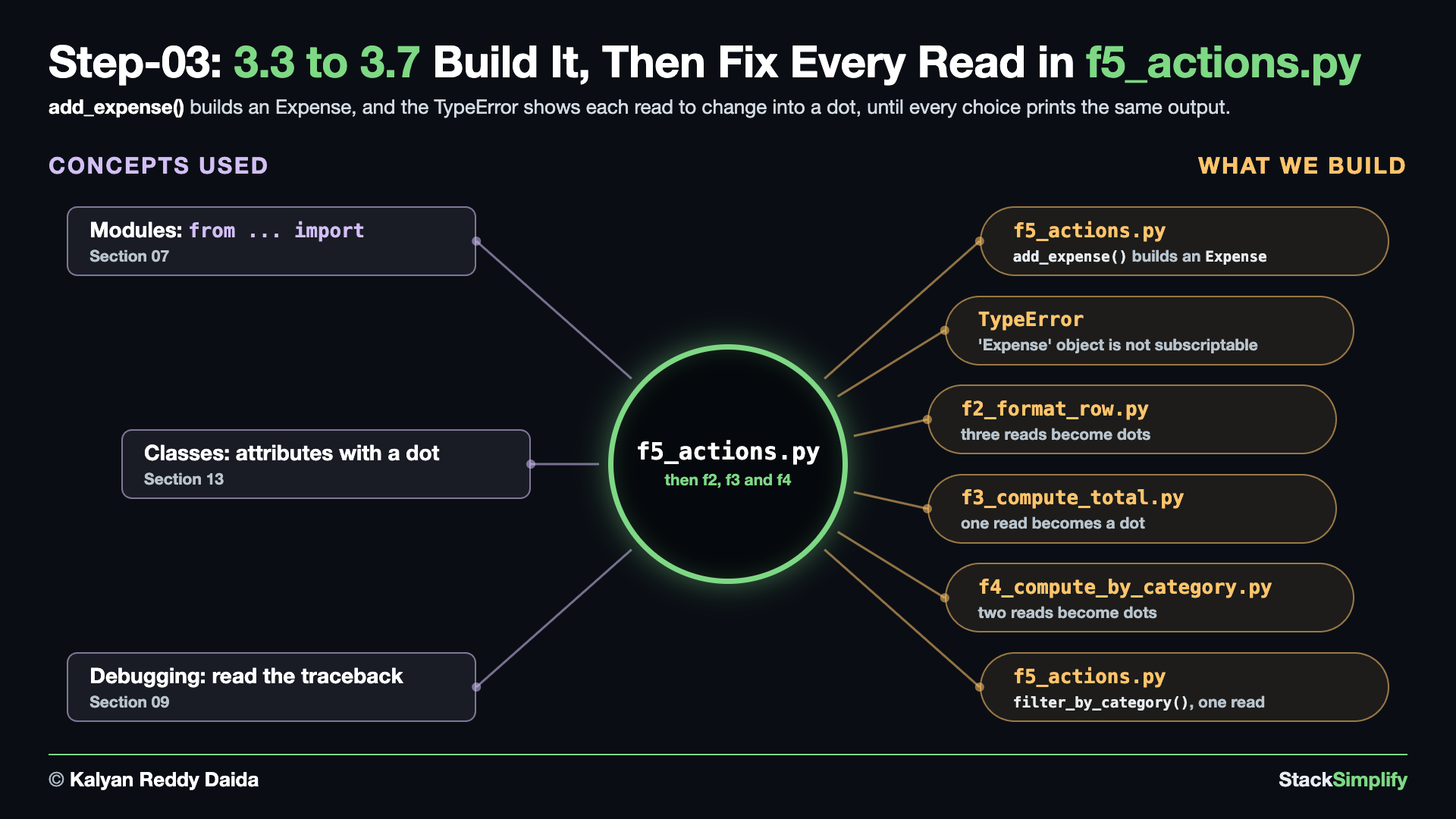
Wire it in. At the top of f5_actions.py, import the class:
Every action now works with a list of Expense objects, so the hint in all five def lines says so:
-def add_expense(expenses: list[dict]) -> None:
+def add_expense(expenses: list[Expense]) -> None:
-def list_expenses(expenses: list[dict]) -> None:
+def list_expenses(expenses: list[Expense]) -> None:
-def show_total(expenses: list[dict]) -> None:
+def show_total(expenses: list[Expense]) -> None:
-def show_by_category(expenses: list[dict]) -> None:
+def show_by_category(expenses: list[Expense]) -> None:
-def filter_by_category(expenses: list[dict]) -> None:
+def filter_by_category(expenses: list[Expense]) -> None:
- A hint that says
dictwhile the list holdsExpenseobjects would be wrong, even though Python runs it. Withlist[Expense], your editor also suggests.description,.amountand.categoryas you type.
Inside add_expense(), the dictionary becomes an Expense object. Here is the whole function, before and after:
def add_expense(expenses: list[dict]) -> None:
"""Prompt the user for a new expense and add it to the list."""
description = input("Description: ").strip()
if description == "":
description = "(no description)"
amount_text = input("Amount: ").strip()
if not is_valid_amount(amount_text):
print("Invalid amount - enter a positive number like 12.50")
return
category = input("Category: ").strip().lower()
if category == "":
category = "uncategorized"
amount = float(amount_text)
expense = {
"description": description,
"amount": amount,
"category": category,
}
expenses.append(expense)
print(f"Added: {description} ({amount:,.2f}) [{category}]")
def add_expense(expenses: list[Expense]) -> None:
"""Prompt the user for a new expense and add it to the list."""
description = input("Description: ").strip()
if description == "":
description = "(no description)"
amount_text = input("Amount: ").strip()
if not is_valid_amount(amount_text):
print("Invalid amount - enter a positive number like 12.50")
return
category = input("Category: ").strip().lower()
if category == "":
category = "uncategorized"
amount = float(amount_text)
expense = Expense(description, amount, category)
expenses.append(expense)
print(f"Added: {description} ({amount:,.2f}) [{category}]")
What changed.
-def add_expense(expenses: list[dict]) -> None:
+def add_expense(expenses: list[Expense]) -> None:
"""Prompt the user for a new expense and add it to the list."""
...
- expense = {
- "description": description,
- "amount": amount,
- "category": category,
- }
+ expense = Expense(description, amount, category)
- The next line,
expenses.append(expense), stays. The list now holds objects instead of dictionaries.
Run it. Choose 1, add an expense, then choose 6:
==== Expense Tracker 2.0 ====
1) Add expense
2) List expenses
3) Total spent
4) Spending by category
5) Show one category
6) Quit
Choose 1-6: 1
Description: Coffee
Amount: 3.50
Category: food
Added: Coffee (3.50) [food]
==== Expense Tracker 2.0 ====
...
Choose 1-6: 6
Goodbye!
- Choice
1works exactly as before. ItsAdded:message prints the three values it just read, not the dictionary.
What happens next. Four files still read an expense with square brackets, like expense["amount"], and an object has no keys. Run the app and Python stops at each of those reads, one file at a time. The next four sub-steps fix them in that order:
| Sub-step | You choose | Python stops in | You change |
|---|---|---|---|
| 3.4 | 2 List expenses | f2_format_row.py | three reads, the hint and the import |
| 3.5 | 3 Total spent | f3_compute_total.py | the import, the hint and one read |
| 3.6 | 4 Spending by category | f4_compute_by_category.py | the import, the hint and two reads |
| 3.7 | 5 Show one category | f5_actions.py | one read |
Each run starts with an empty list, so add one expense (choice 1) at the start of every run.
3.4 f2_format_row.py: Choice 2 Stops Here, Three Reads Become Dots
Before the fix. Run the app, add an expense, and choose 2. Python stops:
==== Expense Tracker 2.0 ====
1) Add expense
2) List expenses
3) Total spent
4) Spending by category
5) Show one category
6) Quit
Choose 1-6: 1
Description: Coffee
Amount: 3.50
Category: food
Added: Coffee (3.50) [food]
==== Expense Tracker 2.0 ====
...
Choose 1-6: 2
Description Category Amount
Traceback (most recent call last):
File ".../04-livecode-build-incremental/main.py", line 44, in <module>
main()
~~~~^^
File ".../04-livecode-build-incremental/main.py", line 30, in main
list_expenses(expenses)
~~~~~~~~~~~~~^^^^^^^^^^
File ".../04-livecode-build-incremental/f5_actions.py", line 44, in list_expenses
print(format_row(expense))
~~~~~~~~~~^^^^^^^^^
File ".../04-livecode-build-incremental/f2_format_row.py", line 3, in format_row
desc = expense["description"]
~~~~~~~^^^^^^^^^^^^^^^
TypeError: 'Expense' object is not subscriptable
- Read the traceback from the bottom up. The last line is the error: an
Expenseobject has no keys. The lines above it show where it happened:format_row()inf2_format_row.py, still reading a key with square brackets. - Your line numbers can be different, if your file has a few more or fewer lines.
The fix. In f2_format_row.py, the three reads in format_row() become dots, the hint says Expense, and the file imports the class for that hint. Here is the whole file, before and after:
What changed.
+from expense import Expense
-def format_row(expense: dict) -> str:
+def format_row(expense: Expense) -> str:
- desc = expense["description"]
- cat = expense["category"]
- amt = expense["amount"]
+ desc = expense.description
+ cat = expense.category
+ amt = expense.amount
- The f-string on the last line does not change.
f2_format_row.pyis finished now.
Run it. Run again, add an expense, choose 2, then 6:
==== Expense Tracker 2.0 ====
1) Add expense
2) List expenses
3) Total spent
4) Spending by category
5) Show one category
6) Quit
Choose 1-6: 1
Description: Coffee
Amount: 3.50
Category: food
Added: Coffee (3.50) [food]

==== Expense Tracker 2.0 ====
...
Choose 1-6: 2
Description          Category           Amount
Coffee               food                 3.50

==== Expense Tracker 2.0 ====
...
Choose 1-6: 6
Goodbye!
- Choice
2works now.
3.5 f3_compute_total.py: Choice 3 Stops Here, One Read
Before the fix. Run the app, add an expense, and choose 3. Python stops:
==== Expense Tracker 2.0 ====
1) Add expense
2) List expenses
3) Total spent
4) Spending by category
5) Show one category
6) Quit
Choose 1-6: 1
Description: Coffee
Amount: 3.50
Category: food
Added: Coffee (3.50) [food]
==== Expense Tracker 2.0 ====
...
Choose 1-6: 3
Traceback (most recent call last):
File ".../04-livecode-build-incremental/main.py", line 44, in <module>
main()
~~~~^^
File ".../04-livecode-build-incremental/main.py", line 32, in main
show_total(expenses)
~~~~~~~~~~^^^^^^^^^^
File ".../04-livecode-build-incremental/f5_actions.py", line 49, in show_total
print(f"Total spent: {compute_total(expenses):,.2f}")
~~~~~~~~~~~~~^^^^^^^^^^
File ".../04-livecode-build-incremental/f3_compute_total.py", line 5, in compute_total
total += expense["amount"]
~~~~~~~^^^^^^^^^^
TypeError: 'Expense' object is not subscriptable
- This time the read that fails is in
compute_total()inf3_compute_total.py.
The fix. In f3_compute_total.py, the file imports Expense, the hint says list[Expense], and one read in compute_total() becomes a dot. Here is the whole file, before and after:
What changed.
+from expense import Expense
-def compute_total(expenses: list[dict]) -> float:
+def compute_total(expenses: list[Expense]) -> float:
- total += expense["amount"]
+ total += expense.amount
Run it. Run again, add an expense, choose 3, then 6:
==== Expense Tracker 2.0 ====
1) Add expense
2) List expenses
3) Total spent
4) Spending by category
5) Show one category
6) Quit
Choose 1-6: 1
Description: Coffee
Amount: 3.50
Category: food
Added: Coffee (3.50) [food]
==== Expense Tracker 2.0 ====
...
Choose 1-6: 3
Total spent: 3.50
==== Expense Tracker 2.0 ====
...
Choose 1-6: 6
Goodbye!
- Choice
3works now.
3.6 f4_compute_by_category.py: Choice 4 Stops Here, Two Reads
Before the fix. Run the app, add an expense, and choose 4. Python stops:
==== Expense Tracker 2.0 ====
1) Add expense
2) List expenses
3) Total spent
4) Spending by category
5) Show one category
6) Quit
Choose 1-6: 1
Description: Coffee
Amount: 3.50
Category: food
Added: Coffee (3.50) [food]
==== Expense Tracker 2.0 ====
...
Choose 1-6: 4
Traceback (most recent call last):
File ".../04-livecode-build-incremental/main.py", line 44, in <module>
main()
~~~~^^
File ".../04-livecode-build-incremental/main.py", line 34, in main
show_by_category(expenses)
~~~~~~~~~~~~~~~~^^^^^^^^^^
File ".../04-livecode-build-incremental/f5_actions.py", line 54, in show_by_category
totals = compute_by_category(expenses)
File ".../04-livecode-build-incremental/f4_compute_by_category.py", line 5, in compute_by_category
category = expense["category"]
~~~~~~~^^^^^^^^^^^^
TypeError: 'Expense' object is not subscriptable
- This time the read that fails is in
compute_by_category()inf4_compute_by_category.py.
The fix. In f4_compute_by_category.py, the file imports Expense, the hint says list[Expense], and both reads in compute_by_category() become dots. Here is the whole file, before and after:
def compute_by_category(expenses: list[dict]) -> dict[str, float]:
    """Return a dict of category -> total amount."""
    totals: dict[str, float] = {}
    for expense in expenses:
        category = expense["category"]
        totals[category] = totals.get(category, 0.0) + expense["amount"]
    return totals
from expense import Expense
def compute_by_category(expenses: list[Expense]) -> dict[str, float]:
"""Return a dict of category -> total amount."""
totals: dict[str, float] = {}
for expense in expenses:
category = expense.category
totals[category] = totals.get(category, 0.0) + expense.amount
return totals
What changed.
+from expense import Expense
-def compute_by_category(expenses: list[dict]) -> dict[str, float]:
+def compute_by_category(expenses: list[Expense]) -> dict[str, float]:
- category = expense["category"]
- totals[category] = totals.get(category, 0.0) + expense["amount"]
+ category = expense.category
+ totals[category] = totals.get(category, 0.0) + expense.amount
Run it. Run again, add an expense, choose 4, then 6:
==== Expense Tracker 2.0 ====
1) Add expense
2) List expenses
3) Total spent
4) Spending by category
5) Show one category
6) Quit
Choose 1-6: 1
Description: Coffee
Amount: 3.50
Category: food
Added: Coffee (3.50) [food]
==== Expense Tracker 2.0 ====
...
Choose 1-6: 4
food 3.50
==== Expense Tracker 2.0 ====
...
Choose 1-6: 6
Goodbye!
- Choice
4works now.
3.7 f5_actions.py: Choice 5 Stops Here, the Filter Read
Before the fix. Run the app, add an expense, choose 5, and type food. Python stops:
==== Expense Tracker 2.0 ====
1) Add expense
2) List expenses
3) Total spent
4) Spending by category
5) Show one category
6) Quit
Choose 1-6: 1
Description: Coffee
Amount: 3.50
Category: food
Added: Coffee (3.50) [food]
==== Expense Tracker 2.0 ====
...
Choose 1-6: 5
Category to show: food
Traceback (most recent call last):
File ".../04-livecode-build-incremental/main.py", line 44, in <module>
main()
~~~~^^
File ".../04-livecode-build-incremental/main.py", line 36, in main
filter_by_category(expenses)
~~~~~~~~~~~~~~~~~~^^^^^^^^^^
File ".../04-livecode-build-incremental/f5_actions.py", line 71, in filter_by_category
if expense["category"] == wanted_category
~~~~~~~^^^^^^^^^^^^
TypeError: 'Expense' object is not subscriptable
- This time the read that fails is in
filter_by_category()inf5_actions.py.
The fix. In f5_actions.py, the read inside the list comprehension in filter_by_category() becomes a dot. Here is the whole function, before and after:
def filter_by_category(expenses: list[Expense]) -> None:
"""Display expenses that belong to one category."""
wanted_category = input("Category to show: ").strip().lower()
matches = [
expense
for expense in expenses
if expense["category"] == wanted_category
]
if not matches:
print(f"No expenses in '{wanted_category}'.")
return
print(f"{'Description':<20} {'Category':<14} {'Amount':>10}")
for expense in matches:
print(format_row(expense))
def filter_by_category(expenses: list[Expense]) -> None:
"""Display expenses that belong to one category."""
wanted_category = input("Category to show: ").strip().lower()
matches = [
expense
for expense in expenses
if expense.category == wanted_category
]
if not matches:
print(f"No expenses in '{wanted_category}'.")
return
print(f"{'Description':<20} {'Category':<14} {'Amount':>10}")
for expense in matches:
print(format_row(expense))
What changed.
- if expense["category"] == wanted_category
+ if expense.category == wanted_category
Run every choice. No square brackets are left, so every choice works again:
==== Expense Tracker 2.0 ====
1) Add expense
2) List expenses
3) Total spent
4) Spending by category
5) Show one category
6) Quit
Choose 1-6: 1
Description: Coffee
Amount: 3.50
Category: food
Added: Coffee (3.50) [food]
==== Expense Tracker 2.0 ====
...
Choose 1-6: 2
Description Category Amount
Coffee food 3.50
==== Expense Tracker 2.0 ====
...
Choose 1-6: 3
Total spent: 3.50
==== Expense Tracker 2.0 ====
...
Choose 1-6: 4
food 3.50
==== Expense Tracker 2.0 ====
...
Choose 1-6: 5
Category to show: food
Description Category Amount
Coffee food 3.50
==== Expense Tracker 2.0 ====
...
Choose 1-6: 6
Goodbye!
- The output is the same as before, for every choice. The program changed how it stores an expense, not what it prints.
- Every hint now matches the objects:
list[Expense]inf3,f4,f5_actions.pyandmain.py, andExpenseinf2. Your editor suggests.description,.amountand.categoryeverywhere.
Project files for this step: expense.py (the finished version) | f2_format_row.py | Optional drill: a class with __init__ and __repr__
Step-04: expense_book.py: ExpenseBook Holds the List
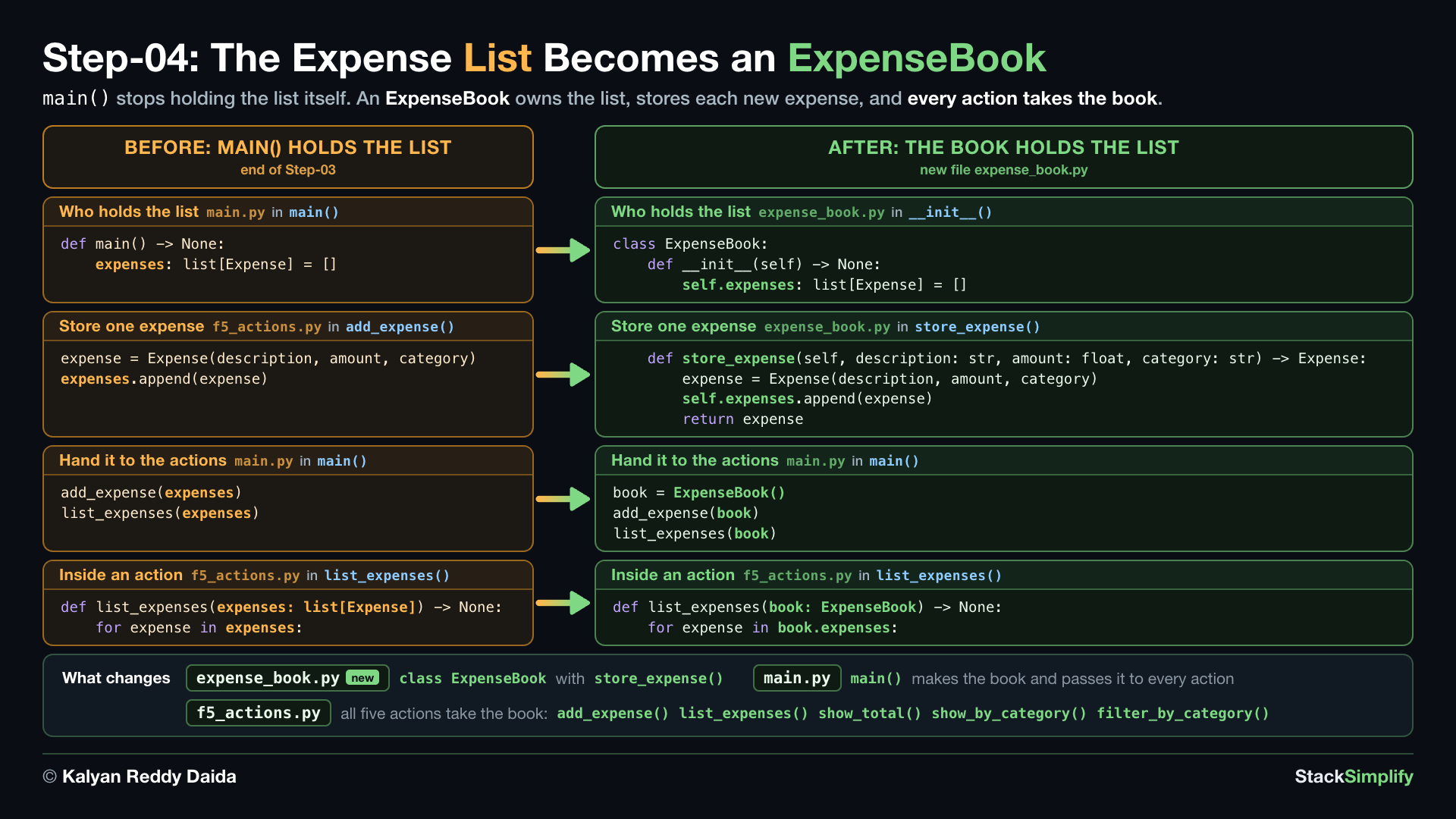
File: expense_book.py, plus edits in main.py and f5_actions.py
What you build in this step. An ExpenseBook class that holds the list of expenses. The actions and main() now pass the book around instead of a bare list.
Concepts used:
- Modules:
from ... import,from expense_book import ExpenseBookinf5_actions.pyandmain.py(Section 07) - Type hints:
list[...],dict[...],list[Expense](Section 08) - Type hints: parameters and
->,book: ExpenseBookon all five actions (Section 08) - Classes:
__init__andself, the book starts with an empty list (Section 13) - Classes: methods, a function inside the class:
store_expense()(Section 13) - Classes: create an object,
book = ExpenseBook()inmain()(Section 13)
4.1 expense_book.py: ExpenseBook Holds the List
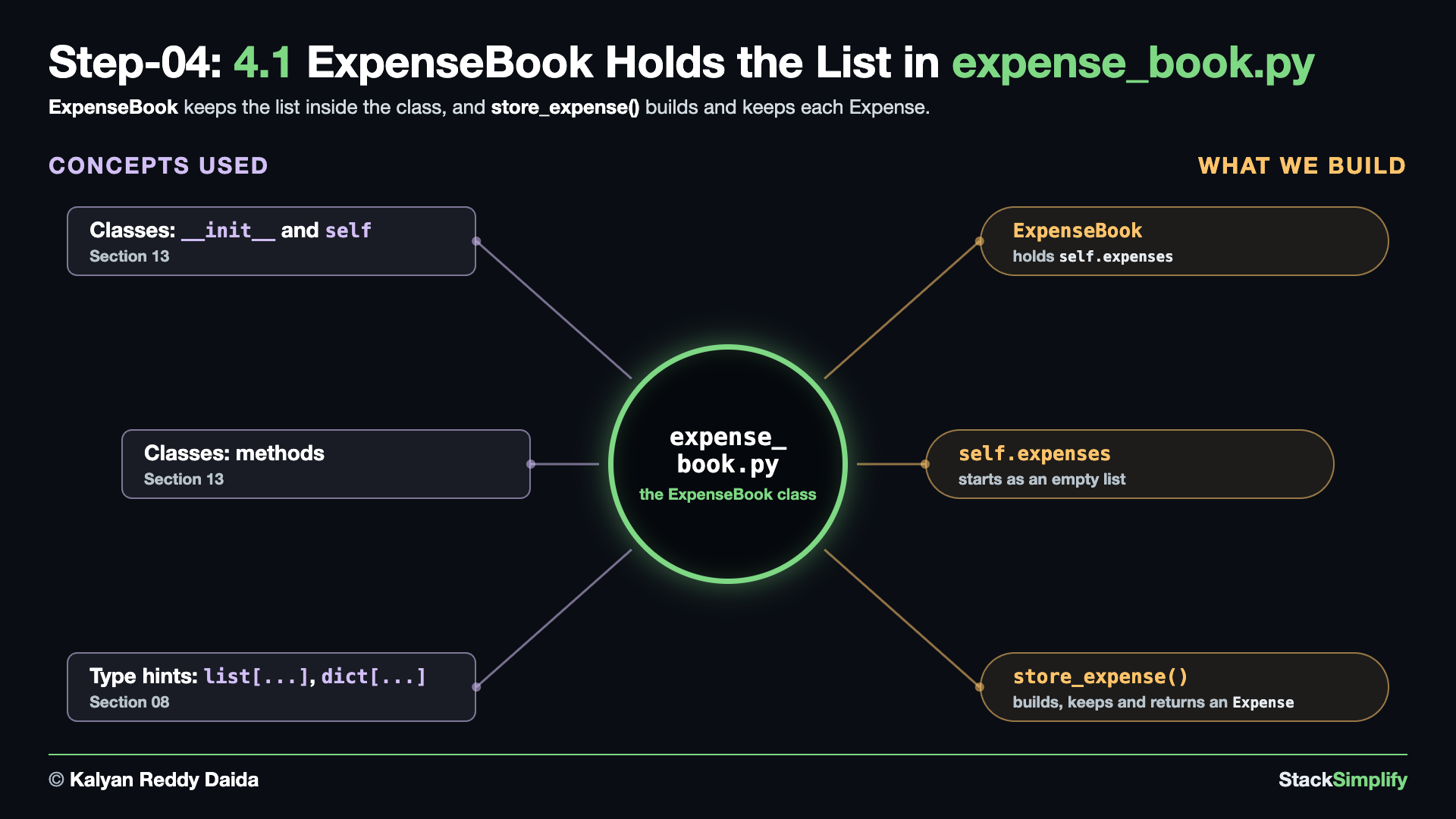
Write it. Create expense_book.py:
from expense import Expense
class ExpenseBook:
"""Holds the expenses and answers questions about them."""
def __init__(self) -> None:
self.expenses: list[Expense] = []
def store_expense(self, description: str, amount: float, category: str) -> Expense:
"""Build one Expense, keep it, and hand it back."""
expense = Expense(description, amount, category)
self.expenses.append(expense)
return expense
self.expensesis the list, and it now lives inside the book.store_expense()builds oneExpense, adds it to the list, and returns it, so the caller can print it.- There is no file path yet. The book gets one in Step-07, when it has something to save.
4.2 main.py: One Book for Every Action
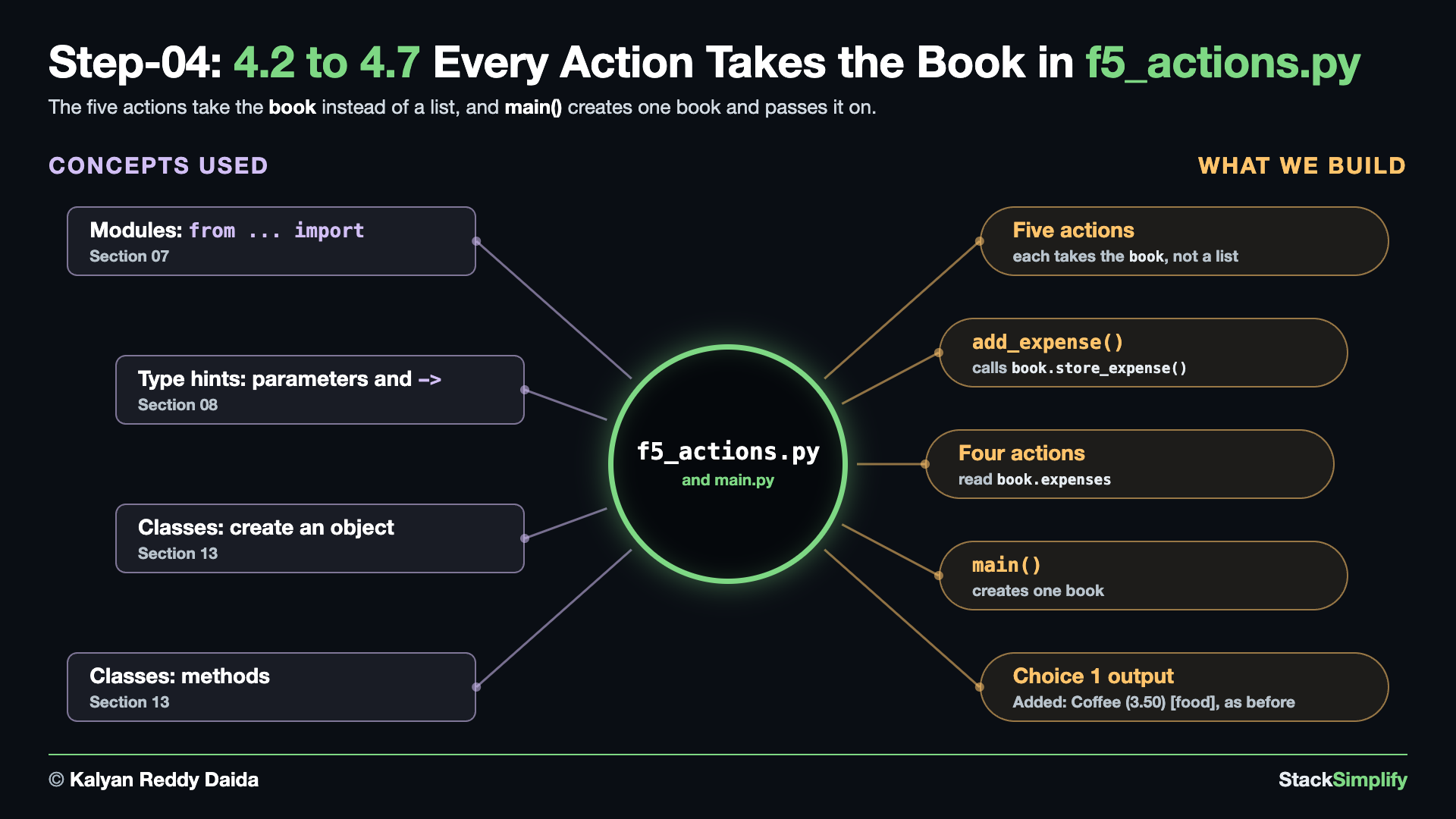
Write it. First the book itself. In main.py, import the book in place of Expense, create one book in place of the expenses list, and pass it to every action. Here is the whole file, before and after:
from expense import Expense
from f5_actions import (
add_expense,
list_expenses,
show_total,
show_by_category,
filter_by_category,
)
def show_menu() -> None:
print()
print("==== Expense Tracker 2.0 ====")
print("1) Add expense")
print("2) List expenses")
print("3) Total spent")
print("4) Spending by category")
print("5) Show one category")
print("6) Quit")
def main() -> None:
expenses: list[Expense] = []
while True:
show_menu()
choice = input("Choose 1-6: ").strip()
if choice == "1":
add_expense(expenses)
elif choice == "2":
list_expenses(expenses)
elif choice == "3":
show_total(expenses)
elif choice == "4":
show_by_category(expenses)
elif choice == "5":
filter_by_category(expenses)
elif choice == "6":
print("Goodbye!")
break
else:
print("Please choose a number from 1 to 6.")
main()
from expense_book import ExpenseBook
from f5_actions import (
add_expense,
list_expenses,
show_total,
show_by_category,
filter_by_category,
)
def show_menu() -> None:
print()
print("==== Expense Tracker 2.0 ====")
print("1) Add expense")
print("2) List expenses")
print("3) Total spent")
print("4) Spending by category")
print("5) Show one category")
print("6) Quit")
def main() -> None:
book = ExpenseBook()
while True:
show_menu()
choice = input("Choose 1-6: ").strip()
if choice == "1":
add_expense(book)
elif choice == "2":
list_expenses(book)
elif choice == "3":
show_total(book)
elif choice == "4":
show_by_category(book)
elif choice == "5":
filter_by_category(book)
elif choice == "6":
print("Goodbye!")
break
else:
print("Please choose a number from 1 to 6.")
main()
What changed.
-from expense import Expense
+from expense_book import ExpenseBook
from f5_actions import (
...
def main() -> None:
- expenses: list[Expense] = []
+ book = ExpenseBook()
while True:
...
if choice == "1":
- add_expense(expenses)
+ add_expense(book)
elif choice == "2":
- list_expenses(expenses)
+ list_expenses(book)
elif choice == "3":
- show_total(expenses)
+ show_total(book)
elif choice == "4":
- show_by_category(expenses)
+ show_by_category(book)
elif choice == "5":
- filter_by_category(expenses)
+ filter_by_category(book)
elif choice == "6":
main()passes the book to every action, the same way it used to pass the list.- The actions still expect a list. The next sub-step starts from the error that causes.
4.3 f5_actions.py: add_expense() Takes the Book
Before the fix. Run the app, choose 1, and add an expense. Python stops inside add_expense():
==== Expense Tracker 2.0 ====
1) Add expense
2) List expenses
3) Total spent
4) Spending by category
5) Show one category
6) Quit
Choose 1-6: 1
Description: Coffee
Amount: 3.50
Category: food
Traceback (most recent call last):
File ".../04-livecode-build-incremental/main.py", line 44, in <module>
main()
~~~~^^
File ".../04-livecode-build-incremental/main.py", line 28, in main
add_expense(book)
~~~~~~~~~~~^^^^^^
File ".../04-livecode-build-incremental/f5_actions.py", line 30, in add_expense
expenses.append(expense)
^^^^^^^^^^^^^^^
AttributeError: 'ExpenseBook' object has no attribute 'append'
- Read it from the bottom up: an
ExpenseBookhas noappend().main()now passes the book, butadd_expense()still treats it as a list.
The fix. At the top of f5_actions.py, add the book import just below from expense import Expense. Keep that one for now: the other four actions still use Expense in their hints.
Then change add_expense(). Here is the whole function, before and after:
def add_expense(expenses: list[Expense]) -> None:
"""Prompt the user for a new expense and add it to the list."""
description = input("Description: ").strip()
if description == "":
description = "(no description)"
amount_text = input("Amount: ").strip()
if not is_valid_amount(amount_text):
print("Invalid amount - enter a positive number like 12.50")
return
category = input("Category: ").strip().lower()
if category == "":
category = "uncategorized"
amount = float(amount_text)
expense = Expense(description, amount, category)
expenses.append(expense)
print(f"Added: {description} ({amount:,.2f}) [{category}]")
def add_expense(book: ExpenseBook) -> None:
"""Prompt the user for a new expense and add it to the book."""
description = input("Description: ").strip()
if description == "":
description = "(no description)"
amount_text = input("Amount: ").strip()
if not is_valid_amount(amount_text):
print("Invalid amount - enter a positive number like 12.50")
return
category = input("Category: ").strip().lower()
if category == "":
category = "uncategorized"
amount = float(amount_text)
expense = book.store_expense(description, amount, category)
print(f"Added: {expense.description} ({expense.amount:,.2f}) [{expense.category}]")
What changed.
-def add_expense(expenses: list[Expense]) -> None:
- """Prompt the user for a new expense and add it to the list."""
+def add_expense(book: ExpenseBook) -> None:
+ """Prompt the user for a new expense and add it to the book."""
description = input("Description: ").strip()
...
- expense = Expense(description, amount, category)
+ expense = book.store_expense(description, amount, category)
- expenses.append(expense)
- print(f"Added: {description} ({amount:,.2f}) [{category}]")
+ print(f"Added: {expense.description} ({expense.amount:,.2f}) [{expense.category}]")
book.store_expense()builds theExpenseand keeps it, so theexpenses.append(expense)line goes, and theAdded:message reads the three values back from the returnedexpense. The docstring now ends withbook.
Run it. Run again, choose 1, add an expense, then 6:
==== Expense Tracker 2.0 ====
1) Add expense
2) List expenses
3) Total spent
4) Spending by category
5) Show one category
6) Quit
Choose 1-6: 1
Description: Coffee
Amount: 3.50
Category: food
Added: Coffee (3.50) [food]
==== Expense Tracker 2.0 ====
...
Choose 1-6: 6
Goodbye!
- Choice
1works again.
4.4 f5_actions.py: list_expenses() Takes the Book
Before the fix. Run the app, add an expense, and choose 2. Python stops inside list_expenses():
==== Expense Tracker 2.0 ====
1) Add expense
2) List expenses
3) Total spent
4) Spending by category
5) Show one category
6) Quit
Choose 1-6: 1
Description: Coffee
Amount: 3.50
Category: food
Added: Coffee (3.50) [food]
==== Expense Tracker 2.0 ====
...
Choose 1-6: 2
Description Category Amount
Traceback (most recent call last):
File ".../04-livecode-build-incremental/main.py", line 44, in <module>
main()
~~~~^^
File ".../04-livecode-build-incremental/main.py", line 30, in main
list_expenses(book)
~~~~~~~~~~~~~^^^^^^
File ".../04-livecode-build-incremental/f5_actions.py", line 42, in list_expenses
for expense in expenses:
^^^^^^^^
TypeError: 'ExpenseBook' object is not iterable
- Read it from the bottom up: the loop tries to walk the book as if it were a list, and an
ExpenseBookis not iterable.
The fix. Change list_expenses() so it takes the book. Here is the whole function, before and after:
def list_expenses(expenses: list[Expense]) -> None:
"""Display all recorded expenses."""
if not expenses:
print("No expenses yet.")
return
print(f"{'Description':<20} {'Category':<14} {'Amount':>10}")
for expense in expenses:
print(format_row(expense))
def list_expenses(book: ExpenseBook) -> None:
"""Display all recorded expenses."""
if not book.expenses:
print("No expenses yet.")
return
print(f"{'Description':<20} {'Category':<14} {'Amount':>10}")
for expense in book.expenses:
print(format_row(expense))
What changed.
-def list_expenses(expenses: list[Expense]) -> None:
+def list_expenses(book: ExpenseBook) -> None:
"""Display all recorded expenses."""
- if not expenses:
+ if not book.expenses:
print("No expenses yet.")
...
- for expense in expenses:
+ for expense in book.expenses:
print(format_row(expense))
- The list lives inside the book now, so both reads become
book.expenses.
Run it. Run again, add an expense, choose 2, then 6:
==== Expense Tracker 2.0 ====
1) Add expense
2) List expenses
3) Total spent
4) Spending by category
5) Show one category
6) Quit
Choose 1-6: 1
Description: Coffee
Amount: 3.50
Category: food
Added: Coffee (3.50) [food]
==== Expense Tracker 2.0 ====
...
Choose 1-6: 2
Description Category Amount
Coffee food 3.50
==== Expense Tracker 2.0 ====
...
Choose 1-6: 6
Goodbye!
- Choice
2works again.
4.5 f5_actions.py: show_total() Takes the Book
Before the fix. Run the app, add an expense, and choose 3. Python stops inside show_total():
==== Expense Tracker 2.0 ====
1) Add expense
2) List expenses
3) Total spent
4) Spending by category
5) Show one category
6) Quit
Choose 1-6: 1
Description: Coffee
Amount: 3.50
Category: food
Added: Coffee (3.50) [food]
==== Expense Tracker 2.0 ====
...
Choose 1-6: 3
Traceback (most recent call last):
File ".../04-livecode-build-incremental/main.py", line 44, in <module>
main()
~~~~^^
File ".../04-livecode-build-incremental/main.py", line 32, in main
show_total(book)
~~~~~~~~~~^^^^^^
File ".../04-livecode-build-incremental/f5_actions.py", line 48, in show_total
print(f"Total spent: {compute_total(expenses):,.2f}")
~~~~~~~~~~~~~^^^^^^^^^^
File ".../04-livecode-build-incremental/f3_compute_total.py", line 7, in compute_total
for expense in expenses:
^^^^^^^^
TypeError: 'ExpenseBook' object is not iterable
- Read it from the bottom up:
compute_total()inf3_compute_total.pyloops over what it gets, and it got the book, not the list.
The fix. Change show_total() so it takes the book. Here is the whole function, before and after:
What changed.
-def show_total(expenses: list[Expense]) -> None:
+def show_total(book: ExpenseBook) -> None:
"""Display the total amount spent."""
- print(f"Total spent: {compute_total(expenses):,.2f}")
+ print(f"Total spent: {compute_total(book.expenses):,.2f}")
compute_total()still wants the list, so the action passesbook.expenses.
Run it. Run again, add an expense, choose 3, then 6:
==== Expense Tracker 2.0 ====
1) Add expense
2) List expenses
3) Total spent
4) Spending by category
5) Show one category
6) Quit
Choose 1-6: 1
Description: Coffee
Amount: 3.50
Category: food
Added: Coffee (3.50) [food]

==== Expense Tracker 2.0 ====
...
Choose 1-6: 3
Total spent: 3.50

==== Expense Tracker 2.0 ====
...
Choose 1-6: 6
Goodbye!
- Choice
3works again.
4.6 f5_actions.py: show_by_category() Takes the Book
Before the fix. Run the app, add an expense, and choose 4. Python stops inside show_by_category():
==== Expense Tracker 2.0 ====
1) Add expense
2) List expenses
3) Total spent
4) Spending by category
5) Show one category
6) Quit
Choose 1-6: 1
Description: Coffee
Amount: 3.50
Category: food
Added: Coffee (3.50) [food]
==== Expense Tracker 2.0 ====
...
Choose 1-6: 4
Traceback (most recent call last):
File ".../04-livecode-build-incremental/main.py", line 44, in <module>
main()
~~~~^^
File ".../04-livecode-build-incremental/main.py", line 34, in main
show_by_category(book)
~~~~~~~~~~~~~~~~^^^^^^
File ".../04-livecode-build-incremental/f5_actions.py", line 53, in show_by_category
totals = compute_by_category(expenses)
File ".../04-livecode-build-incremental/f4_compute_by_category.py", line 7, in compute_by_category
for expense in expenses:
^^^^^^^^
TypeError: 'ExpenseBook' object is not iterable
- Read it from the bottom up:
compute_by_category()inf4_compute_by_category.pygot the book, not the list.
The fix. Change show_by_category() so it takes the book. Here is the whole function, before and after:
def show_by_category(expenses: list[Expense]) -> None:
"""Display the total spent in each category."""
totals = compute_by_category(expenses)
if not totals:
print("No expenses yet.")
return
for category, total in totals.items():
print(f"{category:<14} {total:>10,.2f}")
def show_by_category(book: ExpenseBook) -> None:
"""Display the total spent in each category."""
totals = compute_by_category(book.expenses)
if not totals:
print("No expenses yet.")
return
for category, total in totals.items():
print(f"{category:<14} {total:>10,.2f}")
What changed.
-def show_by_category(expenses: list[Expense]) -> None:
+def show_by_category(book: ExpenseBook) -> None:
"""Display the total spent in each category."""
- totals = compute_by_category(expenses)
+ totals = compute_by_category(book.expenses)
compute_by_category()still wants the list, so the action passesbook.expenses.
Run it. Run again, add an expense, choose 4, then 6:
==== Expense Tracker 2.0 ====
1) Add expense
2) List expenses
3) Total spent
4) Spending by category
5) Show one category
6) Quit
Choose 1-6: 1
Description: Coffee
Amount: 3.50
Category: food
Added: Coffee (3.50) [food]
==== Expense Tracker 2.0 ====
...
Choose 1-6: 4
food 3.50
==== Expense Tracker 2.0 ====
...
Choose 1-6: 6
Goodbye!
- Choice
4works again.
4.7 f5_actions.py: filter_by_category() Takes the Book
Before the fix. Run the app, add an expense, choose 5, and type food. Python stops inside filter_by_category():
==== Expense Tracker 2.0 ====
1) Add expense
2) List expenses
3) Total spent
4) Spending by category
5) Show one category
6) Quit
Choose 1-6: 1
Description: Coffee
Amount: 3.50
Category: food
Added: Coffee (3.50) [food]
==== Expense Tracker 2.0 ====
...
Choose 1-6: 5
Category to show: food
Traceback (most recent call last):
File ".../04-livecode-build-incremental/main.py", line 44, in <module>
main()
~~~~^^
File ".../04-livecode-build-incremental/main.py", line 36, in main
filter_by_category(book)
~~~~~~~~~~~~~~~~~~^^^^^^
File ".../04-livecode-build-incremental/f5_actions.py", line 69, in filter_by_category
for expense in expenses
^^^^^^^^
TypeError: 'ExpenseBook' object is not iterable
- Read it from the bottom up: the list comprehension walks the book as if it were a list.
The fix. Change filter_by_category() so it takes the book. Here is the whole function, before and after:
def filter_by_category(expenses: list[Expense]) -> None:
"""Display expenses that belong to one category."""
wanted_category = input("Category to show: ").strip().lower()
matches = [
expense
for expense in expenses
if expense.category == wanted_category
]
if not matches:
print(f"No expenses in '{wanted_category}'.")
return
print(f"{'Description':<20} {'Category':<14} {'Amount':>10}")
for expense in matches:
print(format_row(expense))
def filter_by_category(book: ExpenseBook) -> None:
"""Display expenses that belong to one category."""
wanted_category = input("Category to show: ").strip().lower()
matches = [
expense
for expense in book.expenses
if expense.category == wanted_category
]
if not matches:
print(f"No expenses in '{wanted_category}'.")
return
print(f"{'Description':<20} {'Category':<14} {'Amount':>10}")
for expense in matches:
print(format_row(expense))
What changed.
-def filter_by_category(expenses: list[Expense]) -> None:
+def filter_by_category(book: ExpenseBook) -> None:
"""Display expenses that belong to one category."""
...
expense
- for expense in expenses
+ for expense in book.expenses
if expense.category == wanted_category
- The list comprehension now walks
book.expenses.
Now no action uses Expense any more, so delete its import at the top:
Run every choice. Every action takes the book now:
==== Expense Tracker 2.0 ====
1) Add expense
2) List expenses
3) Total spent
4) Spending by category
5) Show one category
6) Quit
Choose 1-6: 1
Description: Coffee
Amount: 3.50
Category: food
Added: Coffee (3.50) [food]
==== Expense Tracker 2.0 ====
...
Choose 1-6: 2
Description Category Amount
Coffee food 3.50
==== Expense Tracker 2.0 ====
...
Choose 1-6: 3
Total spent: 3.50
==== Expense Tracker 2.0 ====
...
Choose 1-6: 4
food 3.50
==== Expense Tracker 2.0 ====
...
Choose 1-6: 5
Category to show: food
Description Category Amount
Coffee food 3.50
==== Expense Tracker 2.0 ====
...
Choose 1-6: 6
Goodbye!
- The output is the same as before, for every choice.
Project files for this step: expense_book.py (the finished version) | f5_actions.py (the finished version) | main.py (the finished version) | Optional drill: a class with methods
Step-05: expense_book.py: Two Helpers Become Methods
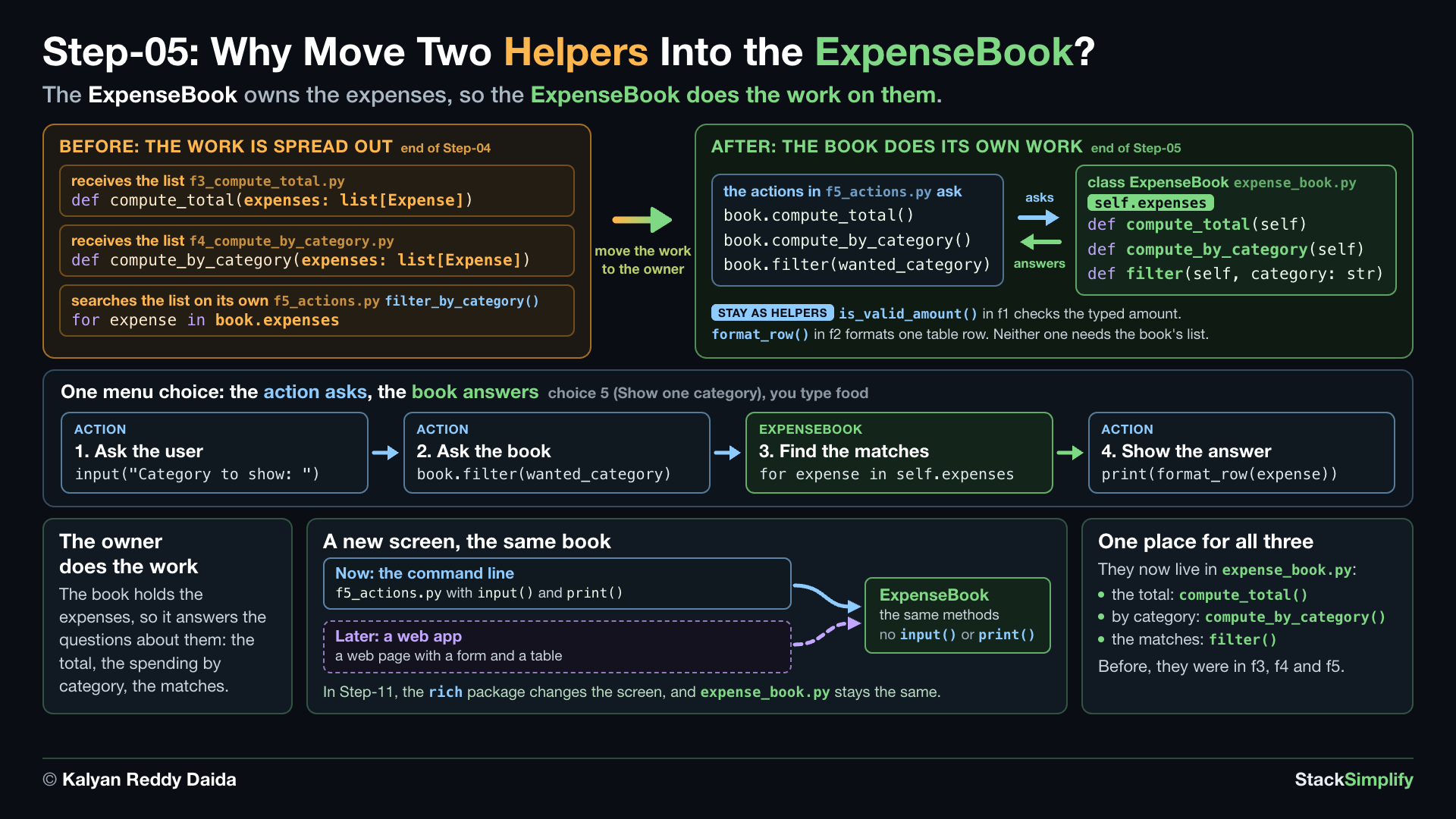
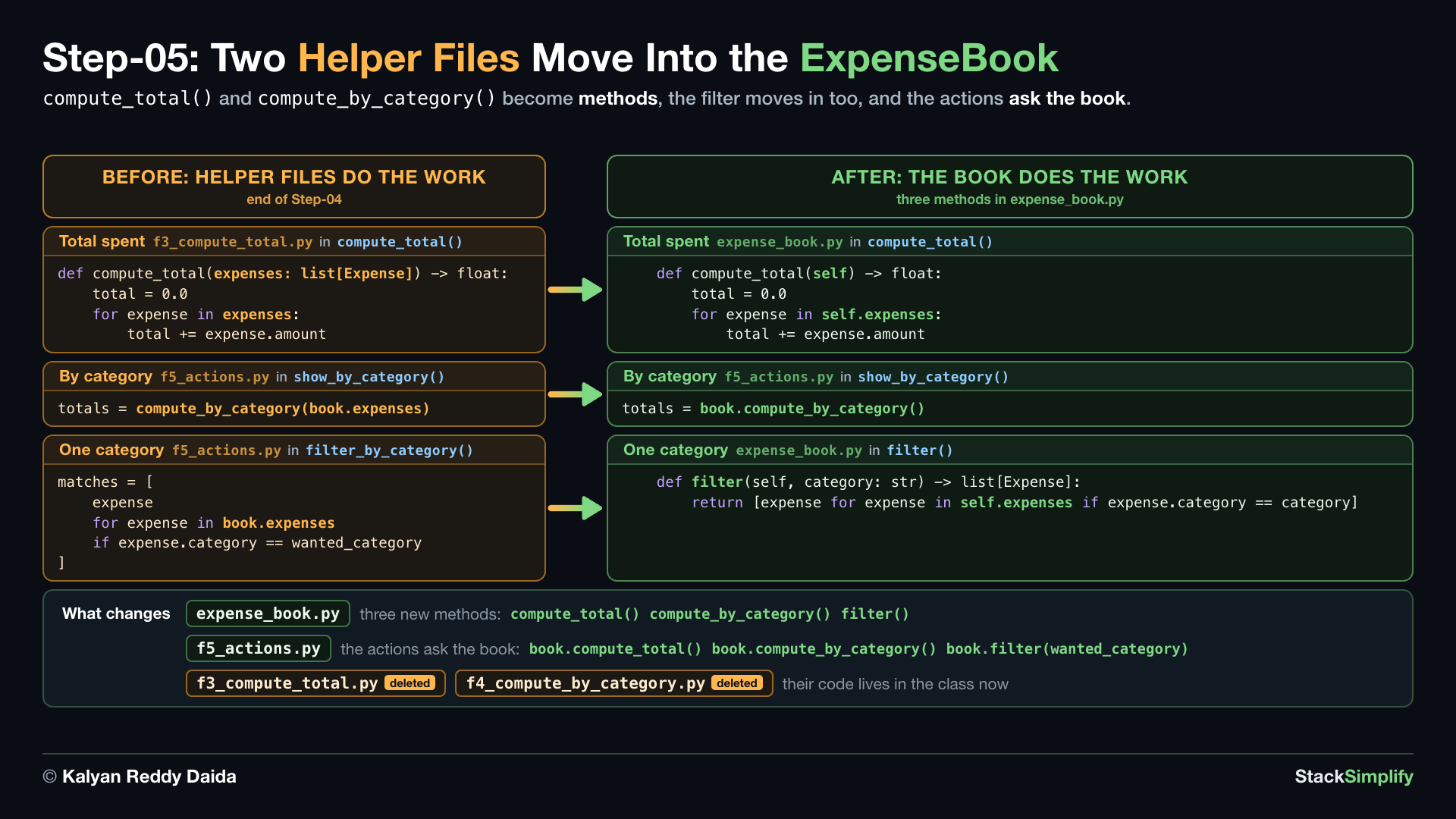
File: expense_book.py, plus f5_actions.py; delete f3_compute_total.py and f4_compute_by_category.py
What you build in this step. Your two helper functions move into the class as methods, and their two files are deleted. The list comprehension from filter_by_category moves into the class too.
Concepts used:
- Dictionary method:
.get()with a default, insidecompute_by_category()(Section 05) - Accumulator: a running total, inside
compute_total()(Section 06) - List comprehension: filter with
if, insidefilter()(Section 06) - Modules:
from ... import, delete the imports off3andf4(Section 07) - Classes: methods,
compute_total(),compute_by_category()andfilter()(Section 13)
5.1 expense_book.py: Two Helpers Become Methods
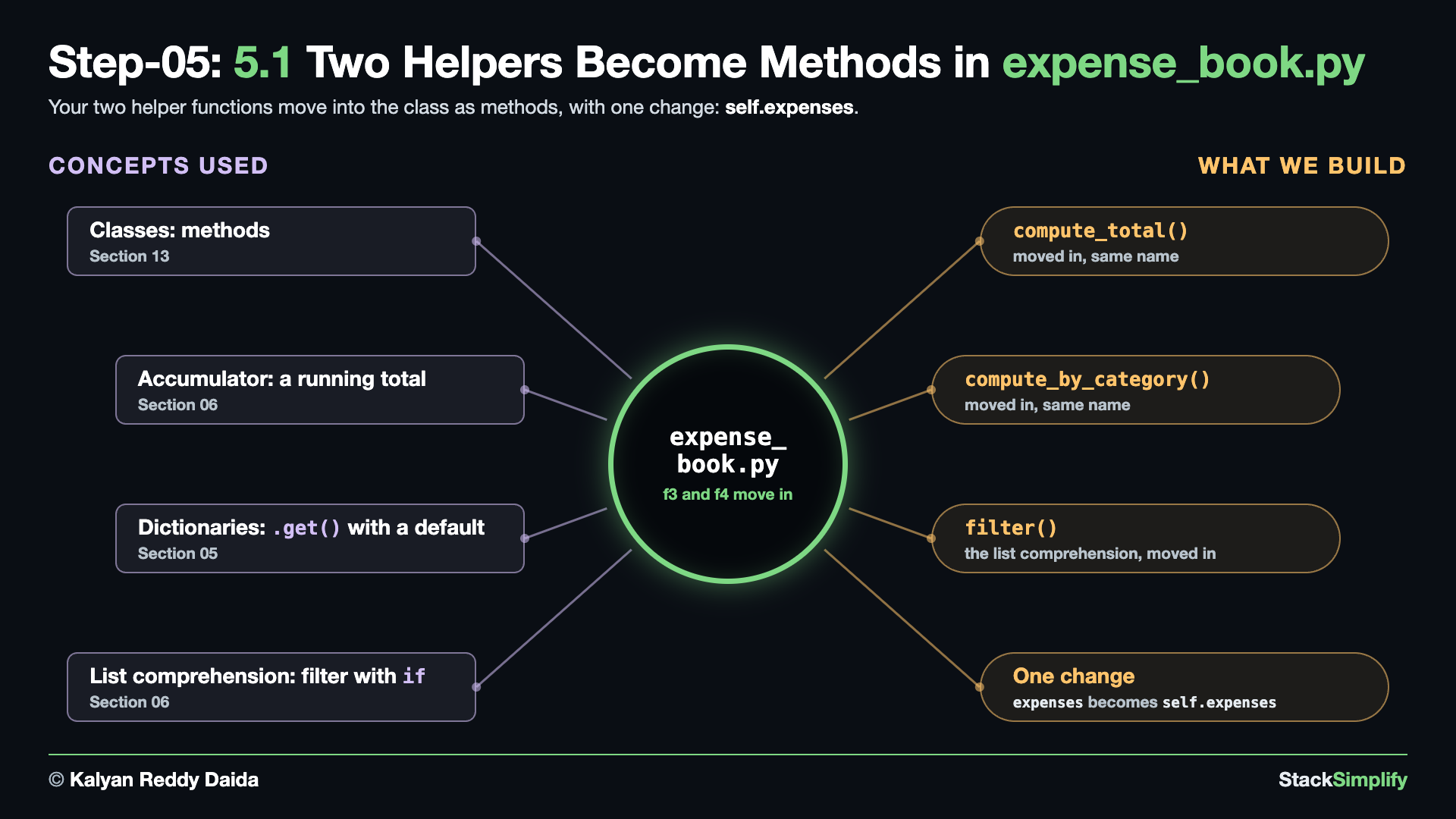
Write it. Add three methods to ExpenseBook, under store_expense(). Here is the whole file, before and after:
from expense import Expense
class ExpenseBook:
"""Holds the expenses and answers questions about them."""
def __init__(self) -> None:
self.expenses: list[Expense] = []
def store_expense(self, description: str, amount: float, category: str) -> Expense:
"""Build one Expense, keep it, and hand it back."""
expense = Expense(description, amount, category)
self.expenses.append(expense)
return expense
from expense import Expense
class ExpenseBook:
"""Holds the expenses and answers questions about them."""
def __init__(self) -> None:
self.expenses: list[Expense] = []
def store_expense(self, description: str, amount: float, category: str) -> Expense:
"""Build one Expense, keep it, and hand it back."""
expense = Expense(description, amount, category)
self.expenses.append(expense)
return expense
def compute_total(self) -> float:
"""Return the sum of every expense amount. This was Milestone 1's compute_total."""
total = 0.0
for expense in self.expenses:
total += expense.amount
return total
def compute_by_category(self) -> dict[str, float]:
"""Return a dict of category -> total amount. This was Milestone 1's compute_by_category."""
totals: dict[str, float] = {}
for expense in self.expenses:
category = expense.category
totals[category] = totals.get(category, 0.0) + expense.amount
return totals
def filter(self, category: str) -> list[Expense]:
"""Return only the expenses in one category."""
return [expense for expense in self.expenses if expense.category == category]
What changed.
return expense
+ def compute_total(self) -> float:
+ """Return the sum of every expense amount. This was Milestone 1's compute_total."""
+ total = 0.0
+ for expense in self.expenses:
+ total += expense.amount
+ return total
+ def compute_by_category(self) -> dict[str, float]:
+ """Return a dict of category -> total amount. This was Milestone 1's compute_by_category."""
+ totals: dict[str, float] = {}
+ for expense in self.expenses:
+ category = expense.category
+ totals[category] = totals.get(category, 0.0) + expense.amount
+ return totals
+ def filter(self, category: str) -> list[Expense]:
+ """Return only the expenses in one category."""
+ return [expense for expense in self.expenses if expense.category == category]
compute_total()is yourcompute_totalfunction, moved into the class with the same name. The only change to the code:expensesbecameself.expenses. The docstring gains a sentence that says where the method came from.compute_by_category()is yourcompute_by_categoryfunction, moved in the same way, with the same one-word change and the same new docstring sentence.filter()holds the list comprehension fromfilter_by_category.
5.2 f5_actions.py: Call the Book's Methods
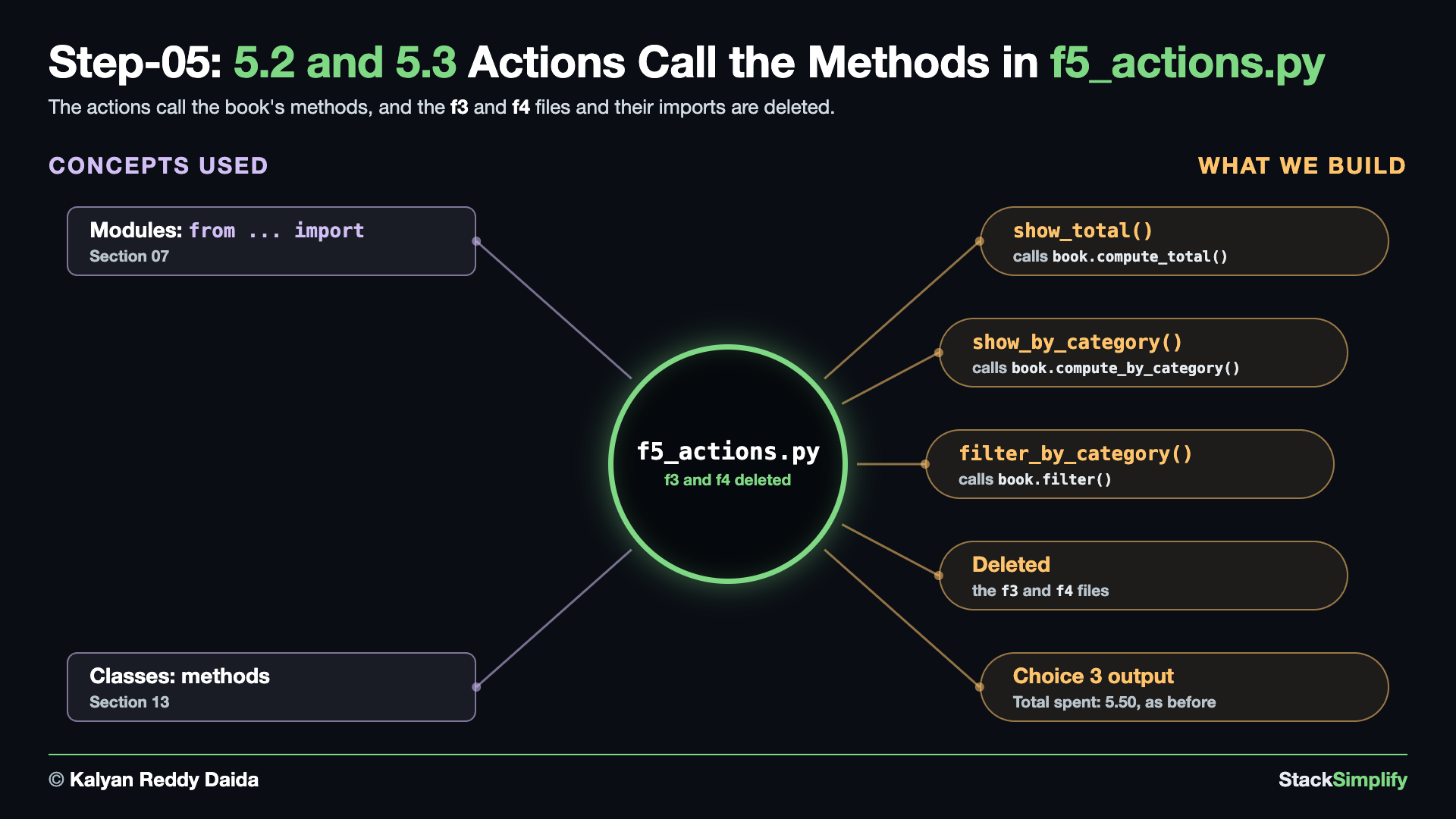
Wire it in. The actions stop calling the two helper files and ask the book instead. Here is the whole f5_actions.py, before and after:
from expense_book import ExpenseBook
from f1_is_valid_amount import is_valid_amount
from f2_format_row import format_row
from f3_compute_total import compute_total
from f4_compute_by_category import compute_by_category
def add_expense(book: ExpenseBook) -> None:
"""Prompt the user for a new expense and add it to the book."""
description = input("Description: ").strip()
if description == "":
description = "(no description)"
amount_text = input("Amount: ").strip()
if not is_valid_amount(amount_text):
print("Invalid amount - enter a positive number like 12.50")
return
category = input("Category: ").strip().lower()
if category == "":
category = "uncategorized"
amount = float(amount_text)
expense = book.store_expense(description, amount, category)
print(f"Added: {expense.description} ({expense.amount:,.2f}) [{expense.category}]")
def list_expenses(book: ExpenseBook) -> None:
"""Display all recorded expenses."""
if not book.expenses:
print("No expenses yet.")
return
print(f"{'Description':<20} {'Category':<14} {'Amount':>10}")
for expense in book.expenses:
print(format_row(expense))
def show_total(book: ExpenseBook) -> None:
"""Display the total amount spent."""
print(f"Total spent: {compute_total(book.expenses):,.2f}")
def show_by_category(book: ExpenseBook) -> None:
"""Display the total spent in each category."""
totals = compute_by_category(book.expenses)
if not totals:
print("No expenses yet.")
return
for category, total in totals.items():
print(f"{category:<14} {total:>10,.2f}")
def filter_by_category(book: ExpenseBook) -> None:
"""Display expenses that belong to one category."""
wanted_category = input("Category to show: ").strip().lower()
matches = [
expense
for expense in book.expenses
if expense.category == wanted_category
]
if not matches:
print(f"No expenses in '{wanted_category}'.")
return
print(f"{'Description':<20} {'Category':<14} {'Amount':>10}")
for expense in matches:
print(format_row(expense))
from expense_book import ExpenseBook
from f1_is_valid_amount import is_valid_amount
from f2_format_row import format_row
def add_expense(book: ExpenseBook) -> None:
"""Prompt the user for a new expense and add it to the book."""
description = input("Description: ").strip()
if description == "":
description = "(no description)"
amount_text = input("Amount: ").strip()
if not is_valid_amount(amount_text):
print("Invalid amount - enter a positive number like 12.50")
return
category = input("Category: ").strip().lower()
if category == "":
category = "uncategorized"
amount = float(amount_text)
expense = book.store_expense(description, amount, category)
print(f"Added: {expense.description} ({expense.amount:,.2f}) [{expense.category}]")
def list_expenses(book: ExpenseBook) -> None:
"""Display all recorded expenses."""
if not book.expenses:
print("No expenses yet.")
return
print(f"{'Description':<20} {'Category':<14} {'Amount':>10}")
for expense in book.expenses:
print(format_row(expense))
def show_total(book: ExpenseBook) -> None:
"""Display the total amount spent."""
print(f"Total spent: {book.compute_total():,.2f}")
def show_by_category(book: ExpenseBook) -> None:
"""Display the total spent in each category."""
totals = book.compute_by_category()
if not totals:
print("No expenses yet.")
return
for category, total in totals.items():
print(f"{category:<14} {total:>10,.2f}")
def filter_by_category(book: ExpenseBook) -> None:
"""Display expenses that belong to one category."""
wanted_category = input("Category to show: ").strip().lower()
matches = book.filter(wanted_category)
if not matches:
print(f"No expenses in '{wanted_category}'.")
return
print(f"{'Description':<20} {'Category':<14} {'Amount':>10}")
for expense in matches:
print(format_row(expense))
What changed.
from f2_format_row import format_row
-from f3_compute_total import compute_total
-from f4_compute_by_category import compute_by_category
...
"""Display the total amount spent."""
- print(f"Total spent: {compute_total(book.expenses):,.2f}")
+ print(f"Total spent: {book.compute_total():,.2f}")
...
"""Display the total spent in each category."""
- totals = compute_by_category(book.expenses)
+ totals = book.compute_by_category()
...
- matches = [
- expense
- for expense in book.expenses
- if expense.category == wanted_category
- ]
+ matches = book.filter(wanted_category)
- The two imports of
f3andf4go. show_total()asksbook.compute_total(), andshow_by_category()asksbook.compute_by_category().- In
filter_by_category(), the list comprehension becomes one call,book.filter(wanted_category). The comprehension still exists: it lives infilter()inside the class now.
5.3 Delete f3_compute_total.py and f4_compute_by_category.py
Nothing imports them any more, so delete both files.
- Your two helper files are not lost. Their code is inside the class now, and that is why this project has an
f1and anf2but nof3orf4.
Run it.
==== Expense Tracker 2.0 ====
1) Add expense
2) List expenses
3) Total spent
4) Spending by category
5) Show one category
6) Quit
Choose 1-6: 1
Description: Coffee
Amount: 3.50
Category: food
Added: Coffee (3.50) [food]
==== Expense Tracker 2.0 ====
...
Choose 1-6: 1
Description: Bus
Amount: 2.00
Category: transport
Added: Bus (2.00) [transport]
==== Expense Tracker 2.0 ====
...
Choose 1-6: 3
Total spent: 5.50
==== Expense Tracker 2.0 ====
...
Choose 1-6: 4
food 3.50
transport 2.00
==== Expense Tracker 2.0 ====
...
Choose 1-6: 5
Category to show: transport
Description Category Amount
Bus transport 2.00
==== Expense Tracker 2.0 ====
...
Choose 1-6: 6
Goodbye!
- The output is the same as before: the program changed its shape, not what it does.
Project files for this step: expense_book.py | f5_actions.py | Optional drill: a class with methods
Step-06: expense.py: Stamp Every Expense
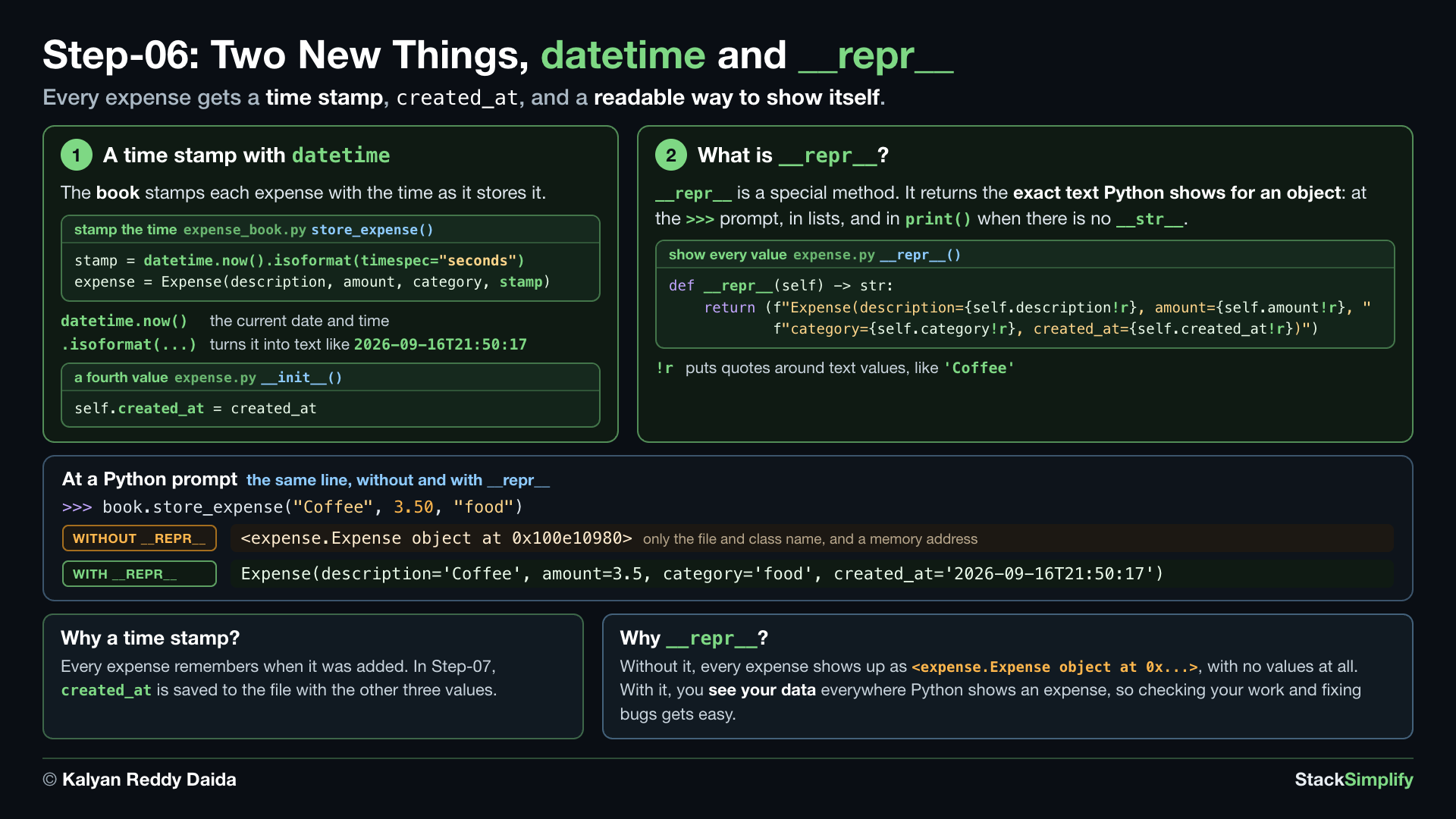
File: expense.py, plus store_expense() in expense_book.py and the finished f5_actions.py
What you build in this step. Every expense gets a fourth attribute, created_at, with the time it was added, and a __repr__ that shows all four values. expense.py and f5_actions.py are finished in this step.
Concepts used:
- Dates:
datetime,datetime.now()(Section 11) - Classes:
__repr__, show every field (Section 13) - Classes:
__init__andself, a fourth value,created_at(Section 13) - Dates:
.isoformat(), turn the time into text (New in this project) - f-strings:
!r, quotes around text values (New in this project)
6.1 expense.py: created_at and __repr__
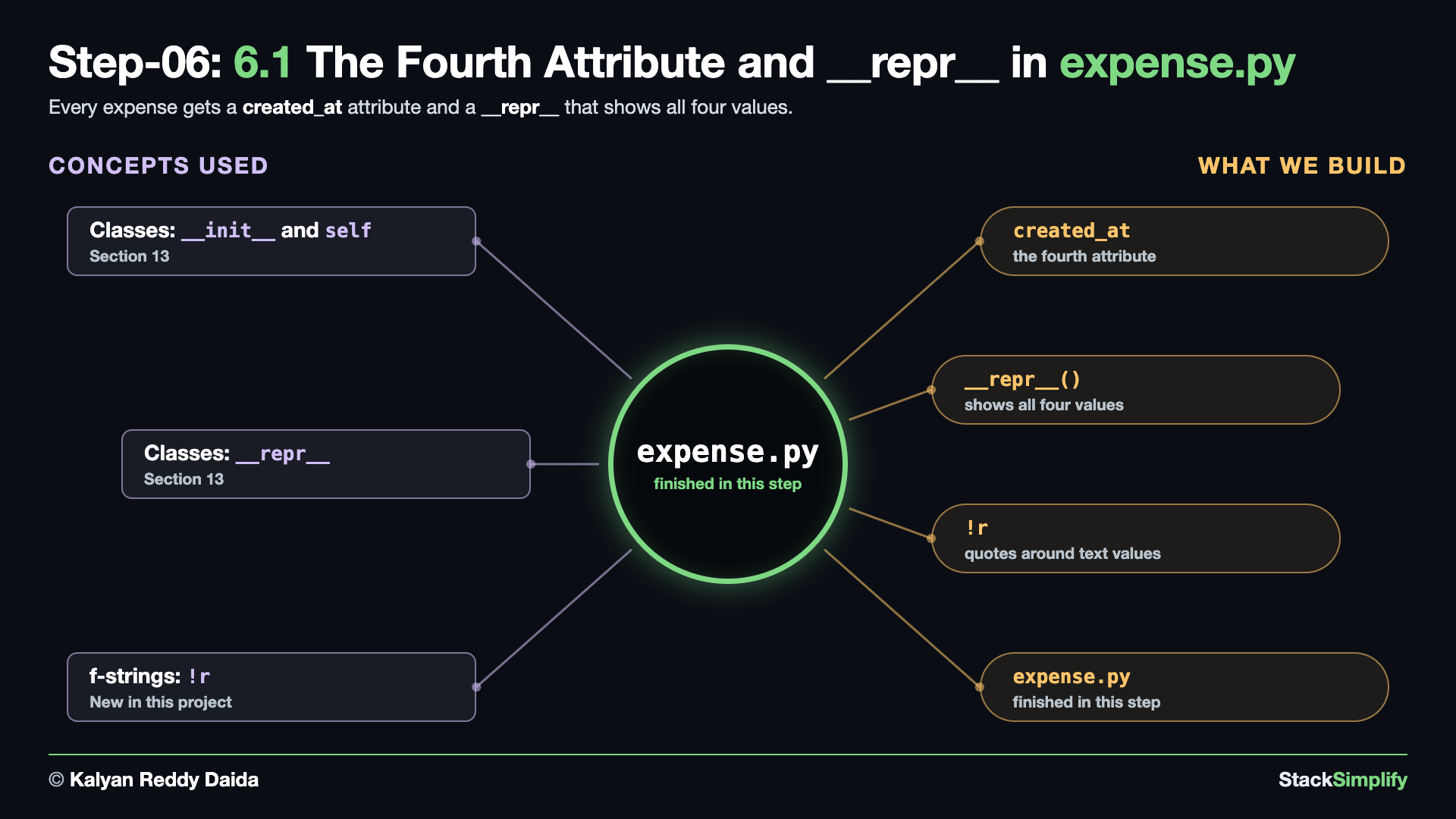
Write it. In expense.py, the class docstring names the fourth field, __init__ takes and stores created_at, and a new __repr__ shows all four values. Here is the whole file, before and after:
class Expense:
    """One expense: what it was, how much, and which category."""

    def __init__(self, description: str, amount: float, category: str) -> None:
        self.description = description
        self.amount = amount
        self.category = category
class Expense:
"""One expense: what it was, how much, which category, and when it was added."""
def __init__(self, description: str, amount: float,
category: str, created_at: str) -> None:
self.description = description
self.amount = amount
self.category = category
self.created_at = created_at
def __repr__(self) -> str:
"""Show every field, so printing an Expense at a Python prompt is readable."""
return (f"Expense(description={self.description!r}, amount={self.amount!r}, "
f"category={self.category!r}, created_at={self.created_at!r})")
What changed.
class Expense:
- """One expense: what it was, how much, and which category."""
+ """One expense: what it was, how much, which category, and when it was added."""
- def __init__(self, description: str, amount: float, category: str) -> None:
+ def __init__(self, description: str, amount: float,
+ category: str, created_at: str) -> None:
self.description = description
...
self.category = category
+ self.created_at = created_at
+ def __repr__(self) -> str:
+ """Show every field, so printing an Expense at a Python prompt is readable."""
+ return (f"Expense(description={self.description!r}, amount={self.amount!r}, "
+ f"category={self.category!r}, created_at={self.created_at!r})")
__repr__returns text that shows every attribute.!rputs quotes around text values.expense.pyis finished now.
6.2 expense_book.py: Stamp the Time in store_expense()
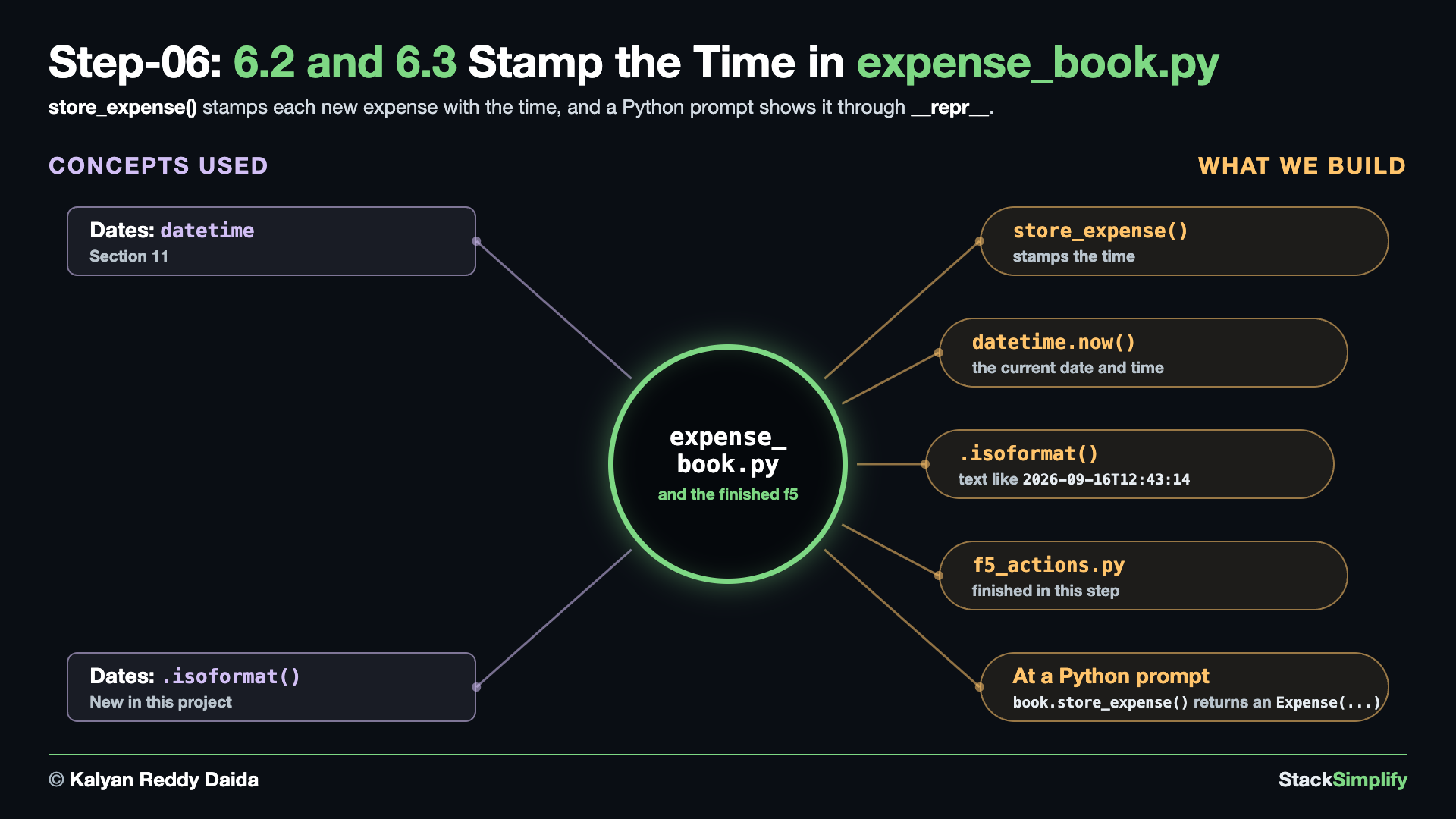
Before the fix. Run the app, choose 1, and add an expense. Python stops inside store_expense():
==== Expense Tracker 2.0 ====
1) Add expense
2) List expenses
3) Total spent
4) Spending by category
5) Show one category
6) Quit
Choose 1-6: 1
Description: Coffee
Amount: 3.50
Category: food
Traceback (most recent call last):
File ".../04-livecode-build-incremental/main.py", line 44, in <module>
main()
~~~~^^
File ".../04-livecode-build-incremental/main.py", line 28, in main
add_expense(book)
~~~~~~~~~~~^^^^^^
File ".../04-livecode-build-incremental/f5_actions.py", line 26, in add_expense
expense = book.store_expense(description, amount, category)
File ".../04-livecode-build-incremental/expense_book.py", line 12, in store_expense
expense = Expense(description, amount, category)
TypeError: Expense.__init__() missing 1 required positional argument: 'created_at'
- Read it from the bottom up:
Expense()now needs four values, andstore_expense()still passes three. The fix is instore_expense().
The fix. In expense_book.py, import datetime at the top, above from expense import Expense, with a blank line between them, and stamp each new expense with the time inside store_expense(). Here is the whole file, before and after:
from expense import Expense
class ExpenseBook:
"""Holds the expenses and answers questions about them."""
def __init__(self) -> None:
self.expenses: list[Expense] = []
def store_expense(self, description: str, amount: float, category: str) -> Expense:
"""Build one Expense, keep it, and hand it back."""
expense = Expense(description, amount, category)
self.expenses.append(expense)
return expense
def compute_total(self) -> float:
"""Return the sum of every expense amount. This was Milestone 1's compute_total."""
total = 0.0
for expense in self.expenses:
total += expense.amount
return total
def compute_by_category(self) -> dict[str, float]:
"""Return a dict of category -> total amount. This was Milestone 1's compute_by_category."""
totals: dict[str, float] = {}
for expense in self.expenses:
category = expense.category
totals[category] = totals.get(category, 0.0) + expense.amount
return totals
def filter(self, category: str) -> list[Expense]:
"""Return only the expenses in one category."""
return [expense for expense in self.expenses if expense.category == category]
from datetime import datetime
from expense import Expense
class ExpenseBook:
"""Holds the expenses and answers questions about them."""
def __init__(self) -> None:
self.expenses: list[Expense] = []
def store_expense(self, description: str, amount: float, category: str) -> Expense:
"""Build one Expense, stamp it with the time, keep it, and hand it back."""
stamp = datetime.now().isoformat(timespec="seconds")
expense = Expense(description, amount, category, stamp)
self.expenses.append(expense)
return expense
def compute_total(self) -> float:
"""Return the sum of every expense amount. This was Milestone 1's compute_total."""
total = 0.0
for expense in self.expenses:
total += expense.amount
return total
def compute_by_category(self) -> dict[str, float]:
"""Return a dict of category -> total amount. This was Milestone 1's compute_by_category."""
totals: dict[str, float] = {}
for expense in self.expenses:
category = expense.category
totals[category] = totals.get(category, 0.0) + expense.amount
return totals
def filter(self, category: str) -> list[Expense]:
"""Return only the expenses in one category."""
return [expense for expense in self.expenses if expense.category == category]
What changed.
+from datetime import datetime
from expense import Expense
...
def store_expense(self, description: str, amount: float, category: str) -> Expense:
- """Build one Expense, keep it, and hand it back."""
- expense = Expense(description, amount, category)
+ """Build one Expense, stamp it with the time, keep it, and hand it back."""
+ stamp = datetime.now().isoformat(timespec="seconds")
+ expense = Expense(description, amount, category, stamp)
self.expenses.append(expense)
datetime.now()is the current date and time..isoformat(timespec="seconds")turns it into text like2026-09-16T12:43:14.
Check it at a Python prompt. The screen does not change in this step, so look at an object directly. In a terminal in your build folder, type python3 to open the >>> prompt (Section 01):
>>> from expense_book import ExpenseBook
>>> book = ExpenseBook()
>>> book.store_expense("Coffee", 3.50, "food")
Expense(description='Coffee', amount=3.5, category='food', created_at='2026-09-16T21:50:17')
- The prompt shows the object through
__repr__. Your time stamp will be the time you run it. ExpenseBook()takes no path yet. That comes in the next step.- Type
exit()to leave the prompt before you run the app below.
6.3 f5_actions.py: The Finished Actions File
No code changes here: every action already takes the book, and the imports of f3 and f4 are gone. If your file still has its Milestone 1 comments, update the one above book.store_expense(...) in add_expense():
# The book builds the Expense object, stamps it with the time, and keeps it.
f5_actions.pyis finished now.
Run it.
==== Expense Tracker 2.0 ====
1) Add expense
2) List expenses
3) Total spent
4) Spending by category
5) Show one category
6) Quit
Choose 1-6: 1
Description: Coffee
Amount: 3.50
Category: food
Added: Coffee (3.50) [food]
==== Expense Tracker 2.0 ====
...
Choose 1-6: 2
Description Category Amount
Coffee food 3.50
==== Expense Tracker 2.0 ====
...
Choose 1-6: 6
Goodbye!
- The menu output is the same as before.
Project files for this step: expense.py | expense_book.py | f5_actions.py | Optional drill: a datetime stamp
Step-07: expense_book.py: Save to JSON
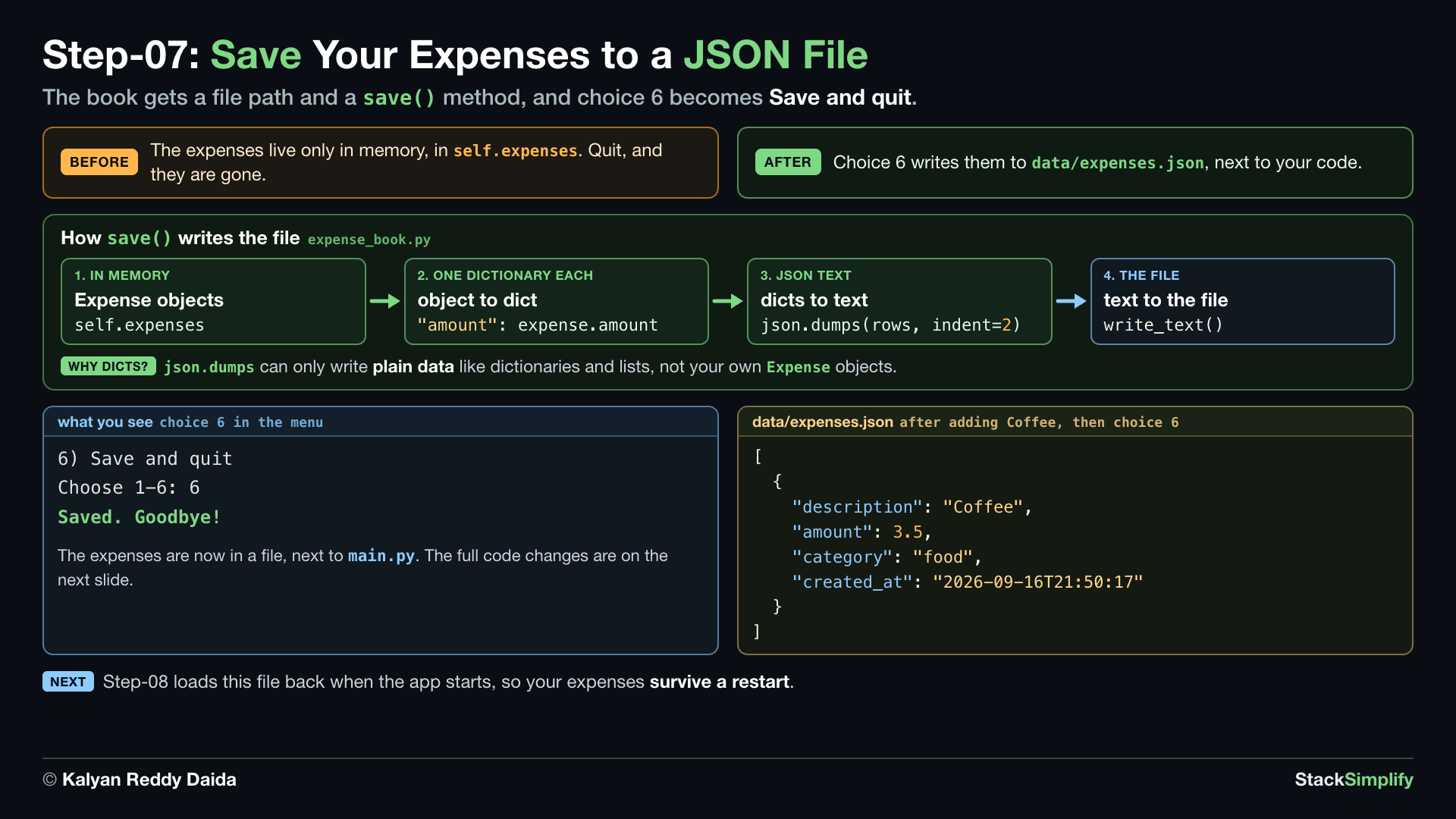
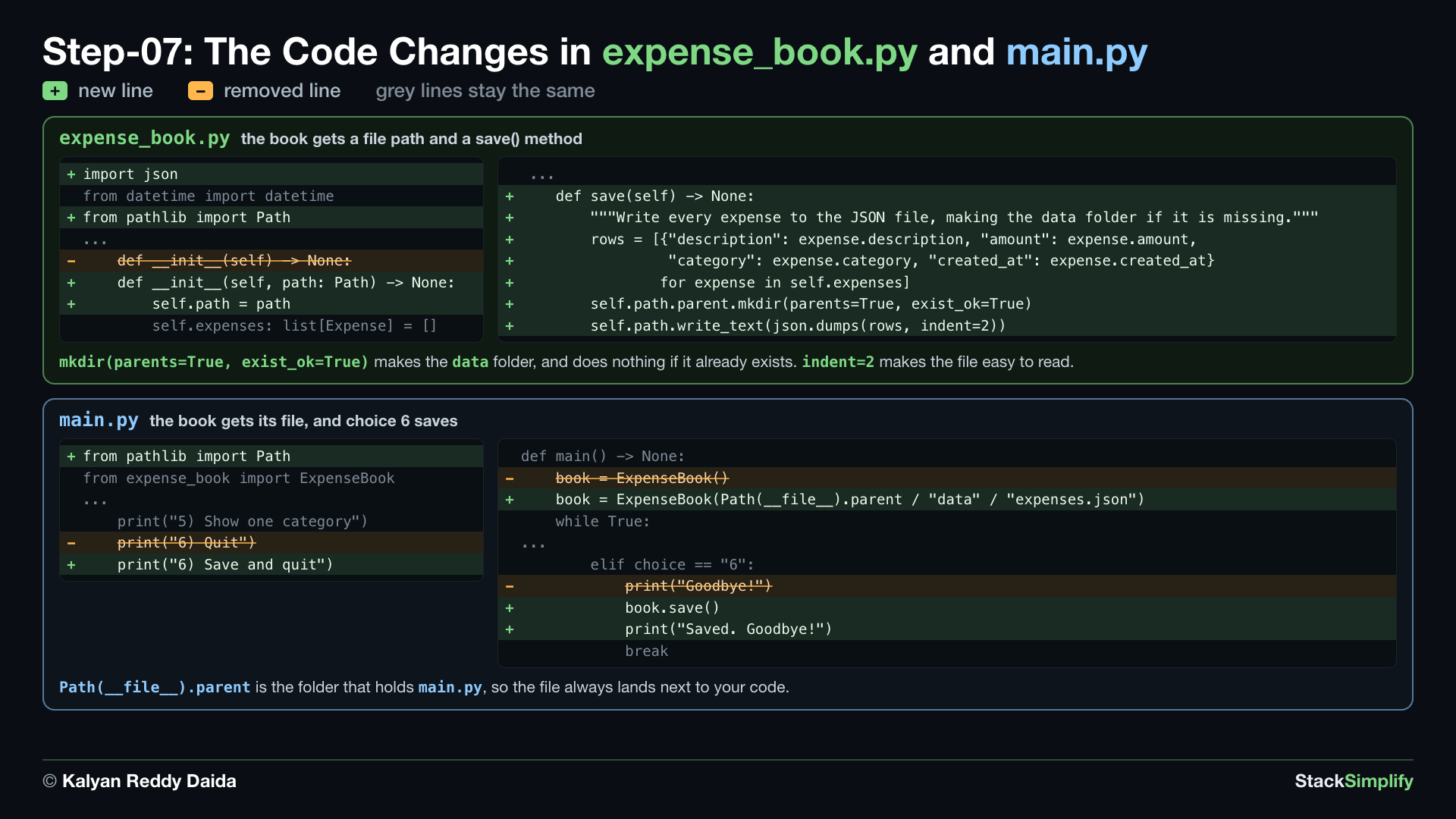
File: expense_book.py, plus the path, the menu line and choice 6 in main.py
What you build in this step. A save() method that writes every expense to data/expenses.json. Choice 6 becomes Save and quit.
Concepts used:
- List comprehension:
[... for ...], turn each object back into a dict (Section 06) - JSON:
json.dumps, dicts to JSON text (Section 10) - Files:
Pathandwrite_text(), write the text to the file (Section 10) - Paths:
__file__, save next to your script (Section 10) - Paths:
mkdir(), make the data folder (Section 10) - Classes: methods, choice 6 calls
book.save()(Section 13)
7.1 expense_book.py: save() Writes the JSON File
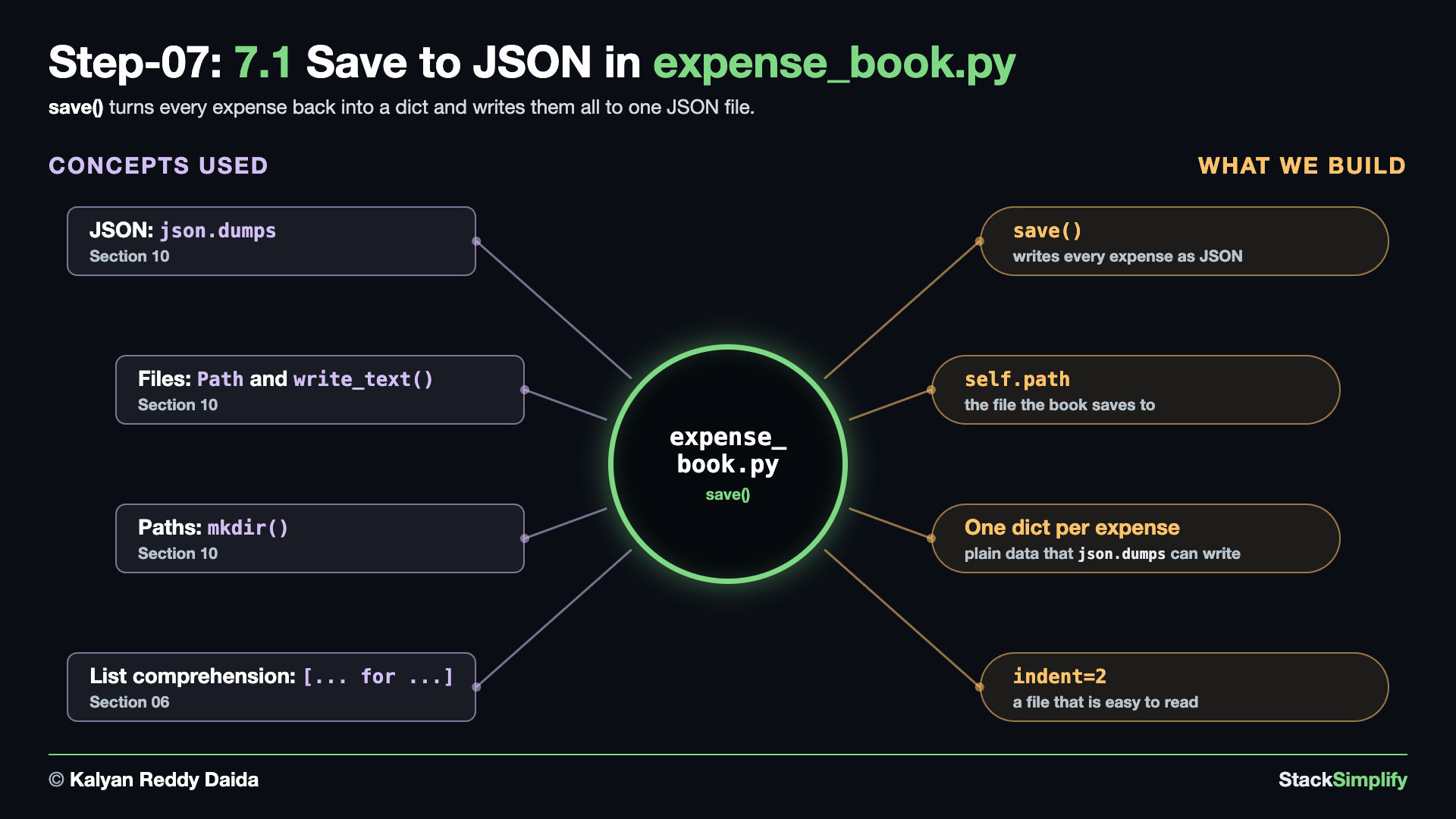
Write it. In expense_book.py, add import json above from datetime import datetime, and from pathlib import Path below it, give __init__ a path, and add save() at the end of the class. Here is the whole file, before and after:
from datetime import datetime
from expense import Expense
class ExpenseBook:
"""Holds the expenses and answers questions about them."""
def __init__(self) -> None:
self.expenses: list[Expense] = []
def store_expense(self, description: str, amount: float, category: str) -> Expense:
"""Build one Expense, stamp it with the time, keep it, and hand it back."""
stamp = datetime.now().isoformat(timespec="seconds")
expense = Expense(description, amount, category, stamp)
self.expenses.append(expense)
return expense
def compute_total(self) -> float:
"""Return the sum of every expense amount. This was Milestone 1's compute_total."""
total = 0.0
for expense in self.expenses:
total += expense.amount
return total
def compute_by_category(self) -> dict[str, float]:
"""Return a dict of category -> total amount. This was Milestone 1's compute_by_category."""
totals: dict[str, float] = {}
for expense in self.expenses:
category = expense.category
totals[category] = totals.get(category, 0.0) + expense.amount
return totals
def filter(self, category: str) -> list[Expense]:
"""Return only the expenses in one category."""
return [expense for expense in self.expenses if expense.category == category]
import json
from datetime import datetime
from pathlib import Path
from expense import Expense
class ExpenseBook:
"""Holds the expenses and answers questions about them."""
def __init__(self, path: Path) -> None:
self.path = path
self.expenses: list[Expense] = []
def store_expense(self, description: str, amount: float, category: str) -> Expense:
"""Build one Expense, stamp it with the time, keep it, and hand it back."""
stamp = datetime.now().isoformat(timespec="seconds")
expense = Expense(description, amount, category, stamp)
self.expenses.append(expense)
return expense
def compute_total(self) -> float:
"""Return the sum of every expense amount. This was Milestone 1's compute_total."""
total = 0.0
for expense in self.expenses:
total += expense.amount
return total
def compute_by_category(self) -> dict[str, float]:
"""Return a dict of category -> total amount. This was Milestone 1's compute_by_category."""
totals: dict[str, float] = {}
for expense in self.expenses:
category = expense.category
totals[category] = totals.get(category, 0.0) + expense.amount
return totals
def filter(self, category: str) -> list[Expense]:
"""Return only the expenses in one category."""
return [expense for expense in self.expenses if expense.category == category]
def save(self) -> None:
"""Write every expense to the JSON file, making the data folder if it is missing."""
rows = [{"description": expense.description, "amount": expense.amount,
"category": expense.category, "created_at": expense.created_at}
for expense in self.expenses]
self.path.parent.mkdir(parents=True, exist_ok=True)
self.path.write_text(json.dumps(rows, indent=2))
What changed.
+import json
from datetime import datetime
+from pathlib import Path
...
- def __init__(self) -> None:
+ def __init__(self, path: Path) -> None:
+ self.path = path
self.expenses: list[Expense] = []
...
return [expense for expense in self.expenses if expense.category == category]
+ def save(self) -> None:
+ """Write every expense to the JSON file, making the data folder if it is missing."""
+ rows = [{"description": expense.description, "amount": expense.amount,
+ "category": expense.category, "created_at": expense.created_at}
+ for expense in self.expenses]
+ self.path.parent.mkdir(parents=True, exist_ok=True)
+ self.path.write_text(json.dumps(rows, indent=2))
- The book now knows where its file lives:
self.path. save()turns each object back into a dictionary, becausejson.dumpscan only write plain data like dictionaries and lists.mkdir(parents=True, exist_ok=True)makes thedatafolder, and does nothing if it already exists.indent=2makes the file easy to read.
7.2 main.py: The Data Path, and Choice 6 Saves
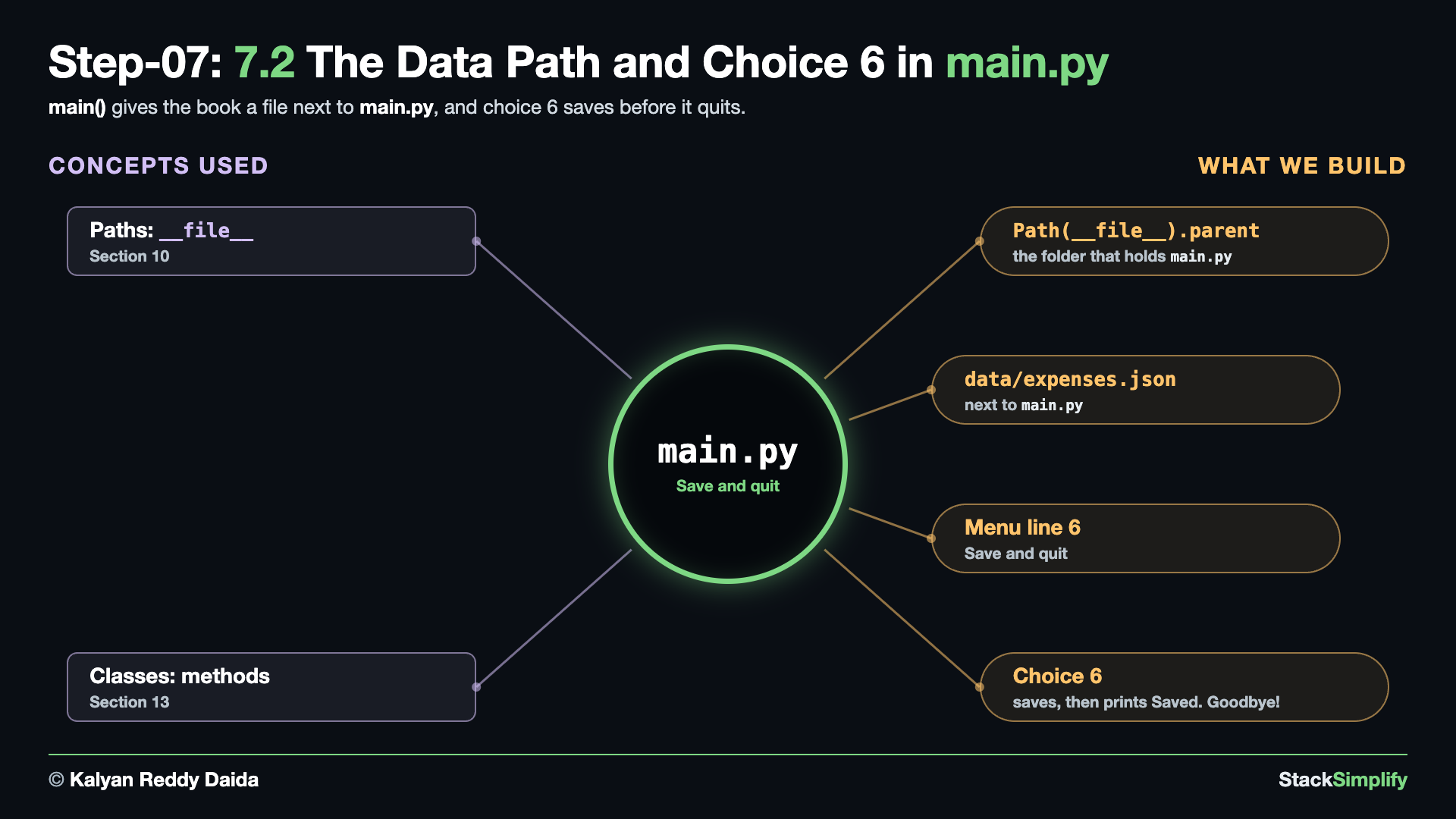
Before the fix. Run the app. Python stops before the menu even appears:
Traceback (most recent call last):
File ".../04-livecode-build-incremental/main.py", line 44, in <module>
main()
~~~~^^
File ".../04-livecode-build-incremental/main.py", line 23, in main
book = ExpenseBook()
TypeError: ExpenseBook.__init__() missing 1 required positional argument: 'path'
ExpenseBook()now needs the path of its file, andmain()still creates the book without one.
The fix. In main.py, import Path, give the book its file, rename choice 6 in the menu, and save before you say goodbye. Here is the whole file, before and after:
from expense_book import ExpenseBook
from f5_actions import (
add_expense,
list_expenses,
show_total,
show_by_category,
filter_by_category,
)
def show_menu() -> None:
print()
print("==== Expense Tracker 2.0 ====")
print("1) Add expense")
print("2) List expenses")
print("3) Total spent")
print("4) Spending by category")
print("5) Show one category")
print("6) Quit")
def main() -> None:
book = ExpenseBook()
while True:
show_menu()
choice = input("Choose 1-6: ").strip()
if choice == "1":
add_expense(book)
elif choice == "2":
list_expenses(book)
elif choice == "3":
show_total(book)
elif choice == "4":
show_by_category(book)
elif choice == "5":
filter_by_category(book)
elif choice == "6":
print("Goodbye!")
break
else:
print("Please choose a number from 1 to 6.")
main()
from pathlib import Path
from expense_book import ExpenseBook
from f5_actions import (
add_expense,
list_expenses,
show_total,
show_by_category,
filter_by_category,
)
def show_menu() -> None:
print()
print("==== Expense Tracker 2.0 ====")
print("1) Add expense")
print("2) List expenses")
print("3) Total spent")
print("4) Spending by category")
print("5) Show one category")
print("6) Save and quit")
def main() -> None:
book = ExpenseBook(Path(__file__).parent / "data" / "expenses.json")
while True:
show_menu()
choice = input("Choose 1-6: ").strip()
if choice == "1":
add_expense(book)
elif choice == "2":
list_expenses(book)
elif choice == "3":
show_total(book)
elif choice == "4":
show_by_category(book)
elif choice == "5":
filter_by_category(book)
elif choice == "6":
book.save()
print("Saved. Goodbye!")
break
else:
print("Please choose a number from 1 to 6.")
main()
What changed.
+from pathlib import Path
from expense_book import ExpenseBook
...
print("5) Show one category")
- print("6) Quit")
+ print("6) Save and quit")
...
def main() -> None:
- book = ExpenseBook()
+ book = ExpenseBook(Path(__file__).parent / "data" / "expenses.json")
while True:
...
elif choice == "6":
- print("Goodbye!")
+ book.save()
+ print("Saved. Goodbye!")
break
Path(__file__).parentis the folder that holdsmain.py, so the file always lands next to your code, wherever you run it from.
Run it.
==== Expense Tracker 2.0 ====
1) Add expense
2) List expenses
3) Total spent
4) Spending by category
5) Show one category
6) Save and quit
Choose 1-6: 1
Description: Coffee
Amount: 3.50
Category: food
Added: Coffee (3.50) [food]
==== Expense Tracker 2.0 ====
...
Choose 1-6: 1
Description: Bus
Amount: 2.00
Category: transport
Added: Bus (2.00) [transport]
==== Expense Tracker 2.0 ====
...
Choose 1-6: 6
Saved. Goodbye!
Then open the file it wrote:
[
{
"description": "Coffee",
"amount": 3.5,
"category": "food",
"created_at": "2026-09-16T21:50:17"
},
{
"description": "Bus",
"amount": 2.0,
"category": "transport",
"created_at": "2026-09-16T21:50:17"
}
]
- Your times will be different: each expense stores the moment you added it.
Project files for this step: expense_book.py | main.py | Optional drill: save JSON | Optional drill: save next to your code
Step-08: expense_book.py: Load It Back
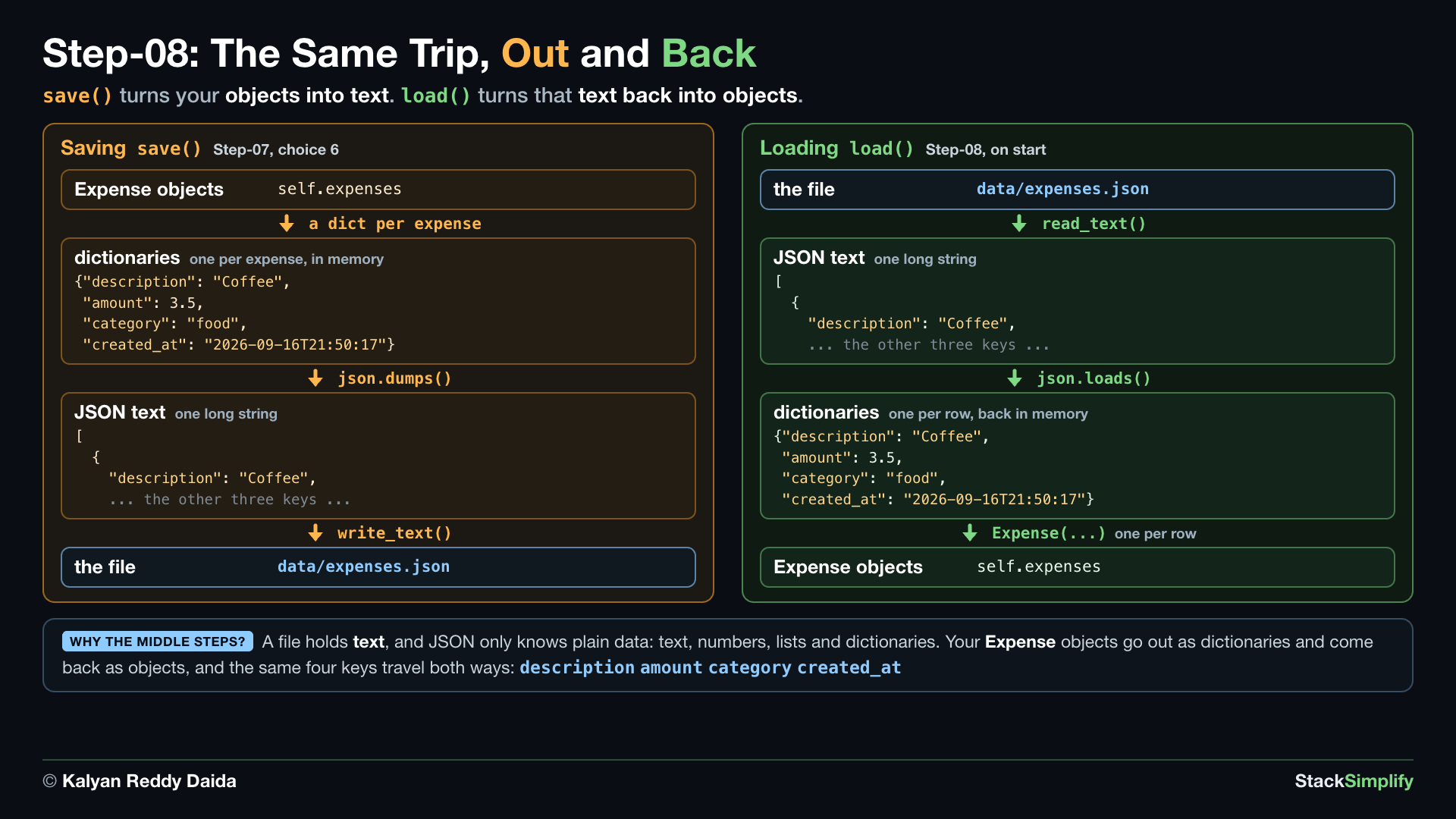
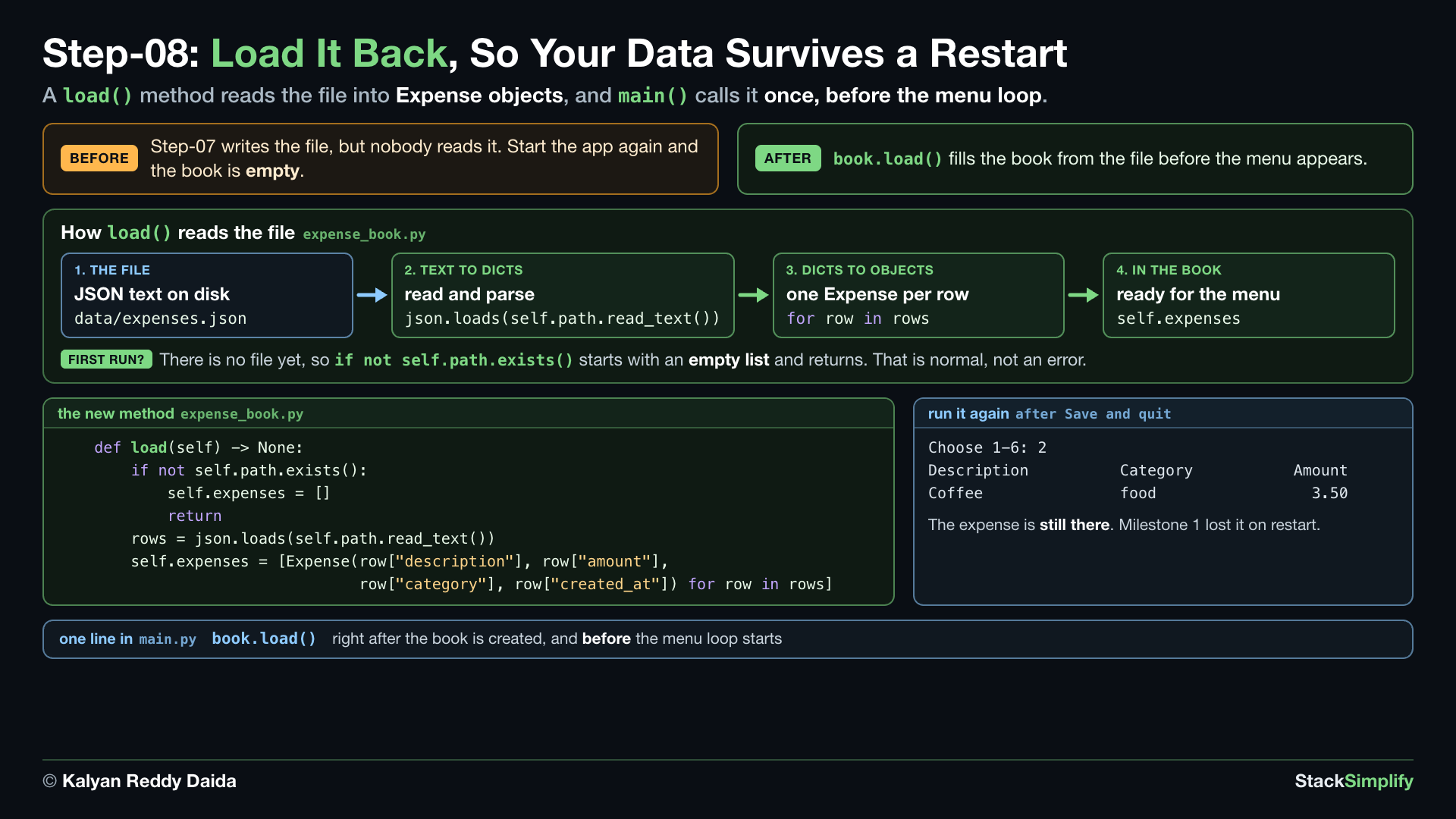
File: expense_book.py, plus one line in main.py
What you build in this step. A load() method that reads the file back into Expense objects when the program starts. Your data now survives a restart. expense_book.py is finished in this step.
Concepts used:
- List comprehension:
[... for ...], turn each dict back into anExpense(Section 06) - Loops:
while True, the load runs once, before the menu loop starts (Section 06) - JSON:
json.loads, JSON text back to dicts (Section 10) - Files:
read_text()and.exists(), read the file, or start empty when it is missing (Section 10) - Classes: methods,
main()callsbook.load()(Section 13)
8.1 expense_book.py: load() Reads It Back
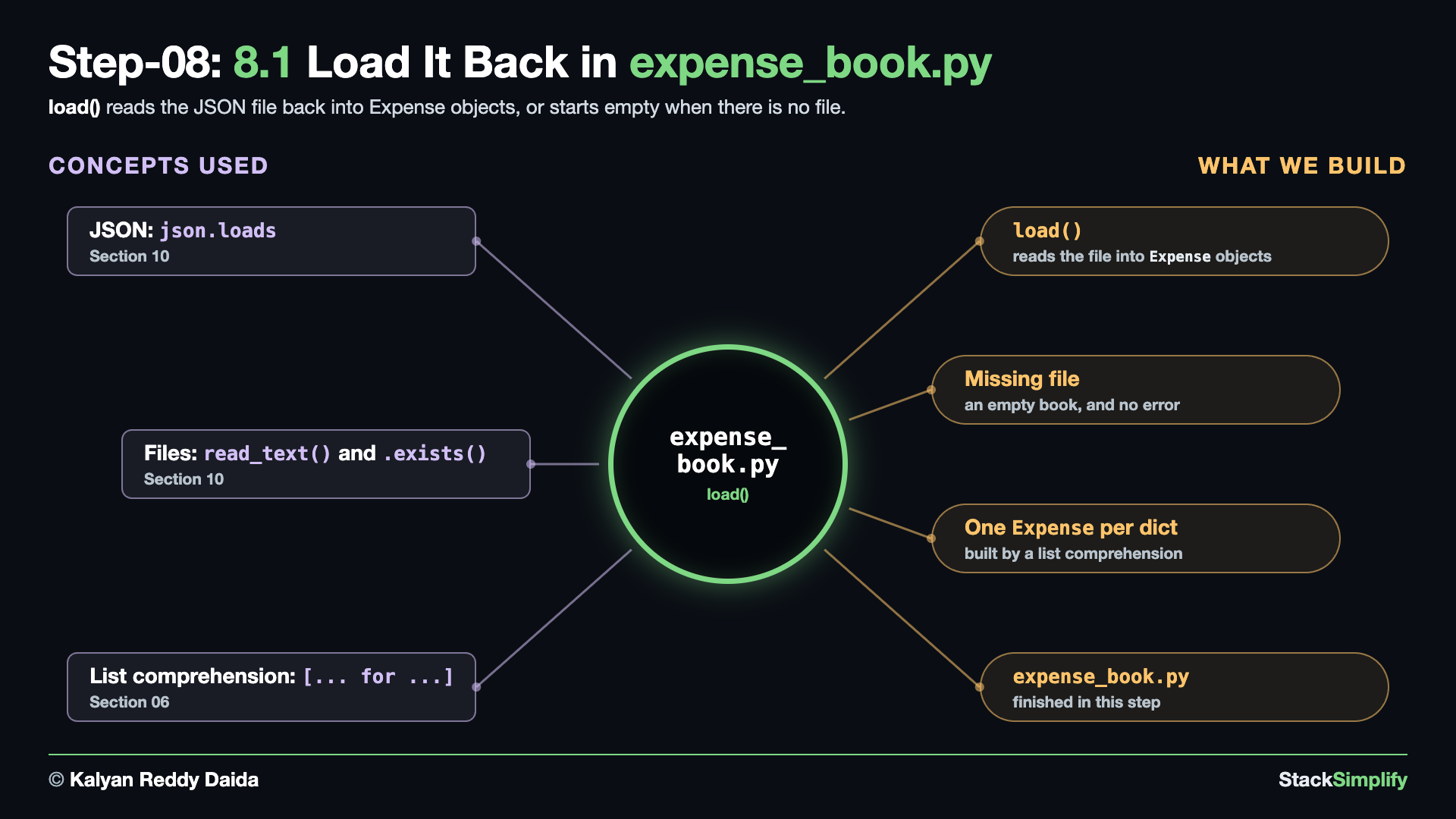
Write it. Add load() at the end of the class. Here is the whole file, before and after:
import json
from datetime import datetime
from pathlib import Path
from expense import Expense
class ExpenseBook:
"""Holds the expenses and answers questions about them."""
def __init__(self, path: Path) -> None:
self.path = path
self.expenses: list[Expense] = []
def store_expense(self, description: str, amount: float, category: str) -> Expense:
"""Build one Expense, stamp it with the time, keep it, and hand it back."""
stamp = datetime.now().isoformat(timespec="seconds")
expense = Expense(description, amount, category, stamp)
self.expenses.append(expense)
return expense
def compute_total(self) -> float:
"""Return the sum of every expense amount. This was Milestone 1's compute_total."""
total = 0.0
for expense in self.expenses:
total += expense.amount
return total
def compute_by_category(self) -> dict[str, float]:
"""Return a dict of category -> total amount. This was Milestone 1's compute_by_category."""
totals: dict[str, float] = {}
for expense in self.expenses:
category = expense.category
totals[category] = totals.get(category, 0.0) + expense.amount
return totals
def filter(self, category: str) -> list[Expense]:
"""Return only the expenses in one category."""
return [expense for expense in self.expenses if expense.category == category]
def save(self) -> None:
"""Write every expense to the JSON file, making the data folder if it is missing."""
rows = [{"description": expense.description, "amount": expense.amount,
"category": expense.category, "created_at": expense.created_at}
for expense in self.expenses]
self.path.parent.mkdir(parents=True, exist_ok=True)
self.path.write_text(json.dumps(rows, indent=2))
import json
from datetime import datetime
from pathlib import Path
from expense import Expense
class ExpenseBook:
"""Holds the expenses and answers questions about them."""
def __init__(self, path: Path) -> None:
self.path = path
self.expenses: list[Expense] = []
def store_expense(self, description: str, amount: float, category: str) -> Expense:
"""Build one Expense, stamp it with the time, keep it, and hand it back."""
stamp = datetime.now().isoformat(timespec="seconds")
expense = Expense(description, amount, category, stamp)
self.expenses.append(expense)
return expense
def compute_total(self) -> float:
"""Return the sum of every expense amount. This was Milestone 1's compute_total."""
total = 0.0
for expense in self.expenses:
total += expense.amount
return total
def compute_by_category(self) -> dict[str, float]:
"""Return a dict of category -> total amount. This was Milestone 1's compute_by_category."""
totals: dict[str, float] = {}
for expense in self.expenses:
category = expense.category
totals[category] = totals.get(category, 0.0) + expense.amount
return totals
def filter(self, category: str) -> list[Expense]:
"""Return only the expenses in one category."""
return [expense for expense in self.expenses if expense.category == category]
def save(self) -> None:
"""Write every expense to the JSON file, making the data folder if it is missing."""
rows = [{"description": expense.description, "amount": expense.amount,
"category": expense.category, "created_at": expense.created_at}
for expense in self.expenses]
self.path.parent.mkdir(parents=True, exist_ok=True)
self.path.write_text(json.dumps(rows, indent=2))
def load(self) -> None:
"""Read the JSON file back into Expense objects. A missing file just means no expenses yet."""
if not self.path.exists():
self.expenses = []
return
rows = json.loads(self.path.read_text())
self.expenses = [Expense(row["description"], row["amount"],
row["category"], row["created_at"]) for row in rows]
What changed.
self.path.write_text(json.dumps(rows, indent=2))
+ def load(self) -> None:
+ """Read the JSON file back into Expense objects. A missing file just means no expenses yet."""
+ if not self.path.exists():
+ self.expenses = []
+ return
+ rows = json.loads(self.path.read_text())
+ self.expenses = [Expense(row["description"], row["amount"],
+ row["category"], row["created_at"]) for row in rows]
- When the file does not exist yet,
load()starts with an empty list and returns. That is normal on the first run. json.loadsturns the text back into a list of dictionaries, and the list comprehension builds oneExpensefrom each.expense_book.pyis finished now.
8.2 main.py: Load on Start
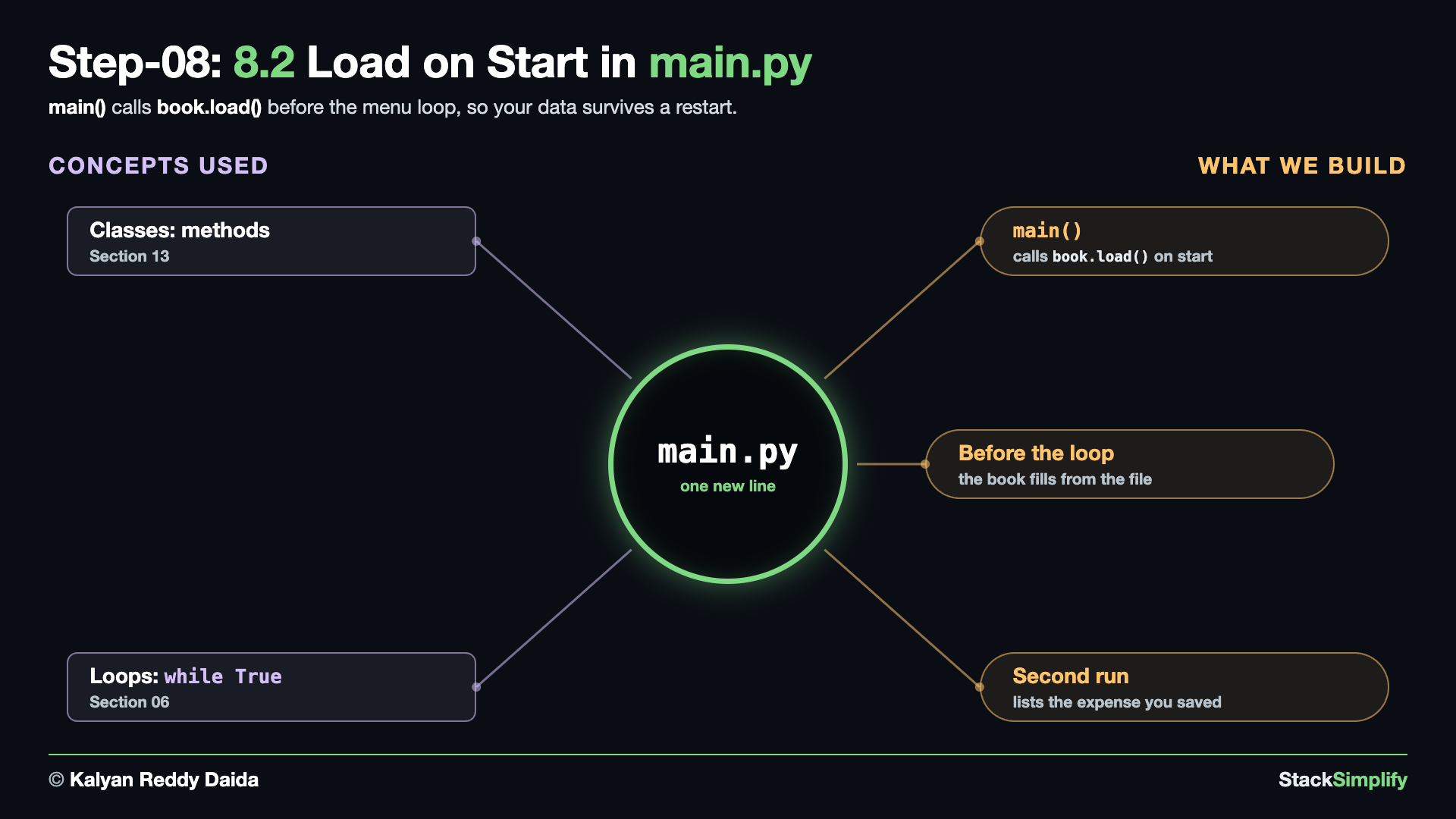
Wire it in. In main.py, load the book before the loop. Here is the whole file, before and after:
from pathlib import Path
from expense_book import ExpenseBook
from f5_actions import (
add_expense,
list_expenses,
show_total,
show_by_category,
filter_by_category,
)
def show_menu() -> None:
print()
print("==== Expense Tracker 2.0 ====")
print("1) Add expense")
print("2) List expenses")
print("3) Total spent")
print("4) Spending by category")
print("5) Show one category")
print("6) Save and quit")
def main() -> None:
book = ExpenseBook(Path(__file__).parent / "data" / "expenses.json")
while True:
show_menu()
choice = input("Choose 1-6: ").strip()
if choice == "1":
add_expense(book)
elif choice == "2":
list_expenses(book)
elif choice == "3":
show_total(book)
elif choice == "4":
show_by_category(book)
elif choice == "5":
filter_by_category(book)
elif choice == "6":
book.save()
print("Saved. Goodbye!")
break
else:
print("Please choose a number from 1 to 6.")
main()
from pathlib import Path
from expense_book import ExpenseBook
from f5_actions import (
add_expense,
list_expenses,
show_total,
show_by_category,
filter_by_category,
)
def show_menu() -> None:
print()
print("==== Expense Tracker 2.0 ====")
print("1) Add expense")
print("2) List expenses")
print("3) Total spent")
print("4) Spending by category")
print("5) Show one category")
print("6) Save and quit")
def main() -> None:
book = ExpenseBook(Path(__file__).parent / "data" / "expenses.json")
book.load()
while True:
show_menu()
choice = input("Choose 1-6: ").strip()
if choice == "1":
add_expense(book)
elif choice == "2":
list_expenses(book)
elif choice == "3":
show_total(book)
elif choice == "4":
show_by_category(book)
elif choice == "5":
filter_by_category(book)
elif choice == "6":
book.save()
print("Saved. Goodbye!")
break
else:
print("Please choose a number from 1 to 6.")
main()
What changed.
book = ExpenseBook(Path(__file__).parent / "data" / "expenses.json")
+ book.load()
while True:
Run it. First delete the data folder that Step-07 wrote, so this run starts with no file. Then add an expense and quit:
==== Expense Tracker 2.0 ====
1) Add expense
2) List expenses
3) Total spent
4) Spending by category
5) Show one category
6) Save and quit
Choose 1-6: 1
Description: Coffee
Amount: 3.50
Category: food
Added: Coffee (3.50) [food]
==== Expense Tracker 2.0 ====
...
Choose 1-6: 6
Saved. Goodbye!
Then run it again and list the expenses:
==== Expense Tracker 2.0 ====
1) Add expense
2) List expenses
3) Total spent
4) Spending by category
5) Show one category
6) Save and quit
Choose 1-6: 2
Description Category Amount
Coffee food 3.50
==== Expense Tracker 2.0 ====
...
Choose 1-6: 6
Saved. Goodbye!
- The expense is still there. Milestone 1 lost it on restart; this program loads it back from the file.
Project files for this step: expense_book.py | main.py | Optional drill: load JSON safely
Step-09: main.py: Do Not Crash on a Broken File
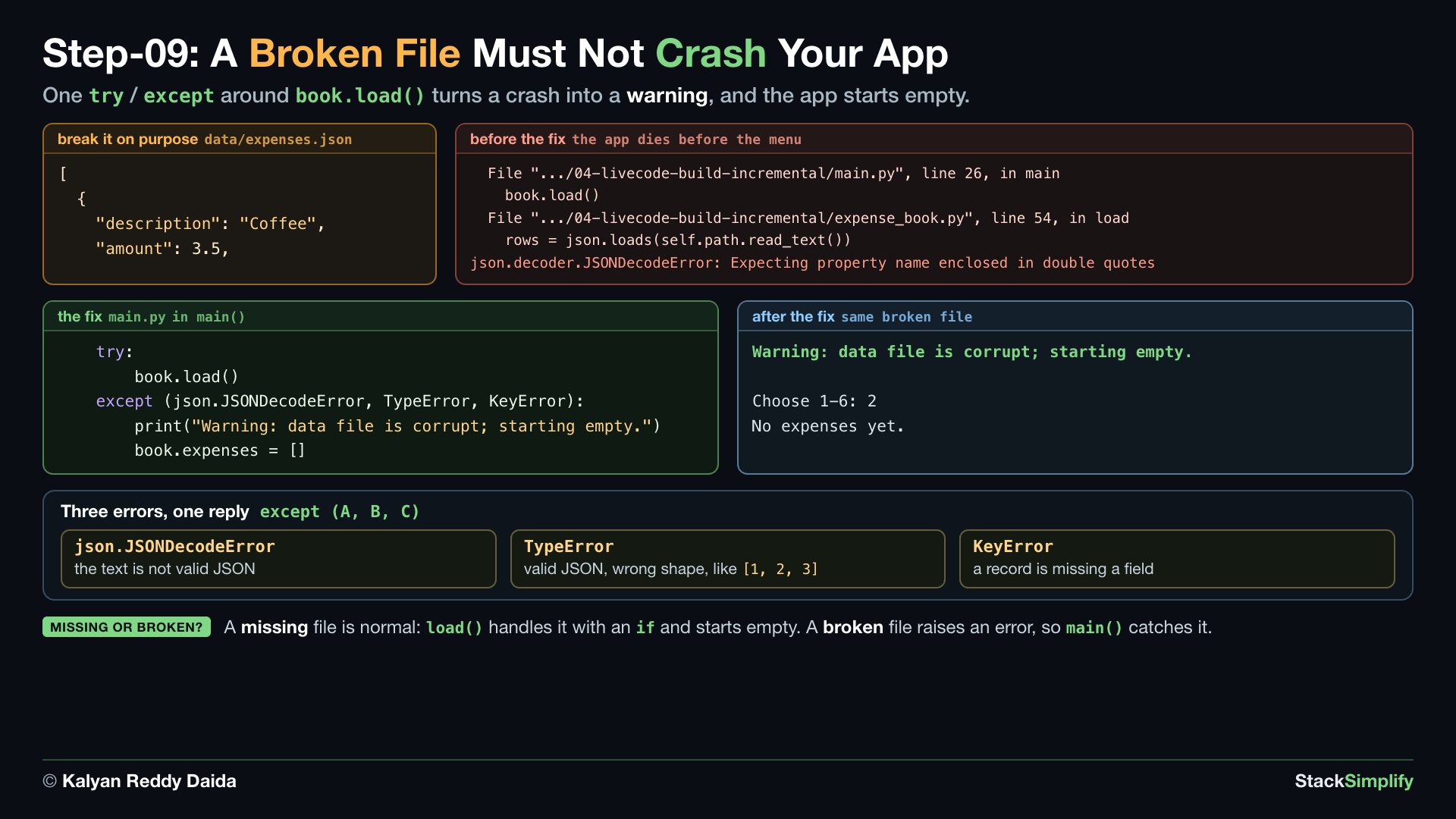
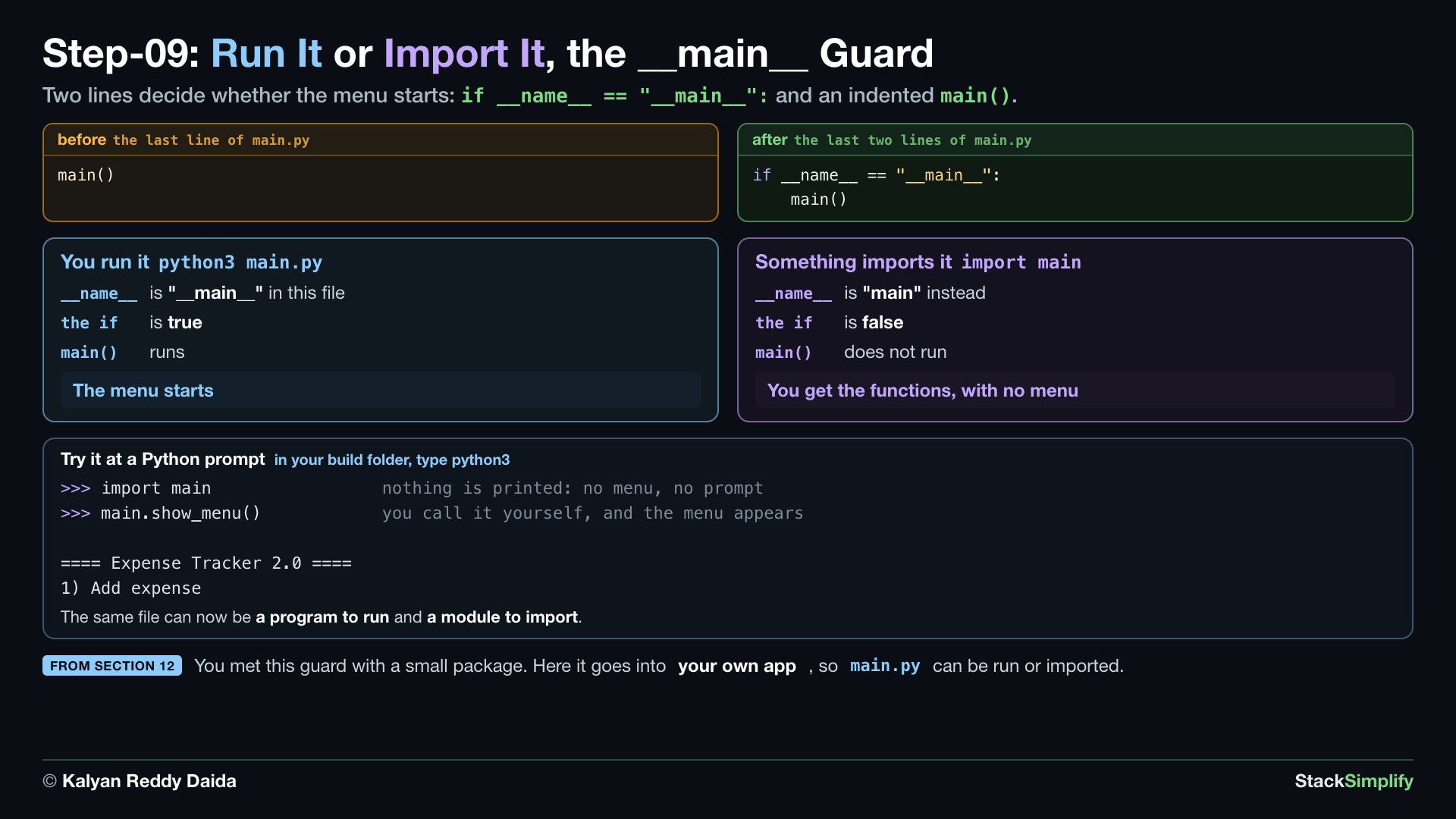
File: main.py
What you build in this step. A try / except around load(), so a broken data file prints a warning instead of crashing the app. main.py is finished in this step.
Concepts used:
- Error handling:
try/except, aroundbook.load()(Section 09) - Error handling:
except (A, B), one reply for several errors (Section 09) - Exceptions:
json.JSONDecodeError, the error a broken JSON file raises (New in this project) - The
__main__guard: run it or import it,if __name__ == "__main__":(Section 12)
9.1 main.py: Do Not Crash on a Broken File
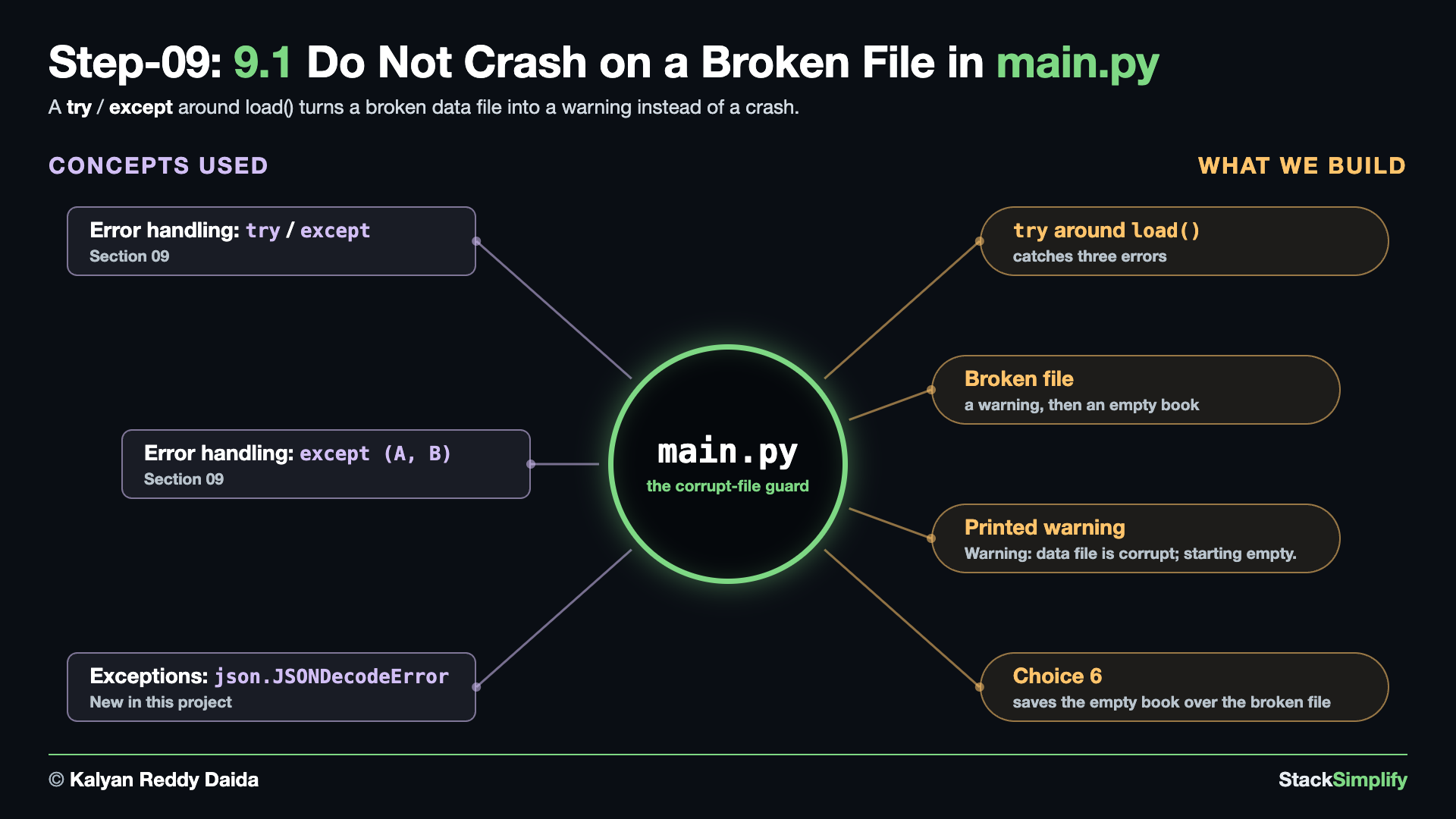
Break it first. Open data/expenses.json and delete its last lines, so the text is no longer valid JSON. What is left looks like this:
Before the fix. Run the program from Step-08 now. Python stops before the menu appears:
Traceback (most recent call last):
File ".../04-livecode-build-incremental/main.py", line 48, in <module>
main()
~~~~^^
File ".../04-livecode-build-incremental/main.py", line 26, in main
book.load()
~~~~~~~~~^^
File ".../04-livecode-build-incremental/expense_book.py", line 54, in load
rows = json.loads(self.path.read_text())
File ".../json/__init__.py", line 352, in loads
return _default_decoder.decode(s)
~~~~~~~~~~~~~~~~~~~~~~~^^^
File ".../json/decoder.py", line 345, in decode
obj, end = self.raw_decode(s, idx=_w(s, 0).end())
~~~~~~~~~~~~~~~^^^^^^^^^^^^^^^^^^^^^^^
File ".../json/decoder.py", line 361, in raw_decode
obj, end = self.scan_once(s, idx)
~~~~~~~~~~~~~~^^^^^^^^
json.decoder.JSONDecodeError: Expecting property name enclosed in double quotes: line 5 column 1 (char 54)
- The last line names the error: the text is not valid JSON. In the code below,
json.JSONDecodeErroris a shorter name for this samejson.decoder.JSONDecodeError.
The fix. At the top of main.py, add import json. Inside main(), wrap the load in try / except. Here is the whole file, before and after:
from pathlib import Path
from expense_book import ExpenseBook
from f5_actions import (
add_expense,
list_expenses,
show_total,
show_by_category,
filter_by_category,
)
def show_menu() -> None:
print()
print("==== Expense Tracker 2.0 ====")
print("1) Add expense")
print("2) List expenses")
print("3) Total spent")
print("4) Spending by category")
print("5) Show one category")
print("6) Save and quit")
def main() -> None:
book = ExpenseBook(Path(__file__).parent / "data" / "expenses.json")
book.load()
while True:
show_menu()
choice = input("Choose 1-6: ").strip()
if choice == "1":
add_expense(book)
elif choice == "2":
list_expenses(book)
elif choice == "3":
show_total(book)
elif choice == "4":
show_by_category(book)
elif choice == "5":
filter_by_category(book)
elif choice == "6":
book.save()
print("Saved. Goodbye!")
break
else:
print("Please choose a number from 1 to 6.")
main()
import json
from pathlib import Path
from expense_book import ExpenseBook
from f5_actions import (
add_expense,
list_expenses,
show_total,
show_by_category,
filter_by_category,
)
def show_menu() -> None:
print()
print("==== Expense Tracker 2.0 ====")
print("1) Add expense")
print("2) List expenses")
print("3) Total spent")
print("4) Spending by category")
print("5) Show one category")
print("6) Save and quit")
def main() -> None:
book = ExpenseBook(Path(__file__).parent / "data" / "expenses.json")
try:
book.load()
except (json.JSONDecodeError, TypeError, KeyError):
print("Warning: data file is corrupt; starting empty.")
book.expenses = []
while True:
show_menu()
choice = input("Choose 1-6: ").strip()
if choice == "1":
add_expense(book)
elif choice == "2":
list_expenses(book)
elif choice == "3":
show_total(book)
elif choice == "4":
show_by_category(book)
elif choice == "5":
filter_by_category(book)
elif choice == "6":
book.save()
print("Saved. Goodbye!")
break
else:
print("Please choose a number from 1 to 6.")
if __name__ == "__main__":
main()
What changed.
+import json
from pathlib import Path
...
book = ExpenseBook(Path(__file__).parent / "data" / "expenses.json")
- book.load()
+ try:
+ book.load()
+ except (json.JSONDecodeError, TypeError, KeyError):
+ print("Warning: data file is corrupt; starting empty.")
+ book.expenses = []
while True:
- A MISSING file is normal, and
load()handles it with anif. A BROKEN file raises an error, andmain()catches it. json.JSONDecodeError: the text is not valid JSON.TypeError: it is valid JSON but the wrong shape, like[1, 2, 3].KeyError: a record is missing a field.book.expenses = []starts the app with an empty book.- The last two lines,
if __name__ == "__main__":and the indentedmain(), are the__main__guard. They arrive in 9.2.
Run it. With the same broken file:
Warning: data file is corrupt; starting empty.
==== Expense Tracker 2.0 ====
1) Add expense
2) List expenses
3) Total spent
4) Spending by category
5) Show one category
6) Save and quit
Choose 1-6: 2
No expenses yet.
==== Expense Tracker 2.0 ====
...
Choose 1-6: 6
Saved. Goodbye!
- The app starts with a warning. Choosing 6 saves the empty book, which replaces the broken file.
9.2 main.py: Run It or Import It
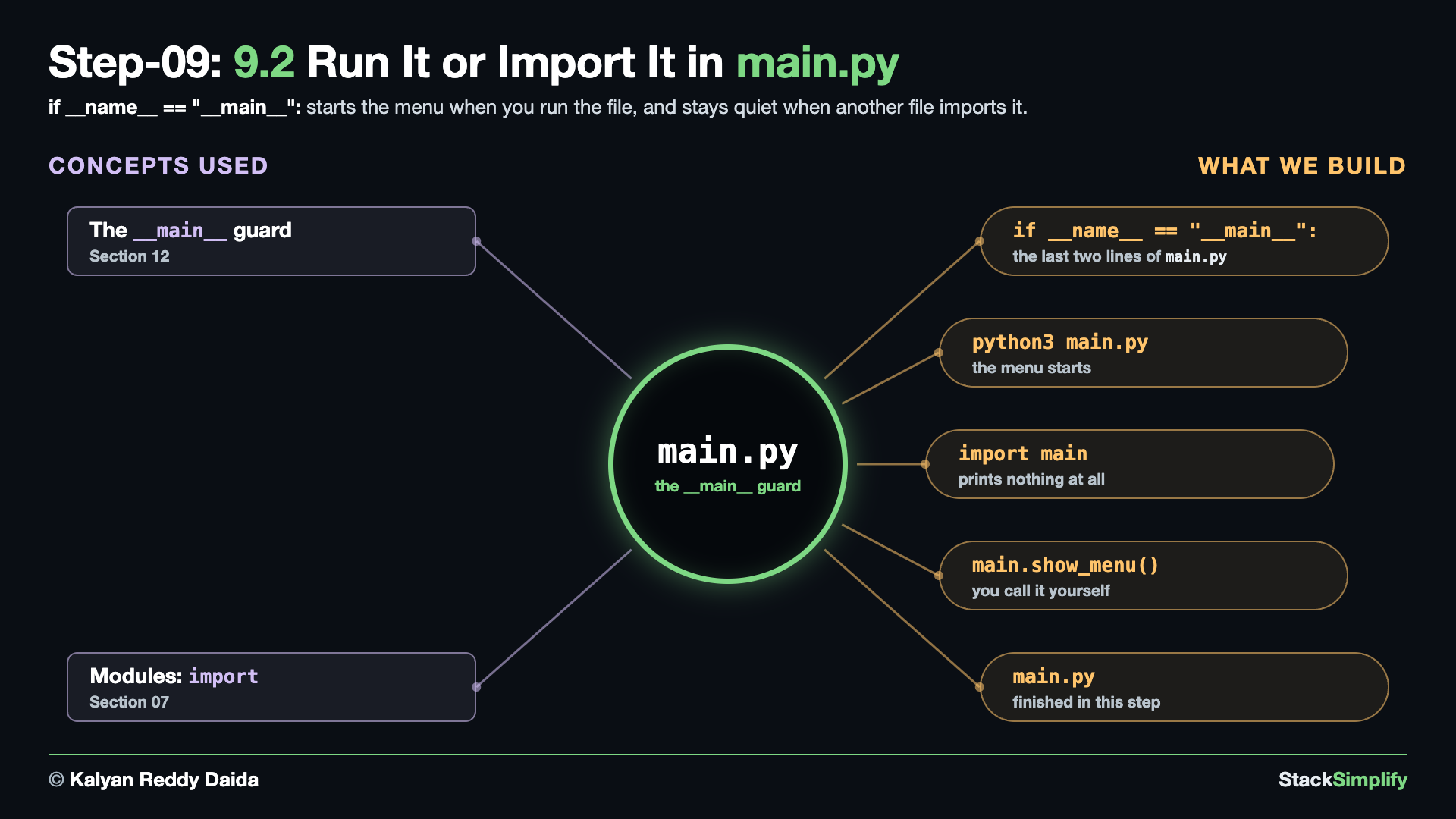
Write it. The file still ends with a bare main(), so the menu starts even when another file imports this one. Section 12's guard fixes that:
- When you run
python3 main.py, Python sets__name__to"__main__"in this file, theifis true, andmain()starts the menu. - When another file imports it,
__name__is"main"instead, theifis false, and nothing starts. You get the functions without the menu.
Try it at a Python prompt. In your build folder, type python3, then import the file:
>>> import main
>>> main.show_menu()
==== Expense Tracker 2.0 ====
1) Add expense
2) List expenses
3) Total spent
4) Spending by category
5) Show one category
6) Save and quit
- The import printed nothing: no menu, no prompt. Then calling
show_menu()yourself printed the menu. - Type
exit()to leave the prompt. main.pyis finished now.
Project files for this step: main.py | Optional drill: load JSON safely
Step-10: main.py: Run It All
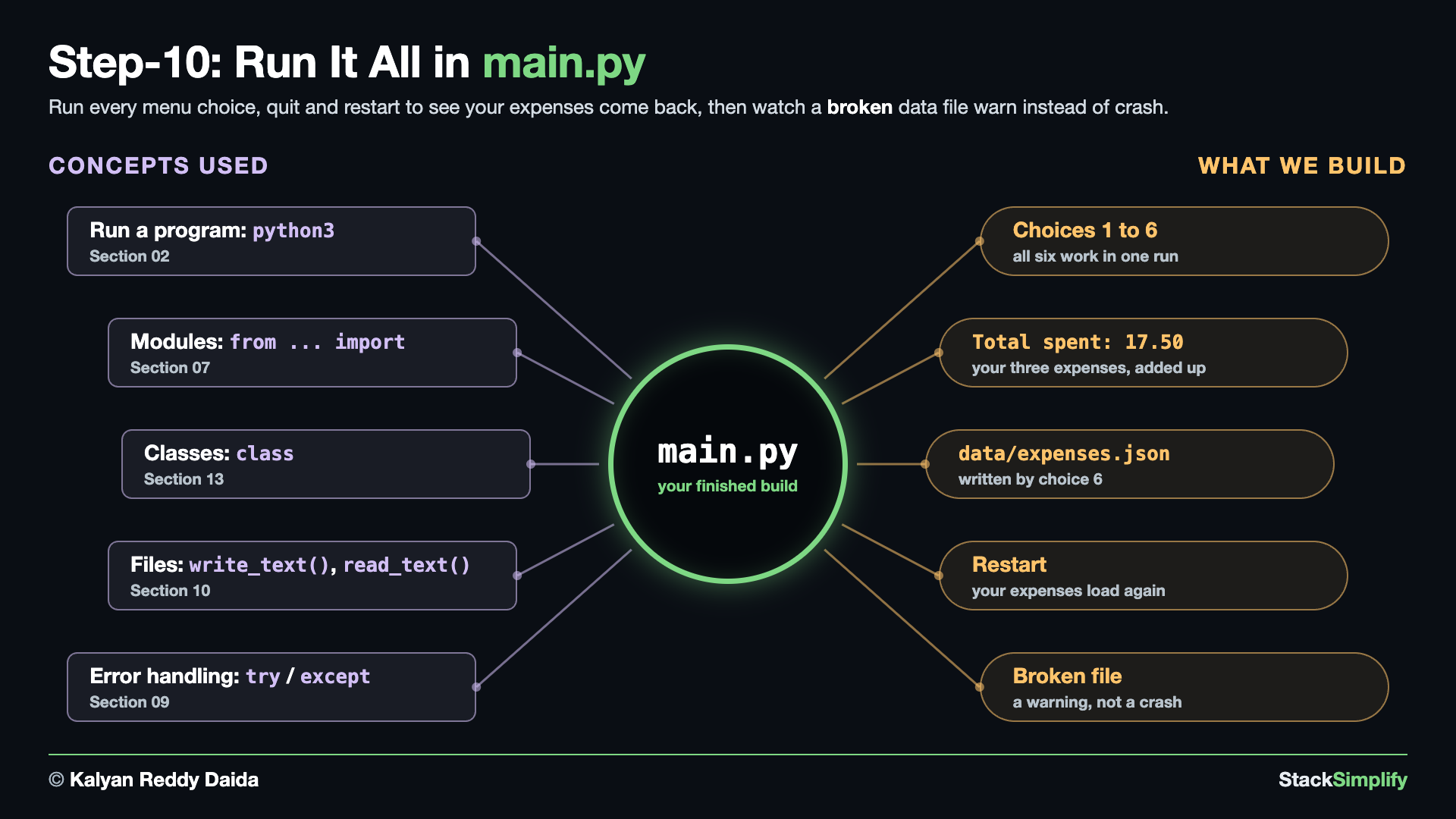
File: main.py
What you do in this step. You write no new code at all. You run your own finished tracker, use every menu choice, quit, start it again and watch your expenses come back.
Concepts used:
- Run a program:
python3, start the app you built (Section 02) - Modules:
from ... import,main.pypulls inExpenseBookand the five actions (Section 07) - Classes:
class,ExpenseandExpenseBookdo the work behind the menu (Section 13) - Files:
write_text(),read_text(), your expenses live indata/expenses.json(Section 10) - Error handling:
try/except, a broken data file warns instead of crashing (Section 09)
Run your own code. Open a terminal in your build folder, 04-livecode-build-incremental/, and start it:
Use every choice. Add three expenses with choice 1, then try 2, 3, 4 and 5, and quit with 6:
==== Expense Tracker 2.0 ====
1) Add expense
2) List expenses
3) Total spent
4) Spending by category
5) Show one category
6) Save and quit
Choose 1-6: 1
Description: Coffee
Amount: 3.50
Category: food
Added: Coffee (3.50) [food]
==== Expense Tracker 2.0 ====
...
Choose 1-6: 1
Description: Bus
Amount: 2.00
Category: transport
Added: Bus (2.00) [transport]
==== Expense Tracker 2.0 ====
...
Choose 1-6: 1
Description: Lunch
Amount: 12.00
Category: food
Added: Lunch (12.00) [food]
==== Expense Tracker 2.0 ====
...
Choose 1-6: 2
Description Category Amount
Coffee food 3.50
Bus transport 2.00
Lunch food 12.00
==== Expense Tracker 2.0 ====
...
Choose 1-6: 3
Total spent: 17.50
==== Expense Tracker 2.0 ====
...
Choose 1-6: 4
food 15.50
transport 2.00
==== Expense Tracker 2.0 ====
...
Choose 1-6: 5
Category to show: food
Description Category Amount
Coffee food 3.50
Lunch food 12.00
==== Expense Tracker 2.0 ====
...
Choose 1-6: 6
Saved. Goodbye!
- Choice 1, three times: Coffee, Bus and Lunch. Choice 2 prints all three in one aligned table.
- Choice 3 adds every amount:
Total spent: 17.50. Choice 4 splits the same money by category. - Choice 5 asks for one category and shows only the
foodrows. - Choice 6 is the one that changed. In Milestone 1 it only quit; now it saves first, then quits.
- Two more replies worth trying: type
abcat the Amount prompt and you getInvalid amount - enter a positive number like 12.50. Type9at the menu and you getPlease choose a number from 1 to 6.
See what choice 6 wrote. Your expenses are now plain text on disk:
[
{
"description": "Coffee",
"amount": 3.5,
"category": "food",
"created_at": "2026-09-21T07:12:02"
},
{
"description": "Bus",
"amount": 2.0,
"category": "transport",
"created_at": "2026-09-21T07:12:19"
},
{
"description": "Lunch",
"amount": 12.0,
"category": "food",
"created_at": "2026-09-21T07:12:35"
}
]
- One JSON object per expense, holding the four fields of an
Expense. created_atis the stampstore_expense()added when you typed the expense in.3.5in the file and3.50on screen are the same number. The file holds the value,format_row()decides how it looks.
Start it again. Run python3 main.py a second time. Choose 2 straight away, then 3, then 6. You typed nothing in, and your three expenses are already there:
==== Expense Tracker 2.0 ====
1) Add expense
2) List expenses
3) Total spent
4) Spending by category
5) Show one category
6) Save and quit
Choose 1-6: 2
Description Category Amount
Coffee food 3.50
Bus transport 2.00
Lunch food 12.00
==== Expense Tracker 2.0 ====
...
Choose 1-6: 3
Total spent: 17.50
==== Expense Tracker 2.0 ====
...
Choose 1-6: 6
Saved. Goodbye!
load()read the file before the first menu appeared. This is what the whole project is for: close the app, keep your data.
Break the file on purpose, one more time. You did this in Step-09. Do it again on the finished app: open data/expenses.json and delete everything after its first few lines, so the text is no longer valid JSON:
Run it with the broken file. Choose 2, then 6. The app warns you and still starts:
Warning: data file is corrupt; starting empty.
==== Expense Tracker 2.0 ====
1) Add expense
2) List expenses
3) Total spent
4) Spending by category
5) Show one category
6) Save and quit
Choose 1-6: 2
No expenses yet.
==== Expense Tracker 2.0 ====
...
Choose 1-6: 6
Saved. Goodbye!
- One line of warning, then the menu. No traceback, and no crash.
- Choice 6 then saves the empty book over the broken file, so
data/expenses.jsonholds[]. Add your three expenses again and the app is back to normal.
You are finished when:
python3 main.pyruns from your own folder, and every menu choice from 1 to 6 works.- After choice 6,
data/expenses.jsonholds your expenses, and the next run loads them. The broken-file run at the end leaves it holding[], so add your three expenses again first. - A broken
data/expenses.jsonprints the warning, and the app still starts. - Your folder holds
f1_is_valid_amount.py,f2_format_row.py,expense.py,expense_book.py,f5_actions.pyandmain.py, and nof3orf4: Step-05 turned those two intoExpenseBookmethods.
If something above did not work. Open the matching file in 01-orig-build-incremental/ and compare it with yours, line by line. That folder is the finished answer, and it is only there to compare against.
Look at what you made. Milestone 1 kept its expenses in one plain list that disappeared the moment the program ended. Your Milestone 2 has an Expense class, an ExpenseBook class that holds them and answers questions about them, two pure helpers, five actions, a menu driver, and a data file that outlives the program. You grew all of it yourself, one step at a time: four Milestone 1 files edited, two new files written, two deleted.
Project files for this step: main.py | 01-orig-build-incremental/
Step-11 (bonus): rich: Your App's First Installed Package
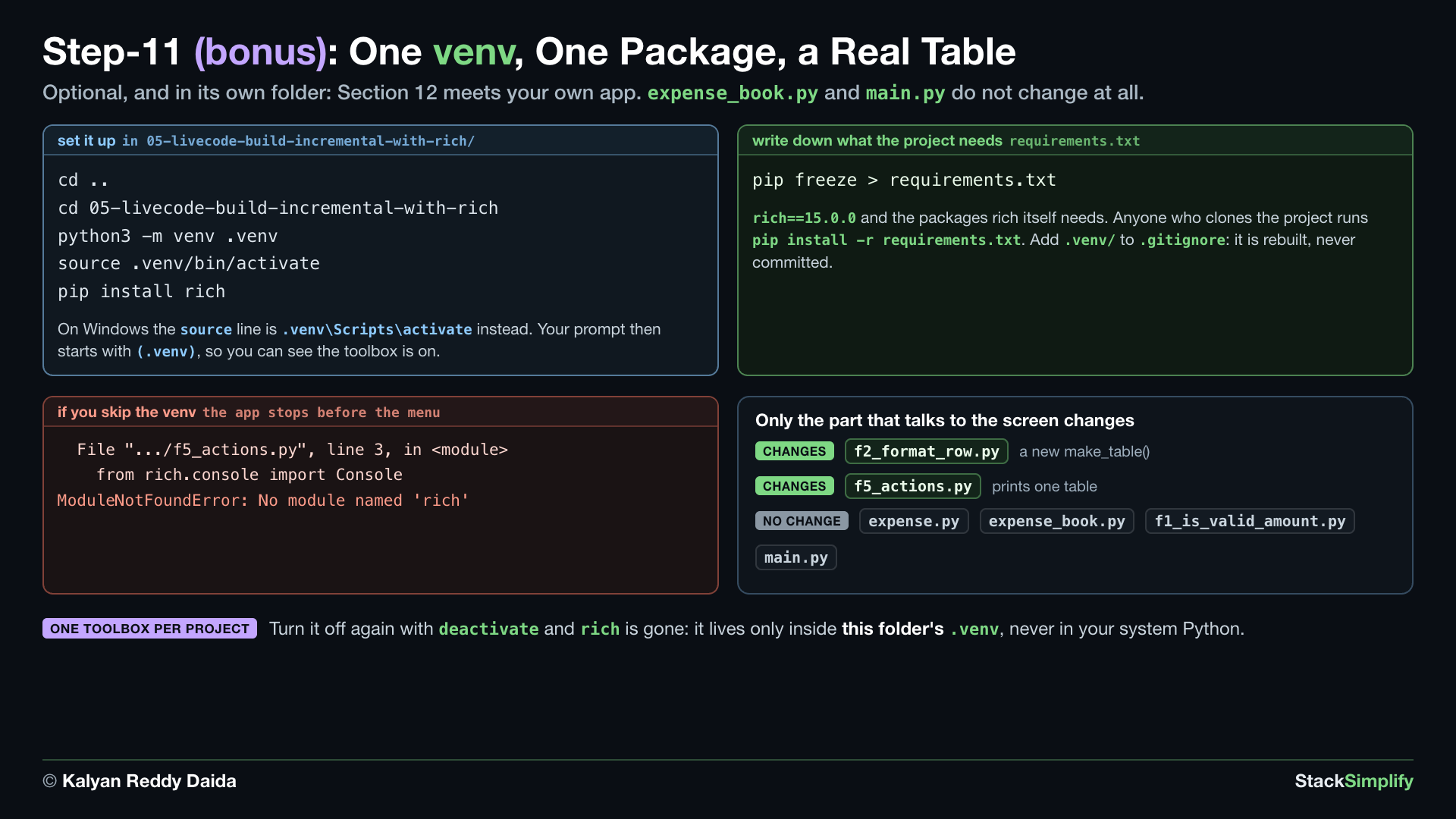
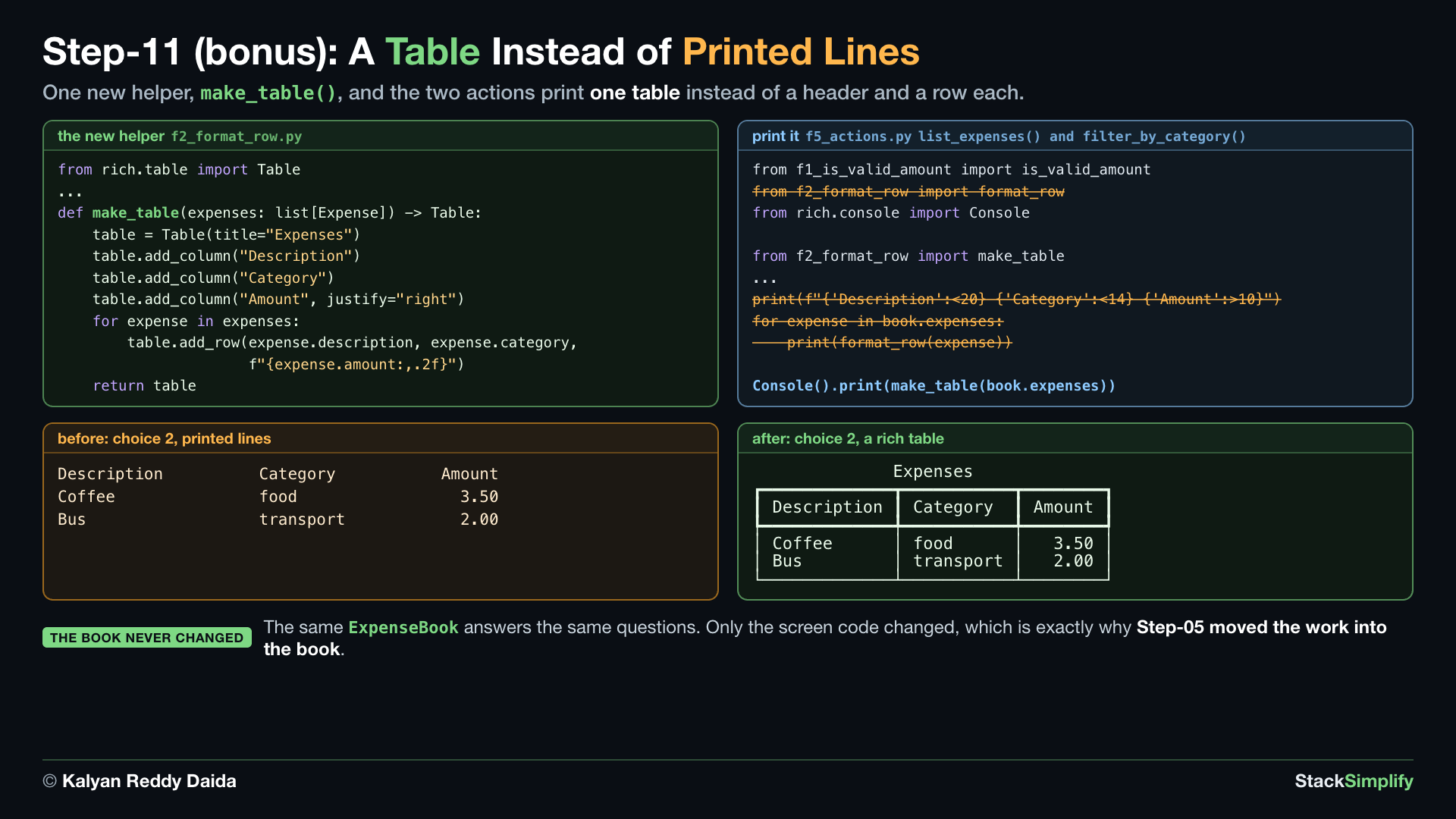
Optional, and in its own folder. The project is finished and needs nothing but Python. This step is where Section 12 meets your own app: one virtual environment, one installed package, and the list on screen becomes a real table.
Where you work. This whole step happens in 05-livecode-build-incremental-with-rich/, so your own 04-livecode-build-incremental/ stays exactly as you left it. That folder already holds the finished Step-11 code, and in f5_actions.py the Step-10 lines are kept as comments marked before Step-11, right above the new ones, so you can see exactly what changed. Make the environment, install the package, run it, and read along. The same code with its full docstrings is in 02-orig-build-incremental-with-rich/.
File: f2_format_row.py, plus f5_actions.py and a new requirements.txt
What you build in this step. A virtual environment inside that folder, rich installed into it, and a requirements.txt. The code change is already written for you to read: a make_table() helper that turns your expenses into a bordered table. expense.py, expense_book.py, f1_is_valid_amount.py and main.py do not change at all: only the part that talks to the screen does.
Concepts used:
- Modules:
from ... import, an installed package is imported like your own file (Section 07) - Virtual environments:
python3 -m venv .venv, one clean toolbox per project (Section 12) - Packages:
pip install, bring a package in from PyPI (Section 12) - Packages:
pip freezeandrequirements.txt, write down what your project needs (Section 12)
11.1 A virtual environment in the Step-11 folder
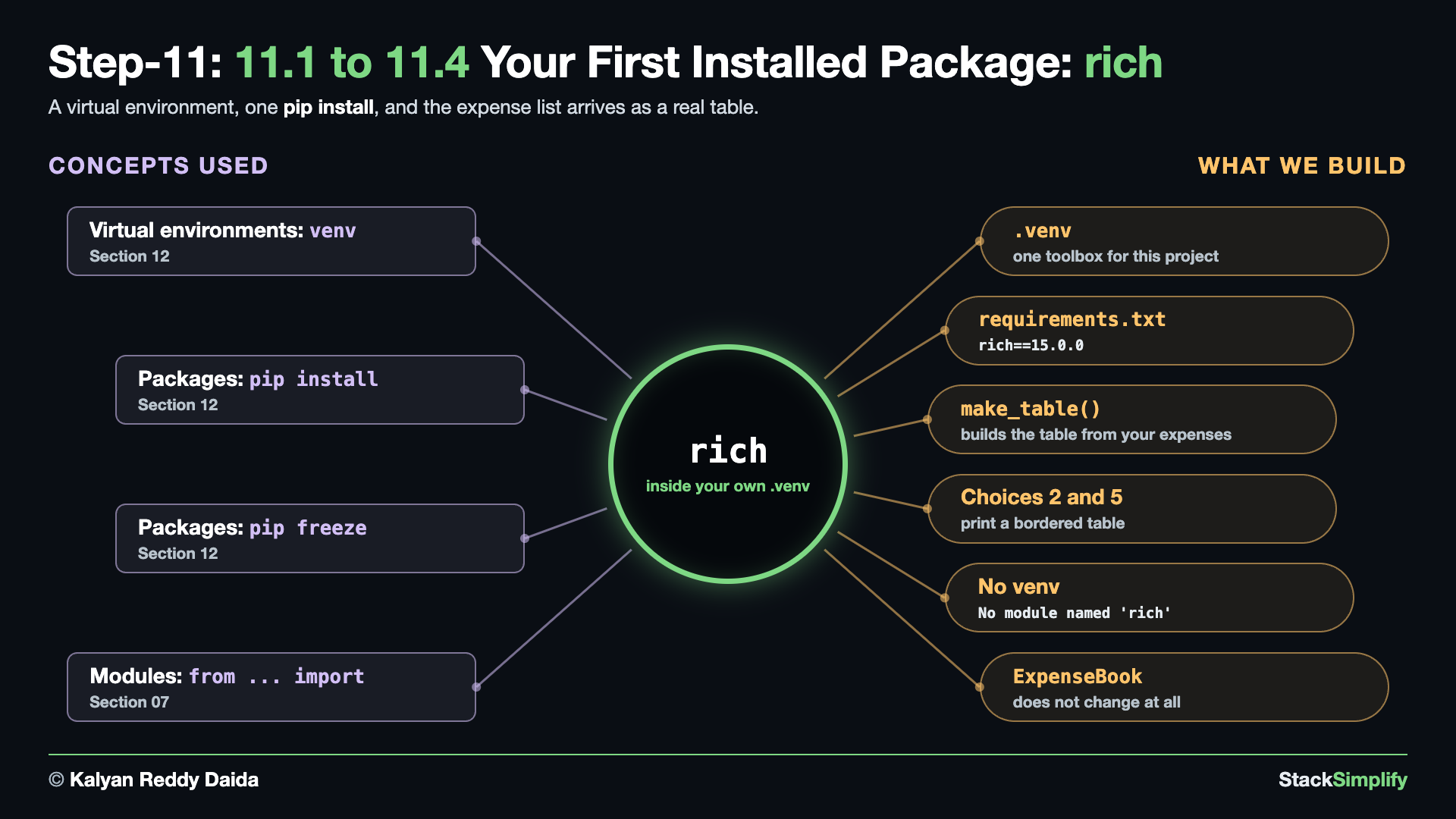
Set it up. Step-01 moved you into 04-livecode-build-incremental/, so go up one level to the project folder first. Then go into the Step-11 folder, make the environment there, switch to it, and install the package:
cd ..
cd 05-livecode-build-incremental-with-rich
python3 -m venv .venv
source .venv/bin/activate
pip install rich
On Windows, the source line is .venv\Scripts\activate instead.
.venvis a folder created right there, next tomain.py. It belongs to this project only.- Your prompt now starts with
(.venv). That is how you know the project's own toolbox is switched on.
Write down what the project needs. pip freeze lists what is installed, and requirements.txt is how anyone else installs the same thing:
- Your own file has more lines than this one.
pip freezealso writes down the packagesrichneeds to do its job, and that is normal. - Anyone who clones your project runs
pip install -r requirements.txtand gets them all together. - Add
.venv/to your.gitignore: it is rebuilt fromrequirements.txt, never committed.
If you skip the venv. The app stops before the menu, because the package is not there:
)
File ".../05-livecode-build-incremental-with-rich/f5_actions.py", line 3, in <module>
from rich.console import Console
ModuleNotFoundError: No module named 'rich'
11.2 f2_format_row.py: A Table Instead of a Line
Read it. In that same folder, open f2_format_row.py. format_row() stays as it is, and a new make_table() builds a rich table from the whole list:
"""f2: format_row, carried over from Milestone 1 and taught to read an object.
This is your own Milestone 1 file. Stage 2 changes three lines inside it: an expense is
an Expense object now, so the square brackets become dots. The f-string never changes.
"""
from expense import Expense


def format_row(expense: Expense) -> str:
    """Return one aligned table row for an expense."""
    desc = expense.description
    cat = expense.category
    amt = expense.amount
    return f"{desc:<20} {cat:<14} {amt:>10,.2f}"
"""f2: format_row, carried over from Milestone 1 and taught to read an object.
This is your own Milestone 1 file. Stage 2 changes three lines inside it: an expense is
an Expense object now, so the square brackets become dots. The f-string never changes.
"""
from rich.table import Table
from expense import Expense
def format_row(expense: Expense) -> str:
"""Return one aligned table row for an expense."""
desc = expense.description
cat = expense.category
amt = expense.amount
return f"{desc:<20} {cat:<14} {amt:>10,.2f}"
def make_table(expenses: list[Expense]) -> Table:
"""Build a rich table with one row per expense."""
table = Table(title="Expenses")
table.add_column("Description")
table.add_column("Category")
table.add_column("Amount", justify="right")
for expense in expenses:
table.add_row(expense.description, expense.category, f"{expense.amount:,.2f}")
return table
What changed.
"""
+from rich.table import Table
+
from expense import Expense
...
return f"{desc:<20} {cat:<14} {amt:>10,.2f}"
+
+
+def make_table(expenses: list[Expense]) -> Table:
+ """Build a rich table with one row per expense."""
+ table = Table(title="Expenses")
+ table.add_column("Description")
+ table.add_column("Category")
+ table.add_column("Amount", justify="right")
+ for expense in expenses:
+ table.add_row(expense.description, expense.category, f"{expense.amount:,.2f}")
+ return table
Tablecomes from the installed package, and its import sits above your own imports.add_column("Amount", justify="right")keeps the money right-aligned, the job the f-string widths did.format_row()is still there, so you can compare the two ways side by side.
11.3 f5_actions.py: Print the Table
See it wired in. Also in that folder, the two actions that printed a header and a row per expense now print one table:
"""
f5_actions.py: Menu Actions
This is your own Milestone 1 file, edited stage by stage. Each function still:
- Gets input from the user.
- Calls the helpers.
- Displays the results.
What changed: every action now receives the ExpenseBook instead of a bare list, so
`expenses` became `book` in each signature. The imports of f3 and f4 are gone, because
those two helpers became ExpenseBook methods.
main.py imports these functions and calls them based on the user's menu choice.
"""
from expense_book import ExpenseBook
from f1_is_valid_amount import is_valid_amount
from f2_format_row import format_row
def add_expense(book: ExpenseBook) -> None:
"""Prompt the user for a new expense and add it to the book."""
description = input("Description: ").strip()
if description == "":
description = "(no description)"
amount_text = input("Amount: ").strip()
if not is_valid_amount(amount_text):
print("Invalid amount - enter a positive number like 12.50")
return
category = input("Category: ").strip().lower()
if category == "":
category = "uncategorized"
amount = float(amount_text)
# The book builds the Expense object, stamps it with the time, and keeps it.
expense = book.store_expense(description, amount, category)
print(f"Added: {expense.description} ({expense.amount:,.2f}) [{expense.category}]")
def list_expenses(book: ExpenseBook) -> None:
    """Display all recorded expenses."""
    if not book.expenses:
        print("No expenses yet.")
        return

    print(f"{'Description':<20} {'Category':<14} {'Amount':>10}")

    for expense in book.expenses:
        print(format_row(expense))
def show_total(book: ExpenseBook) -> None:
"""Display the total amount spent."""
print(f"Total spent: {book.compute_total():,.2f}")
def show_by_category(book: ExpenseBook) -> None:
"""Display the total spent in each category."""
totals = book.compute_by_category()
if not totals:
print("No expenses yet.")
return
for category, total in totals.items():
print(f"{category:<14} {total:>10,.2f}")
def filter_by_category(book: ExpenseBook) -> None:
"""Display expenses that belong to one category."""
wanted_category = input("Category to show: ").strip().lower()
matches = book.filter(wanted_category)
if not matches:
print(f"No expenses in '{wanted_category}'.")
return
print(f"{'Description':<20} {'Category':<14} {'Amount':>10}")
for expense in matches:
print(format_row(expense))
"""
f5_actions.py: Menu Actions

This is your own Milestone 1 file, edited stage by stage. Each function still:
- Gets input from the user.
- Calls the helpers.
- Displays the results.

What changed: every action now receives the ExpenseBook instead of a bare list, so
`expenses` became `book` in each signature. The imports of f3 and f4 are gone, because
those two helpers became ExpenseBook methods.

main.py imports these functions and calls them based on the user's menu choice.
"""

from expense_book import ExpenseBook
from f1_is_valid_amount import is_valid_amount
from rich.console import Console

from f2_format_row import make_table


def add_expense(book: ExpenseBook) -> None:
    """Prompt the user for a new expense and add it to the book."""
    description = input("Description: ").strip()

    if description == "":
        description = "(no description)"

    amount_text = input("Amount: ").strip()

    if not is_valid_amount(amount_text):
        print("Invalid amount - enter a positive number like 12.50")
        return

    category = input("Category: ").strip().lower()

    if category == "":
        category = "uncategorized"

    amount = float(amount_text)

    # The book builds the Expense object, stamps it with the time, and keeps it.
    expense = book.store_expense(description, amount, category)

    print(f"Added: {expense.description} ({expense.amount:,.2f}) [{expense.category}]")


def list_expenses(book: ExpenseBook) -> None:
    """Display all recorded expenses."""
    if not book.expenses:
        print("No expenses yet.")
        return

    Console().print(make_table(book.expenses))


def show_total(book: ExpenseBook) -> None:
    """Display the total amount spent."""
    print(f"Total spent: {book.compute_total():,.2f}")


def show_by_category(book: ExpenseBook) -> None:
    """Display the total spent in each category."""
    totals = book.compute_by_category()

    if not totals:
        print("No expenses yet.")
        return

    for category, total in totals.items():
        print(f"{category:<14} {total:>10,.2f}")


def filter_by_category(book: ExpenseBook) -> None:
    """Display expenses that belong to one category."""
    wanted_category = input("Category to show: ").strip().lower()

    matches = book.filter(wanted_category)

    if not matches:
        print(f"No expenses in '{wanted_category}'.")
        return

    Console().print(make_table(matches))
What changed.
 from f1_is_valid_amount import is_valid_amount
-from f2_format_row import format_row
+from rich.console import Console
+
+from f2_format_row import make_table
 ...
-    print(f"{'Description':<20} {'Category':<14} {'Amount':>10}")
-
-    for expense in book.expenses:
-        print(format_row(expense))
+    Console().print(make_table(book.expenses))
 ...
-    print(f"{'Description':<20} {'Category':<14} {'Amount':>10}")
-
-    for expense in matches:
-        print(format_row(expense))
+    Console().print(make_table(matches))
Console().print(...)is howrichwrites to the screen. A plainprint()would show the table object, not the table.- Both the list view and the one-category view call the same
make_table(). ExpenseBooknever changes. The book computes, and only the actions talk to the screen.
11.4 Run It with the Table
Run it. Still inside 05-livecode-build-incremental-with-rich/, with (.venv) on your prompt:
Add two expenses, choose 2, then 5 for food, then 6:
==== Expense Tracker 2.0 ====
1) Add expense
2) List expenses
3) Total spent
4) Spending by category
5) Show one category
6) Save and quit
Choose 1-6: 1
Description: Coffee
Amount: 3.50
Category: food
Added: Coffee (3.50) [food]

==== Expense Tracker 2.0 ====
...
Choose 1-6: 1
Description: Bus
Amount: 2
Category: transport
Added: Bus (2.00) [transport]

==== Expense Tracker 2.0 ====
...
Choose 1-6: 2
              Expenses
┏━━━━━━━━━━━━━┳━━━━━━━━━━━┳━━━━━━━━┓
┃ Description ┃ Category  ┃ Amount ┃
┡━━━━━━━━━━━━━╇━━━━━━━━━━━╇━━━━━━━━┩
│ Coffee      │ food      │   3.50 │
│ Bus         │ transport │   2.00 │
└─────────────┴───────────┴────────┘

==== Expense Tracker 2.0 ====
...
Choose 1-6: 5
Category to show: food
             Expenses
┏━━━━━━━━━━━━━┳━━━━━━━━━━┳━━━━━━━━┓
┃ Description ┃ Category ┃ Amount ┃
┡━━━━━━━━━━━━━╇━━━━━━━━━━╇━━━━━━━━┩
│ Coffee      │ food     │   3.50 │
└─────────────┴──────────┴────────┘

==== Expense Tracker 2.0 ====
...
Choose 1-6: 6
Saved. Goodbye!
- The same program, the same data, a better screen.
- Turn the environment off again with
deactivate. Run the app then, and the package is gone:richlives only inside this folder's.venv. 02-orig-build-incremental-with-rich/holds the same code with its full docstrings, if you want the longer explanations.
Project files for this step: f2_format_row.py (with make_table) | f5_actions.py (printing the table) | requirements.txt | the Step-11 folder
Files in this project
01-orig-build-incremental/: the finished files from Step-01 to Step-09, withf1_is_valid_amount.pyandf2_format_row.pycarried over from Milestone 1, the newexpense.pyandexpense_book.py, the editedf5_actions.pyandmain.py, and aREADME.mdwith the build order.02-orig-build-incremental-with-rich/(optional): the same tracker finished withrich, the answer for Step-11.03-orig-warmup/(optional): six drills, each practicing one new skill on its own (01 covers two). Not needed to follow the steps above.04-livecode-build-incremental/: your starting point, the six Milestone 1 files without comments, each function with its one-line docstring. Build the project here, and compare with01-orig-build-incremental/.05-livecode-build-incremental-with-rich/(optional): the Step-11 folder. It holds the finished Step-11 code with short docstrings, andf5_actions.pykeeps the Step-10 lines as comments so you can see both sides. You add the virtual environment andrichhere.
Next
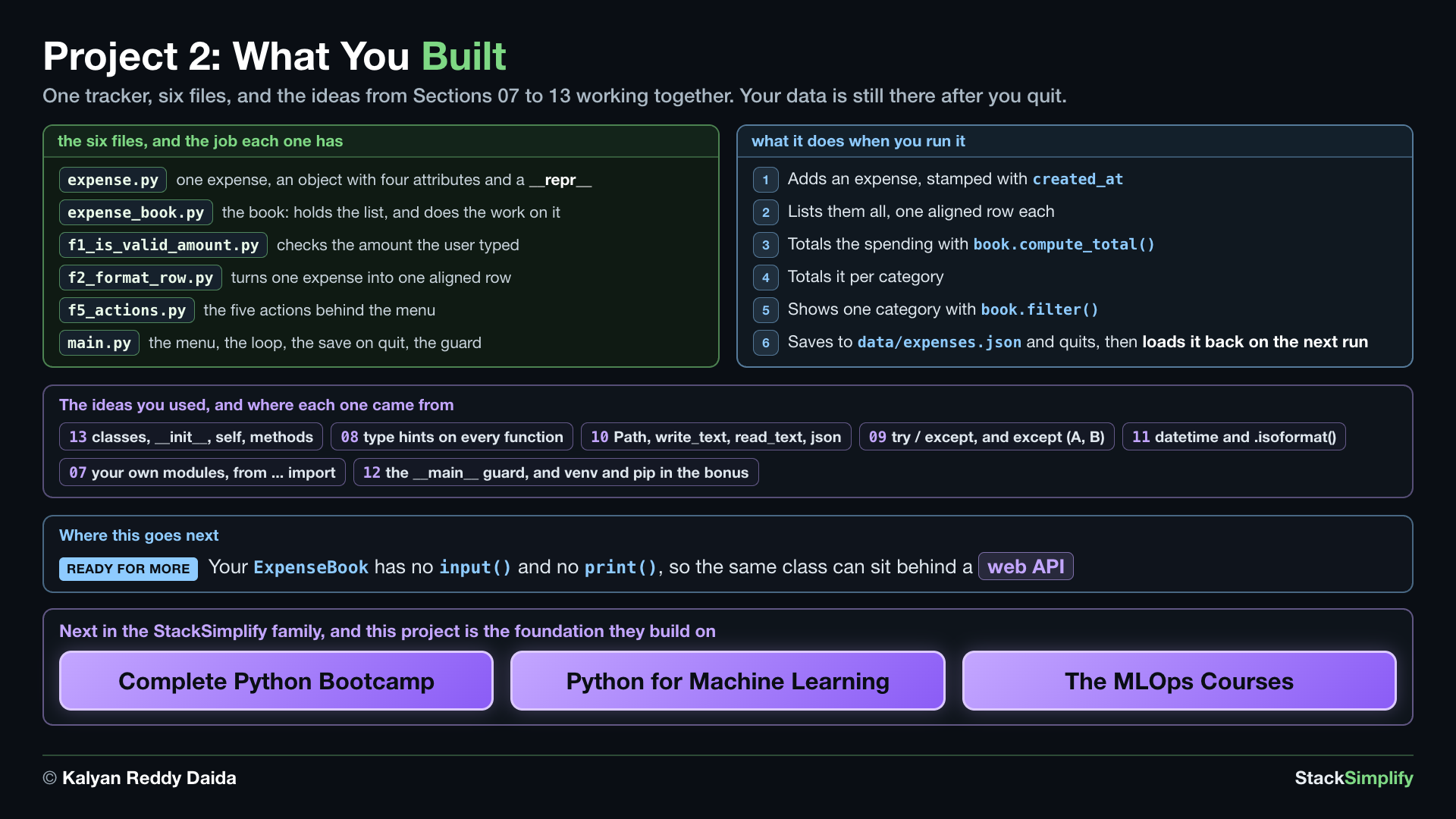
You now have the Python foundation for the rest of the StackSimplify family: the Complete Python Bootcamp, Python for Machine Learning, and the MLOps courses. Because your ExpenseBook has no input() or print(), the same logic is ready to sit behind a web API in a later course, with your beginner code serving real requests.
Prefer to learn by watching?
The full video course teaches every concept on screen and builds the projects with you, step by step.
Milestone Project 1: CLI Expense Tracker