Start Here
Download slides (PDF) Get the Video Course
Welcome. This page shows you how to use this site and the best way to learn from it. It takes two minutes to read and will save you hours.
What this site is
The written companion to the Python for Absolute Beginners video course. Sections 01 to 03 are free to read here; the full course continues with the video course. You read each concept, type the code, run it, and then build it yourself. No prior coding needed.
How each section is built
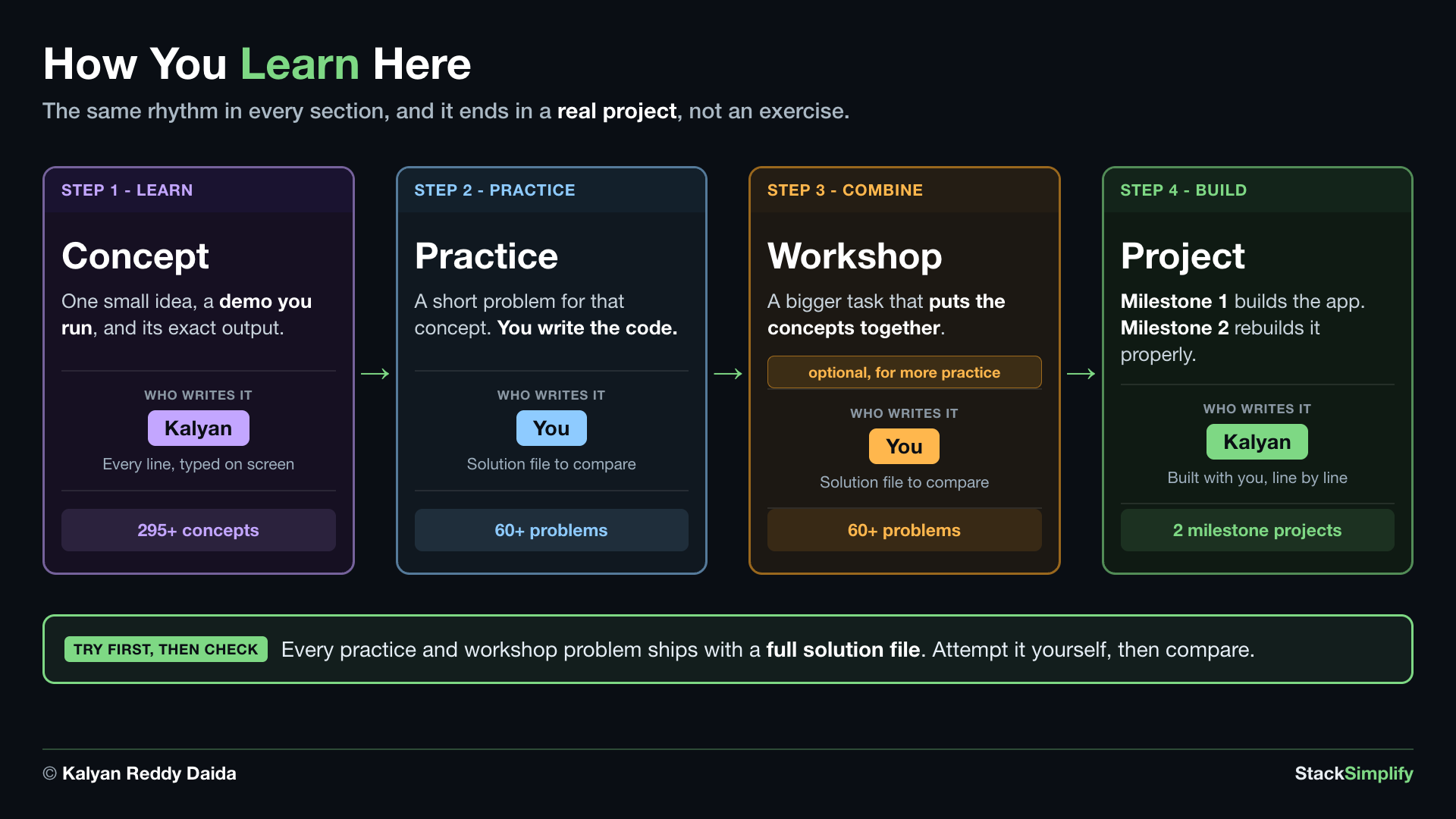
Every section follows the same simple rhythm, so once you learn one, you know them all:
- A concept map at the top - the whole path through the section in one picture. Click it to zoom.
- Concept by concept - each idea is one small block: a plain-English explanation, a short code snippet (with its file name), and an Output box showing exactly what it prints. Read it, type it, run it, then move to the next.
- Call-outs -
!!! tip,!!! warning, and!!! noteboxes flag the things that matter most. - Files for this step - links at the end of each step to the Concept file, a Practice file (you write it), the Practice Solution, a Workshop file, and the Workshop Solution.
The one habit that matters
Type the code yourself and run it - do not just read it. Then do the Practice file on your own before you open the solution. The struggle is where the learning sticks.
The path to follow
Go in order. Each section builds on the one before.
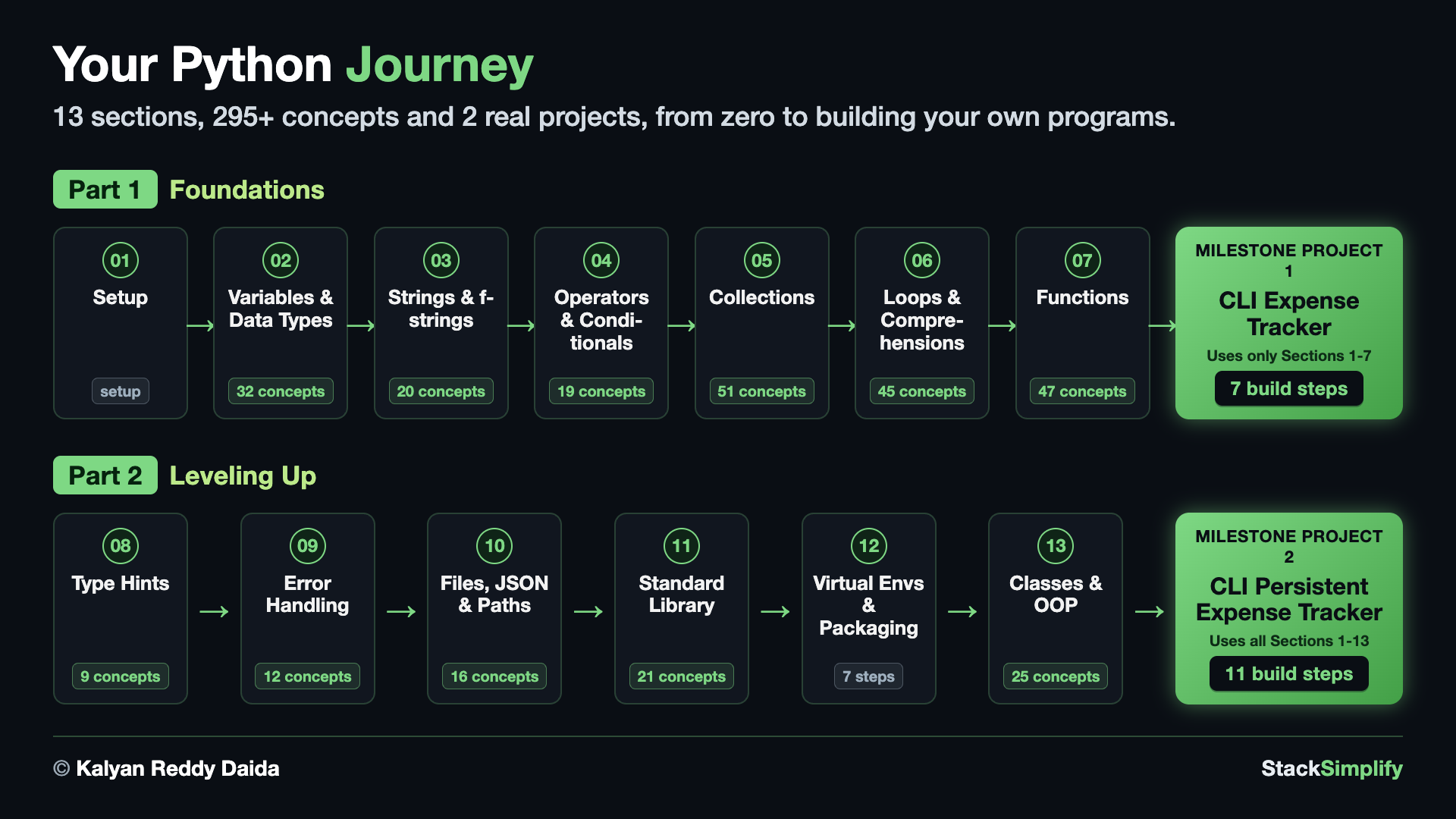
- Section 01: Python Environment Setup - install Python + VS Code (do this first).
- Sections 02 to 13 - the core language, one topic at a time (variables, strings, operators, collections, loops, functions, type hints, error handling, files, the standard library, virtual environments, and classes).
- Milestone Project 1 and Milestone Project 2 - build two real programs that pull everything together.
How we track Python's keywords
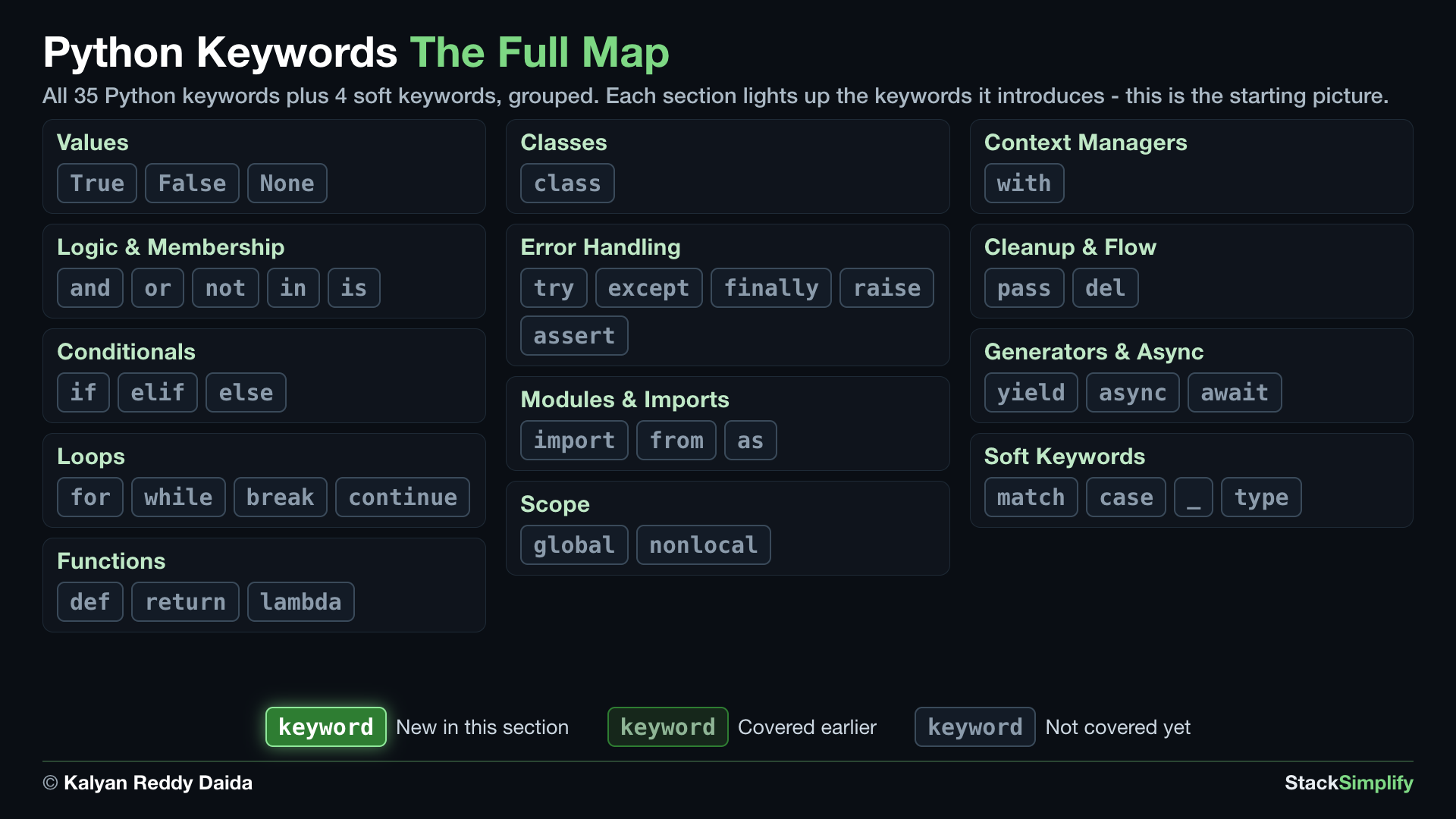
Python has only 35 keywords - the reserved words that make up the entire language. They are the most important vocabulary you will learn, so we track them across the whole course: every section opens with a "Keywords in This Section" map that lights up (in bright green) the new keywords it introduces and dims the ones you have already learned, so you always know exactly where you are on the map.
Here is the full set - Python's 35 keywords, plus the 4 soft keywords (match, case, _, type) that act as keywords only in special spots. This beginner course covers most of the 35; the few that stay grey (advanced ones like yield, async, and await, and all the soft keywords) are for later courses. Do not memorize it now - it is just the big picture, and each section reveals its own piece.
Keep these handy
- Cheat Sheet - one-page quick reference for the syntax you learn here.
- Glossary - plain-English definitions of every term.
- FAQ - common beginner questions answered.
Ready? Start with Section 01.
Prefer to learn by watching?
The full video course teaches every concept on screen and builds the projects with you, step by step.